📋 In This Post
Lab Overview
The problem. Three weeks of hierarchy and policy, and nothing was running. A workload needs a network, and the obvious approach — a VPC per project — multiplies the number of places someone has to get firewall rules right, and makes private connectivity between projects a routing problem you have to solve yourself.
Objective. Put one network in a central host project and let a workload project attach to it, so the workload gets private addressing without owning any network configuration. Then filter it with a firewall policy applied at the folder, above the project.
Expected outcome. A virtual machine in one project drawing its IP address from a subnet in another, reachable only through Identity-Aware Proxy, with no external address at all — and a measured cost of effectively zero.
| Difficulty | Advanced — five roles, two of which are not obvious, and a quota-project cascade |
|---|---|
| Deployment | Terraform via HCP Terraform remote execution, Workload Identity Federation |
| Reproduce it | Lab guide — roles, the free-tier shape, the quota cascade |
| Cost | ~$0 — and that depends on four choices, any one of which starts billing |
Cloud Services and Concepts
| Service | Purpose in this lab |
|---|---|
| Shared VPC | Lets a host project own a network that service projects attach to. The workload gets addressing without owning configuration. |
| Custom-mode VPC | A network with no subnets until you create them, so every range is deliberate. Auto mode would create one subnet per region. |
| Cloud NGFW hierarchical policies | Firewall rules applied at a folder, above every project in it, so a project cannot opt out. |
| Identity-Aware Proxy | SSH to an instance with no public address, brokered by Google and governed by IAM. |
| Compute Engine | One e2-micro — the thing that proves the networking works. |
The concept worth getting straight: host and service projects. In Shared VPC, one project owns the network and others borrow it. A virtual machine in a service project gets an address from a subnet that lives in the host project, and the service project's administrators cannot change that subnet, its routes or its firewall rules. Network configuration becomes a central concern and workload teams get addressing without it — which is the opposite trade from a VPC per project, where every team owns a firewall they probably have not thought about.
Architecture and Workflow
The flow
- Create a custom-mode VPC in the host project, with no subnets until each range is chosen deliberately.
- Create two regional subnets with flow logs and Private Google Access — one for dev, one reserved for prod.
- Enable the host project as a Shared VPC host and attach the workload project as a service project.
- Grant the service project's identities use of one subnet, not the whole network.
- Attach a hierarchical firewall policy to the workloads folder: allow IAP's range on port 22, deny everything else.
- Create one
e2-microwith no external address, and confirm it draws its IP from the host project's subnet.
Two decisions worth naming
The firewall policy sits on the folder, not the project. A project-level rule can be changed by whoever administers the project. A hierarchical policy above it cannot be opted out of, which is the point of putting it there.
No external IP, deliberately. It is both a security choice and a cost one — an ephemeral public address has been billed per hour since 2020, so "no public IP" is simultaneously the hardened option and the free one.
Prerequisites
- A host project with
computeandosloginenabled — Week 1 supplies one withauto_create_network = false. - A free billing slot for the spoke project.
- Five roles, two of which are easy to miss:
compute.xpnAdmin(organization-scoped, unavoidably),compute.networkAdmin,compute.instanceAdmin.v1,compute.orgSecurityPolicyAdminto create a firewall policy andcompute.orgSecurityResourceAdminto attach it. - A quota project with
cloudresourcemanager,serviceusageandcloudbillingenabled — needed because a folder-scoped firewall policy belongs to no project. - Terraform 1.9+ with
hashicorp/google~> 6.0.
Exact roles, the quota cascade and the free-tier conditions are in the lab guide.
Implementation
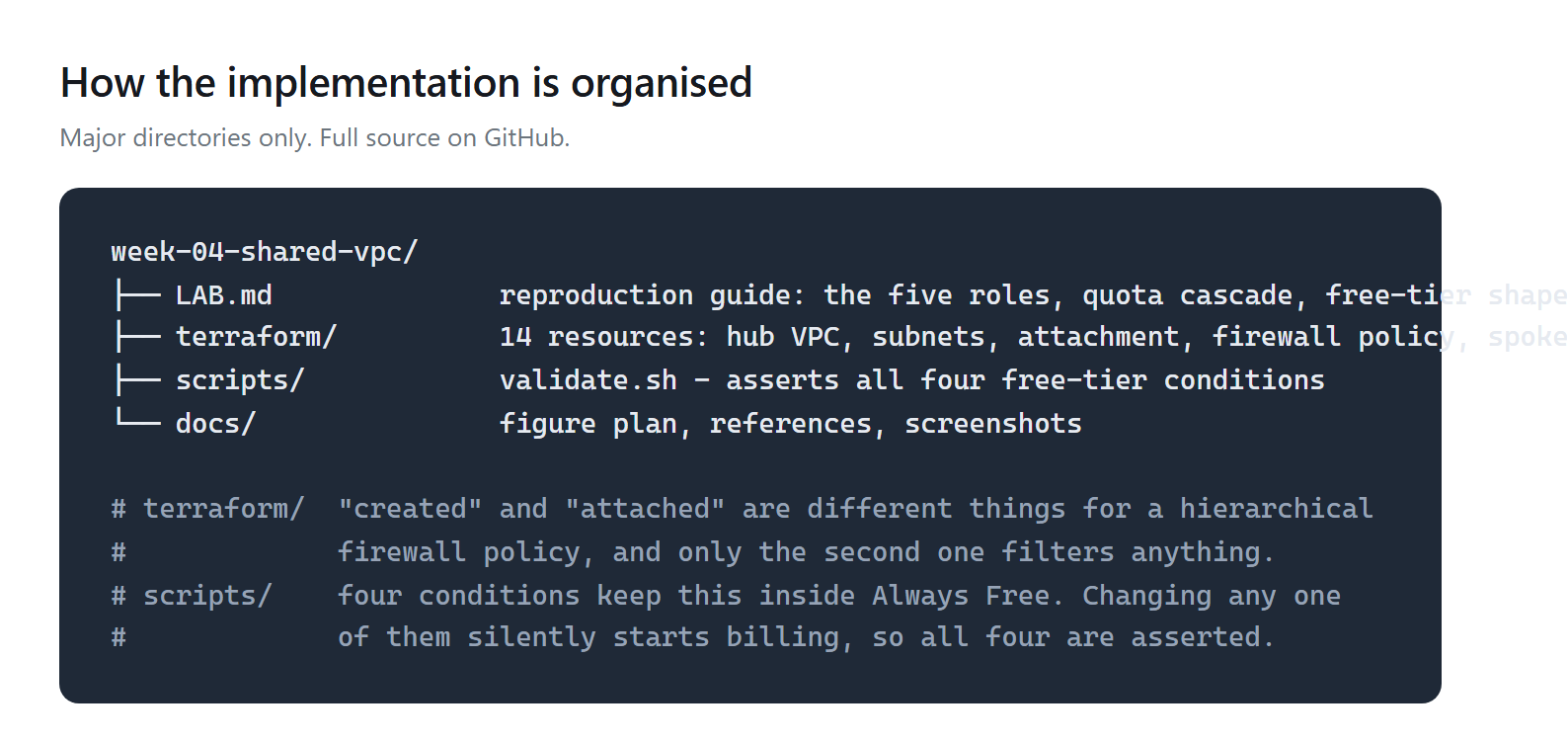
Fourteen resources. Commands are in the lab guide.
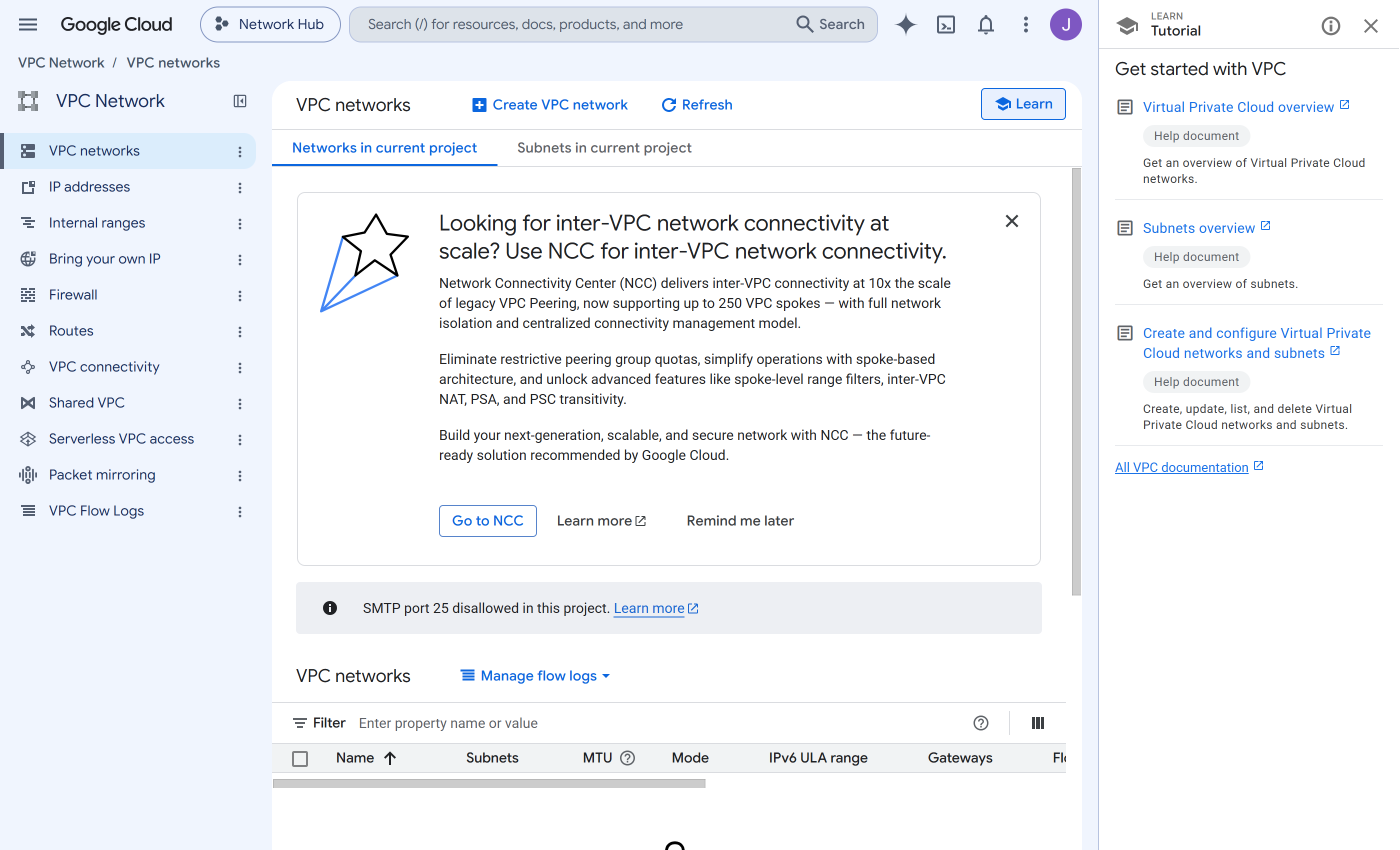
auto_create_network = false, so the permissive default VPC never existed and nothing had to be deleted.Step 1 — A custom-mode network, then subnets chosen deliberately
Why: auto mode creates a subnet in every region with ranges you did not choose. Custom mode starts empty, so each range is a decision.
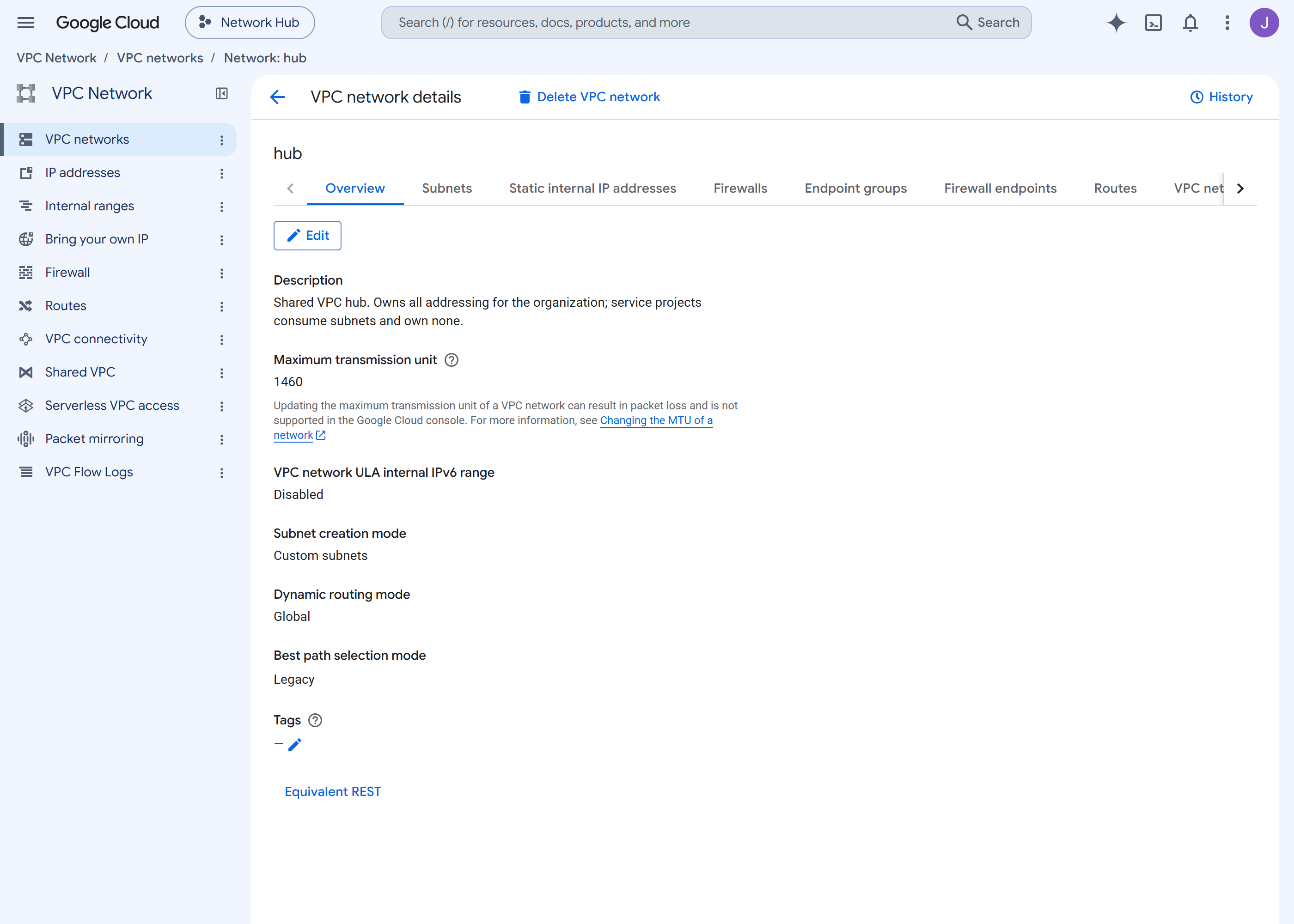
Step 2 — Make the host a host, and attach the spoke
Why: this one value is the whole of Shared VPC — a project
is a host, and others may attach to it. Note that
compute.xpnAdmin cannot be folder-scoped; host
enablement is checked at the organization, so it is the widest grant the
pipeline holds.
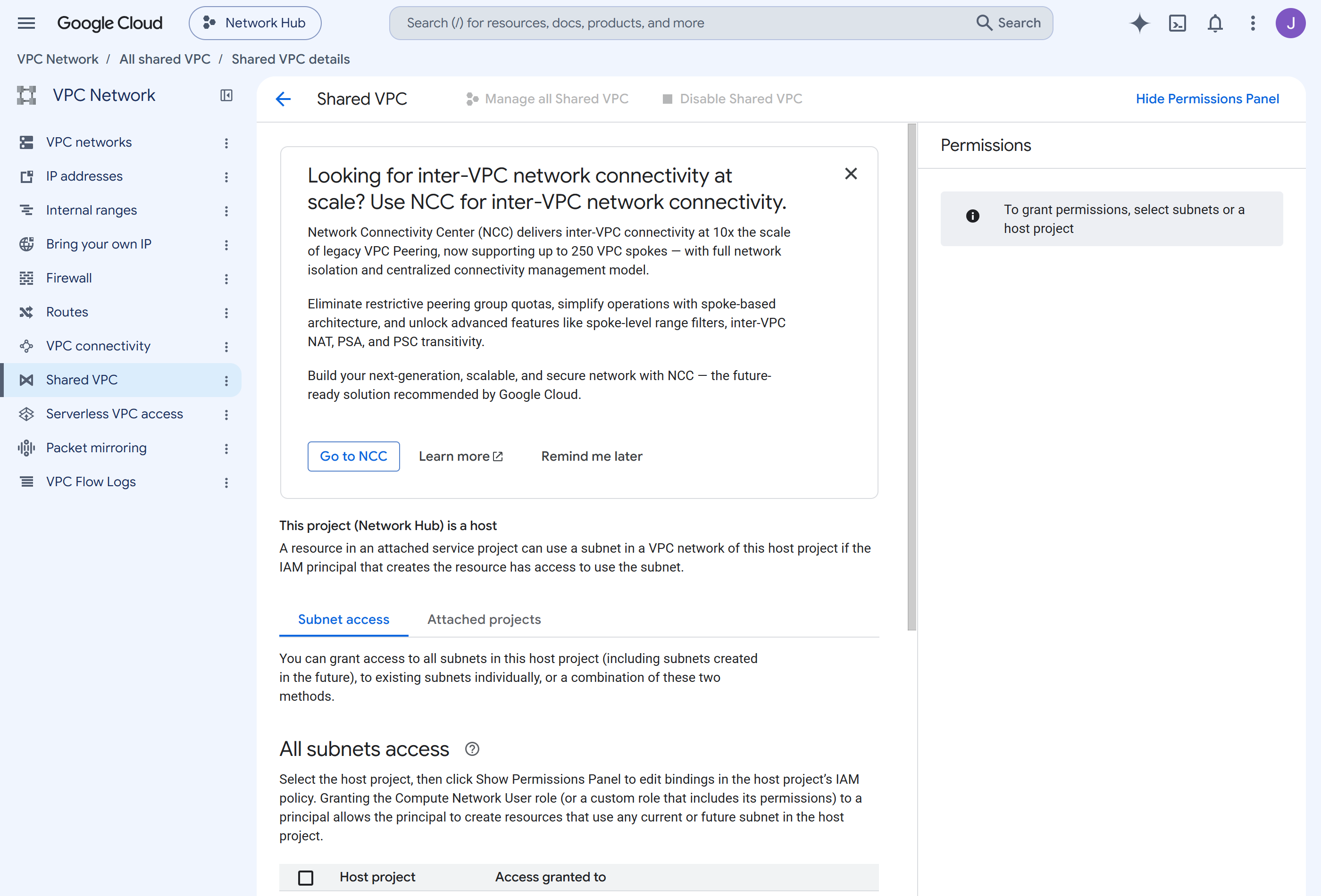
Step 3 — Filter above the project, then run something
Why: a hierarchical policy on the folder cannot be opted out of by a project administrator. Watch for: creating the policy and attaching it are different permissions, and only the attachment filters anything.
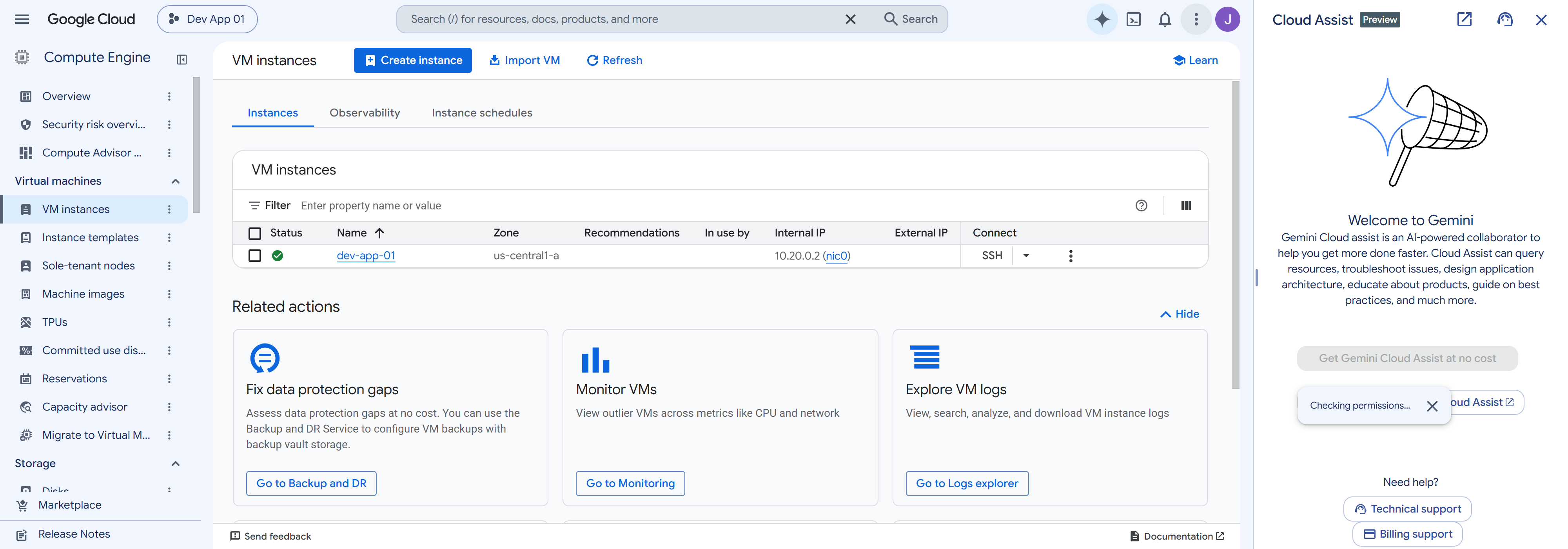
10.20.0.2 — an address from a subnet in a different project — with no external IP. The borrowing works.Validation and Evidence
| Test | Expected | Actual | Status |
|---|---|---|---|
| Infrastructure deployed | 14 resources | 14 added, 0 changed, 0 destroyed | Pass |
| Network is custom mode | not auto | custom | Pass |
| Host enabled and spoke attached | both | both | Pass |
| Instance draws its address from another project's subnet | an address in 10.20.0.0/24 | 10.20.0.2 | Pass |
| Free-tier shape | all four conditions | e2-micro, us-central1, pd-standard 10 GB, no external IP | Pass |
| Firewall policy attached, not merely created | association present on the folder | attached | Pass |
| Week 03's dry-run constraints now have something to evaluate | violations reported | promoted to enforce on the evidence | Pass |
| SSH actually reaches the instance through IAP | a session established | not tested — the rule and the association were verified, a connection was not made | Unverified |
Row four is the week. A virtual machine in one project holding an address from a subnet in another is Shared VPC working — everything else is scaffolding around that one fact.
Row eight is the gap. The IAP ingress rule exists and the policy is attached, which the console confirms; no SSH session was ever established through it. The path is configured and unexercised, and calling it "SSH works" would be a claim the evidence does not support.
Security and Cost
Security decisions
| Control | Decision and trade-off |
|---|---|
| No public address | The instance has no external IP at all, so it is not reachable from the internet by any route. Administrative access is brokered by IAP and governed by IAM. |
| Filtering above the project | A hierarchical policy on the folder cannot be opted out of by a project administrator — unlike a VPC firewall rule. |
| Default deny | Rule 65000 denies all ingress; rule 1000 allows only IAP's documented range on port 22. |
| Narrow subnet grant | The service project's identities may use one subnet, not the whole network. |
| Accepted over-grant | compute.xpnAdmin is organization-scoped and cannot be narrowed. It is the widest permission the pipeline holds, and it is required for host enablement. |
| Accepted gap | No egress control at all. Cloud NAT and egress policy arrive in Week 16. |
Cost
~$0, and the shape is deliberate. Four conditions keep this inside Always Free, and changing any one of them silently starts billing:
| Condition | Why it matters |
|---|---|
e2-micro | the only Always Free machine type |
us-central1 | one of three eligible regions |
pd-standard, 10 GB | balanced or larger is billed |
| no external IP | an ephemeral public address has been billed hourly since 2020 |
All four are asserted by validate.sh, because a cost property
that is not checked is a cost property that drifts. Flow logs are the
one to watch: they bill by volume, and they are free here only because
a single idle instance generates almost no traffic.
Troubleshooting and Lessons
The firewall policy existed and filtered nothing
Problem: the policy and its rules were created successfully, and traffic was unaffected.
Root cause:
roles/compute.orgSecurityPolicyAdmin carries
firewallPolicies.create, update and use —
but not organizations.setFirewallPolicy. The policy
had never been associated with the folder.
Resolution: grant
roles/compute.orgSecurityResourceAdmin on the folder, and assert the
association in validation rather than the policy's existence.
Lesson: "created" and "attached" are different things, and only one of them does anything. The same create-versus-attach split appears with tags in Week 05.
`Error 404: The resource 'projects/null' was not found`
Problem: creating the folder-scoped firewall policy failed
with a 404 naming a project called null.
Root cause: a folder-scoped policy is owned by no project, so the API has no project to attribute the call to.
Resolution: user_project_override = true plus
billing_project on the provider — and that cascades.
Every call is then attributed to the quota project, which must have
cloudresourcemanager, serviceusage and
cloudbilling enabled: APIs it does not itself use. The first
enablement is chicken-and-egg and has to be done by hand.
A violation succeeded, then the same action was refused minutes later
Problem: after promoting Week 03's constraints, a
blockProjectSshKeys violation succeeded, and an identical attempt
failed a few minutes afterwards.
Root cause: enforcement lags the write — measured at 75–100 seconds in Week 03, and managed constraints are no different.
Lesson: a validator that tests a constraint immediately after
an apply will report a working control as broken. Ours waits 120 seconds. And
separately: enforcement is not retroactive — Google's own denial
text says an instance already set to block-project-ssh-keys=false
keeps access until its metadata changes.
Cleanup and Key Takeaways
Cleanup
terraform destroy removes the spoke. Keep the hub
— the VPC, both subnets and the firewall policy occupy no project slot and Weeks
13–19 build on them.
Expect the first destroy to fail if constraints were promoted
in the meantime. Week 03's blockProjectSshKeys was enforced after
this lab deployed, and the destroy then failed because Terraform wanted to remove
metadata that the now-enforced constraint refused to release. Commands are in the
lab guide.
What actually happened: Week 05 destroyed this spoke to free
a billing slot. The hub survived, which is why validate.sh's
instance checks no longer pass while its network checks still do.
Ongoing charges: none. A custom-mode VPC with no instances costs nothing.
Key takeaways
- Creating a firewall policy and attaching it are different permissions. Only the attachment filters traffic, so validate the association rather than the policy.
- A folder-scoped resource needs a quota project, and setting one cascades into enabling APIs that resource does not use.
- "No public IP" is both the hardened choice and the free one — ephemeral external addresses have been billed hourly since 2020.
- Org policy enforcement lags, and is not retroactive. Wait before validating, and do not assume promotion fixes existing resources.
- `compute.xpnAdmin` cannot be narrowed. Shared VPC host enablement is checked at the organization, so this grant is as small as it can be and still the widest the pipeline holds.
References
- Lab guide — roles, quota cascade, free-tier conditions, known limitations
- Shared VPC overview
- Hierarchical firewall policies
- IAP for TCP forwarding
- Source repository
Comments