📋 In This Post
Lab Overview
The problem. Projects in Google Cloud are cheap and disposable, which is exactly why they multiply into a mess: created by hand, named inconsistently, parked at the organization root, with no owner and no contact. Week 1 built a hierarchy; nothing yet makes it hard to create something that does not belong in it.
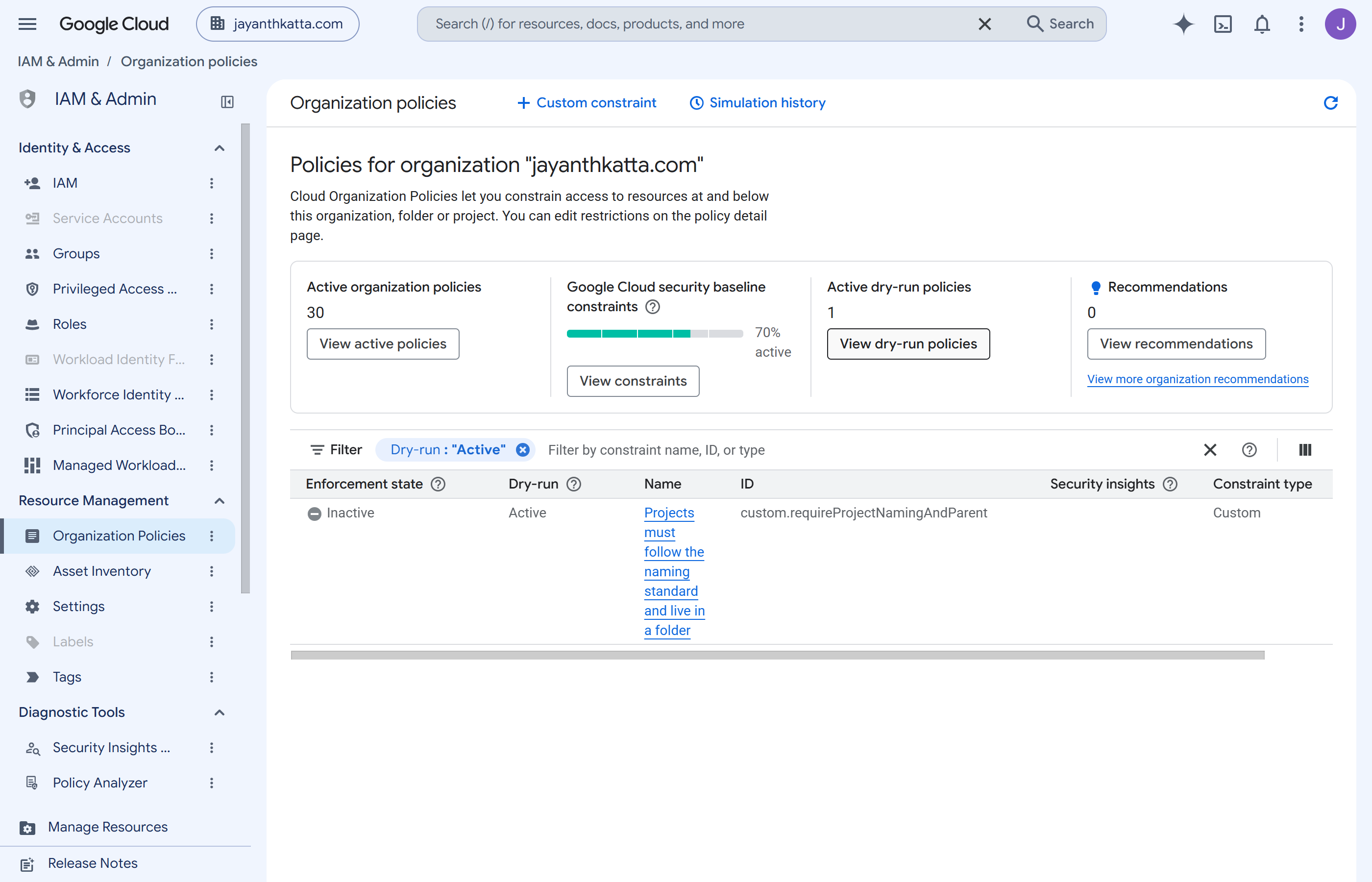
Objective. Build one reusable module that produces a project which is correct by construction — named, parented, labelled, tagged, with essential contacts and no default network — and an organization policy constraint that reports a project which is not.
Expected outcome. A project built by the factory, verified against the cloud, and a custom constraint in dry run with an honest account of which fields it can actually read.
| Difficulty | Intermediate — the module is ordinary Terraform; the constraint's field support is not documented |
|---|---|
| Deployment | Terraform via HCP Terraform remote execution, Workload Identity Federation |
| Reproduce it | Lab guide — the four roles, field probing, the billing quota |
| Cost | $0 — projects, tags, contacts and constraints are all free |
Cloud Services and Concepts
| Service | Purpose in this lab |
|---|---|
| Resource Manager | Creates the project and places it in a folder. The parent is what makes a project governable. |
| Resource Manager tags | Key/value pairs with their own IAM, so a closed set of environments can be enforced rather than typed. Different from labels. |
| Labels | Free-form key/values for billing attribution and search. No IAM, no validation. |
| Essential Contacts | Who Google emails about security and technical notices for this project. Absent by default. |
| Custom organization policy constraints | A CEL expression evaluated when a resource is created or updated — the mechanism for rules Google does not ship. |
Tags and labels are not the same thing, and the difference matters
here. A label is free text: anyone who can edit the project can
write env=prd, env=production or
env=prodcution. A tag is a resource with its own IAM — the
key and its permitted values are created once, centrally, and binding one
requires a separate permission. If a value must come from a closed set and be
governable, it is a tag; if it is for billing breakdown and search, a label is
enough. This lab uses both, for those reasons.
Architecture and Workflow
The flow
- Create the tag key
environmentand its two permitted values, so the set is closed before anything can reference it. - The module creates the project in a folder, with
auto_create_network = falseso the permissive default network never exists. - The module applies labels for billing attribution, binds the environment tag, and sets essential contacts.
- A custom constraint evaluates project creation against the project ID prefix and the parent type.
- It is deployed in dry run, so it reports violations without denying anything.
- Verify the result against the cloud rather than against Terraform state.
Two decisions worth naming
A tag for environment, not a label. The value has to come
from a closed set, and tags have their own IAM — tagAdmin creates
the permitted values, tagUser binds one. A label would let anyone
with project edit write whatever they liked.
Dry run first. A constraint that denies project creation on day one, written against fields whose support is undocumented, is a good way to make the organization unusable. It reports; promotion comes after evidence.
Prerequisites
- A folder to create into — Week 1 supplies it.
- A free billing slot. This is the real limit; see Troubleshooting.
- Four roles on the apply identity that look like one job:
projectCreator,tagAdmin,tagUserandessentialcontacts.admin. - A quota project with
cloudresourcemanager,serviceusage,cloudbillingandessentialcontactsenabled. - Terraform 1.9+ with
hashicorp/google~> 6.0.
Exact roles, variables and the field-probing method are in the lab guide.
Implementation
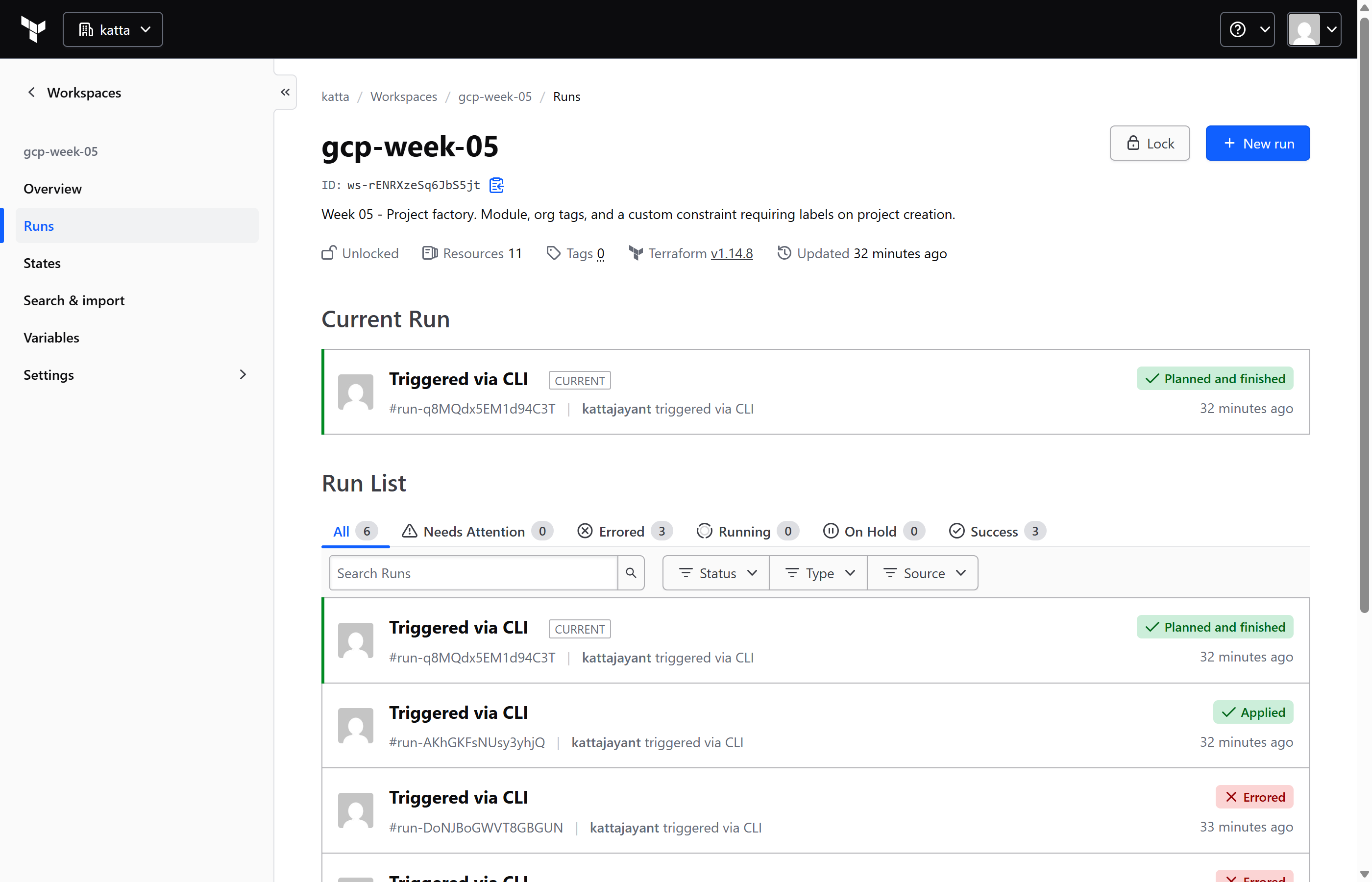
Eleven resources: four at the root and five in a reusable module, plus API enablement. Commands are in the lab guide.
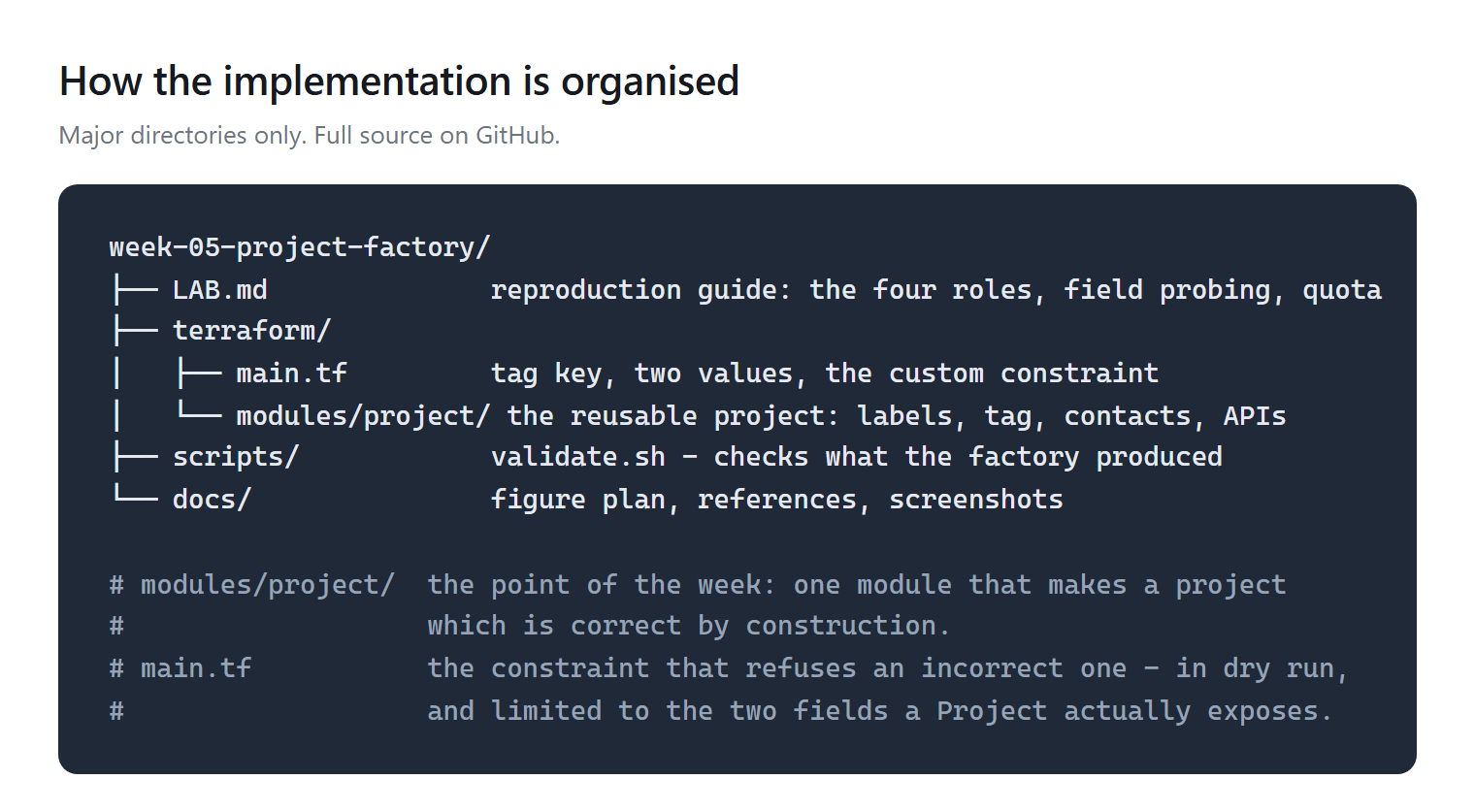
modules/project is what makes the next project correct without thinking about it. Full source on GitHub.Step 1 — Close the set of environments before using one
Why: a tag key and its permitted values are created centrally and once. After that, a project can only be tagged with a value that already exists — which is the difference between governance and a naming convention.
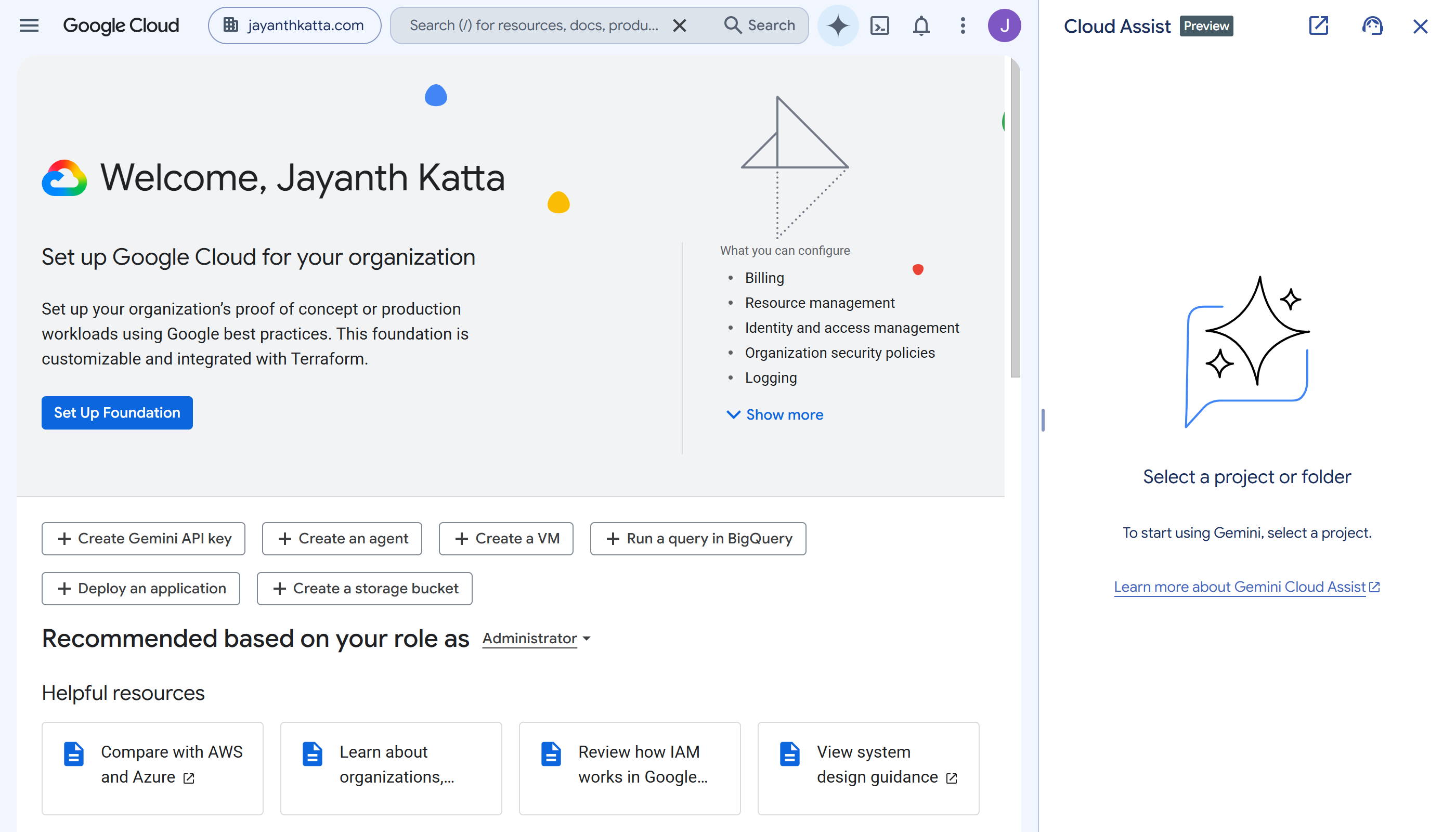
Step 2 — The module builds a project that is correct by construction
Why: every property that makes a project governable — parent, labels, tag, contacts, no default network — is applied together, so there is no window in which the project exists incorrectly.
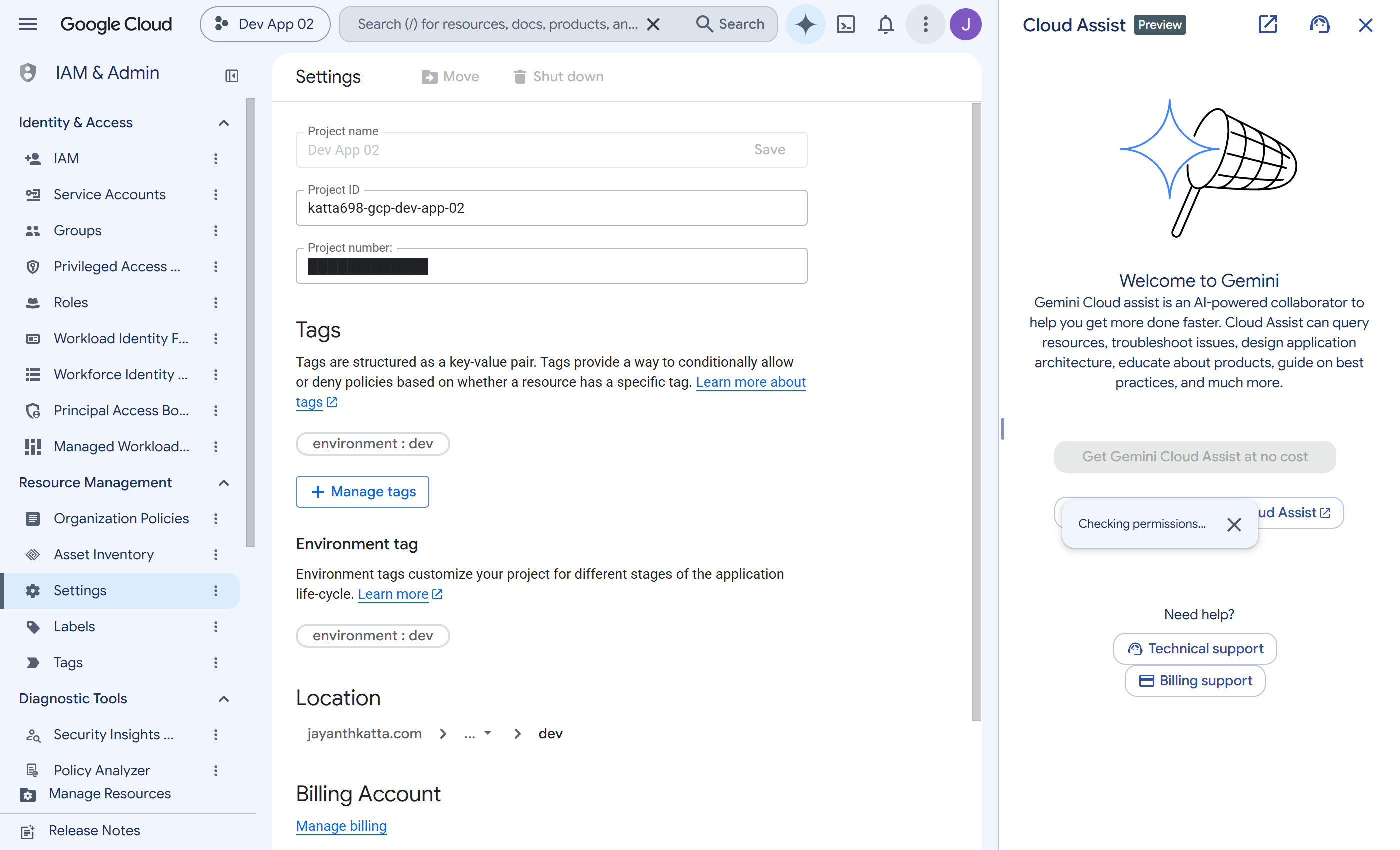
auto_create_network = false means the permissive default network and its firewall rules never existed.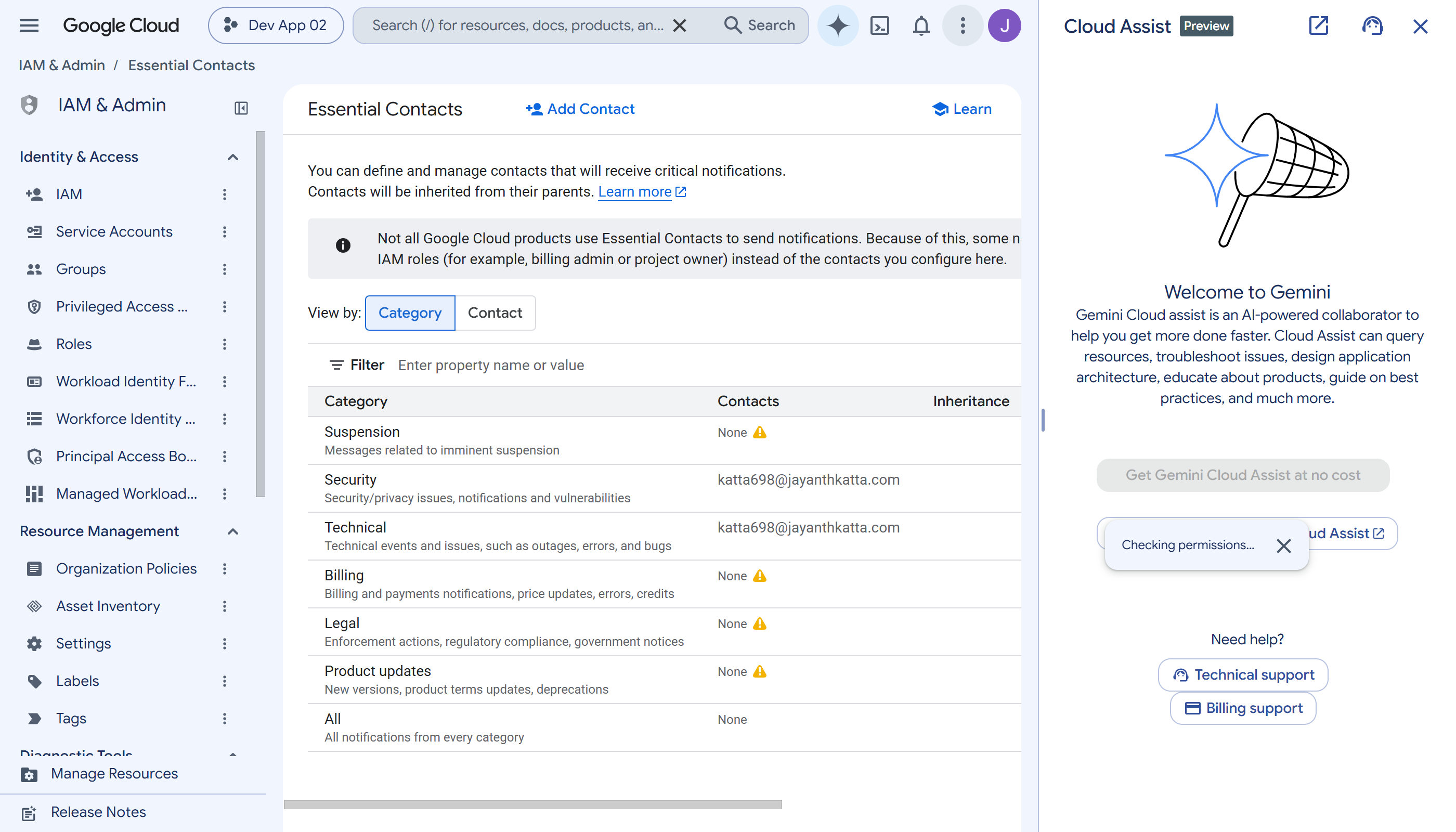
Step 3 — A constraint that reports the wrong project
Why: the module makes the right thing easy; the constraint notices the wrong thing. Action:
resource.projectId.startsWith(prefix) &&
  resource.parent.startsWith("folders/")
Validation: dry run, so violations are logged rather than denied.
Validation and Evidence
| Test | Expected | Actual | Status |
|---|---|---|---|
| Infrastructure deployed | 11 resources | 11 added, 0 changed, 0 destroyed | Pass |
| The factory's project exists in the right folder | parent is workloads/dev | correct parent | Pass |
| Labels applied | week, env, managed-by | all three | Pass |
| Environment tag bound from the closed set | environment = dev | bound | Pass |
| Essential contacts set | SECURITY and TECHNICAL | both | Pass |
| No default network | zero VPCs in the project | none | Pass |
| Constraint readable fields | probe to find out | projectId and parent accepted; labels and displayName rejected | Finding |
| The constraint actually denies a bad project | creation refused | not tested — deployed in dry run, so it denies nothing by design | Unverified |
Row seven is the week's real finding and it came from
probing, not documentation: a custom constraint on a Project can read
resource.projectId and resource.parent, and is rejected
outright if it references resource.labels or
resource.displayName. The supported-services reference lists Project
at Preview and never publishes its fields.
Row eight is the honest limit of this week: the constraint is in dry run, so no denial has been observed. Whether it would refuse a badly named project is untested, and calling it a working guardrail would be a claim the evidence does not support.
Security and Cost
Security decisions
| Control | Decision and trade-off |
|---|---|
| No default network | auto_create_network = false, so the permissive default VPC and its default-allow-internal rules never exist. Nothing has to be cleaned up afterwards. |
| Closed-set environments | A tag with its own IAM rather than a free-text label, so the value cannot be invented by anyone with project edit. |
| Accountability | Essential contacts are set at creation; a project without them receives no security notices from Google. |
| Least privilege | Four narrow roles rather than a basic role — and the create-versus-bind split for tags is enforced by Google, not by convention. |
| Accepted gap | The constraint is in dry run and denies nothing. It is a reporting control at this stage, not a preventive one. |
For production, the constraint would be promoted out of dry run with a remediation plan for existing violations, and the module would validate the prefix and parent itself so failures surface at plan time rather than at apply.
Cost
$0. Projects, tag keys and values, essential contacts and custom constraints are all free. Nothing in this week runs.
Troubleshooting and Lessons
A constraint cannot read the labels of the project it is evaluating
Problem: a constraint referencing resource.labels
failed with Error 400: Request has invalid values, naming nothing.
Root cause: the Project resource exposes
projectId and parent to custom constraints and does not
expose labels or displayName. Project is listed at
Preview and its fields are not published.
Resolution: probe each field and keep the two that are accepted.
Lesson: probe before designing a constraint on an unfamiliar resource. An expression written against an unsupported field looks correct, passes review, and fails at apply with an error that names neither the field nor the reason.
Creating a tag and binding a tag are different roles
Problem: the apply created the tag key and values, then failed binding one to the project.
Root cause: tagAdmin carries no
tagValueBindings.create; that is tagUser. The same
create-versus-attach split appeared in Week 04 with firewall policies.
Lesson: in GCP, creating a thing and attaching it are routinely separate permissions. Expect to need both.
The real limit on a project factory is a billing quota
Problem: Cloud billing quota exceeded at five
linked projects.
Root cause: the billing account caps how many projects may be linked, and a deleted project holds its slot for 30 days.
Resolution: unlink an unused project — and note that only the owning identity can unlink a project that sits outside the organization; an organization admin cannot.
Lesson: the constraint that stops a project factory is not Terraform or IAM. Check the quota before building something that creates projects on demand.
Cleanup and Key Takeaways
Cleanup
terraform destroy removes the project, the tag key and values, and
the constraint. Verify against the cloud: the project should report
DELETE_REQUESTED and the tag key should be gone.
Two things to expect. A deleted project holds its billing slot for 30 days, so destroying does not immediately free capacity. And an enforced constraint can make a resource un-reconcilable with its own configuration — Week 04's spoke failed to destroy because Terraform wanted to remove metadata that a by-then-enforced constraint refused to let go. Commands are in the lab guide.
Ongoing charges: none.
Key takeaways
- Probe a custom constraint's fields before designing around
them. A Project exposes
projectIdandparent;labelsanddisplayNameare rejected, and the documentation does not say so. - Tags are governable; labels are not. If a value must come from a closed set, it is a tag — with its own IAM and a separate permission to bind.
- Creating and attaching are different permissions in GCP, repeatedly. Expect to need both halves.
- A project factory is limited by a billing quota, not by code — five linked projects here, and a deleted project holds its slot for 30 days.
References
- Lab guide — roles, field probing, quota, known limitations
- Creating and managing projects
- Custom organization policy constraints
- Tags overview
- Source repository
Comments