Every large enterprise has this problem: a developer needs a VM. They open a ticket. It goes to a queue. Someone reads it three days later, asks clarifying questions, manually clicks through the AWS console, and emails back a hostname. The developer has moved on.
This week I built the automated version of that story. A developer fills out a ServiceNow catalog form, clicks Submit, and 6 minutes later a production-grade EC2 instance is running behind an ALB — provisioned by Terraform, tracked in state, tagged with the ticket number, and monitored in CloudWatch. No human in the loop.
📋 In This Post
Lab Overview
Someone needs an EC2 instance. What stands between them and having one?
The problem. Usually a ticket, a queue and an engineer who runs the same handful of API calls they ran last week. The work takes minutes; the waiting takes days, and the engineer is the bottleneck by design rather than by accident.
The objective. A ServiceNow catalogue item that produces a real, tagged, governed EC2 instance with no one in the middle, and a ticket that closes itself with the instance details.
The outcome. Ticket to running instance in about six minutes. One thing does not work: the ServiceNow developer instance will not accept the write-back, which is a limitation of the free tier rather than of the pipeline, and the post says so.
Cloud Services and Concepts
| Service | Purpose here | What it is |
|---|---|---|
| Amazon EC2 | The thing being provisioned | Virtual machines you rent by the second. You choose the size and the operating system, and you are responsible for what runs on them. |
| AWS Step Functions | Runs provisioning as declared steps | Runs a workflow as an explicit state machine, so each step, its retry behaviour and its failure path are declared rather than buried in code. |
| AWS Lambda | Receives the request and calls the AWS APIs | Runs a piece of code on demand with no server to manage. You are billed per request and per millisecond it runs. |
| Amazon API Gateway | The endpoint ServiceNow posts to | A managed front door that accepts HTTP requests and forwards them to a backend. |
| AWS Systems Manager | Reaches the instance without SSH | Manages instances through an agent already on them, so there is no inbound port to open and no key to distribute. |
| Terraform | Declares all 74 resources | Infrastructure as code: you describe the resources you want and Terraform works out what to create, change or destroy to get there. |
The idea the whole series starts from is that self-service is not a UI problem. The catalogue item is the easy part; what makes it safe is that the instance arrives already tagged, already governed and already reachable without a key, because the pipeline had no way to produce one that was not.
Architecture and Workflow
Architecture
What Gets Deployed (74 Resources)
| Layer | Resources |
|---|---|
| Networking | VPC, 2 public subnets, 2 private subnets, IGW, NAT Gateway, Route Tables, VPC Flow Logs, VPC Endpoints (SSM, SSMMessages, EC2Messages, S3, CloudWatch Logs) |
| Compute | Launch Template, Auto Scaling Group (min 1 / max 4), EC2 in private subnet |
| Load Balancing | ALB (public), Target Group, HTTP Listener |
| Security | 3 Security Groups, IAM Role + Instance Profile, OIDC Provider |
| Automation | 3 Lambda Functions, Step Functions State Machine, API Gateway REST API |
| Observability | CloudWatch Dashboard, 4 Metric Alarms, Log Groups, SNS Topic + Email |
| Configuration | 5 SSM Parameters (ServiceNow creds, GitHub token, webhook secret) |
Prerequisites
| Requirement | Why | How to check |
|---|---|---|
| A ServiceNow instance | The catalogue item is the front door. A free developer instance works for everything here except the write-back | The catalogue item appears in the portal |
| A VPC with subnets the instance can launch into | Provisioning assumes somewhere to put it | aws ec2 describe-subnets returns them |
| An instance profile allowing Systems Manager | Without it the instance launches and is then unreachable, because this build opens no SSH port at all | The instance appears in Fleet Manager |
| Terraform, and credentials that can create 74 resources | The whole stack is declared; nothing is clicked | terraform plan completes |
Implementation
Step 1 — Setting Up the ServiceNow Catalog Item
The first piece is the user-facing form. In ServiceNow Catalog Builder, I created a new catalog item called "AWS EC2 Instance Request" under Technical Catalog → Infrastructure.
Four questions drive the entire provisioning workflow — everything Terraform needs comes from these fields:
Step 2 — Submitting the First Request
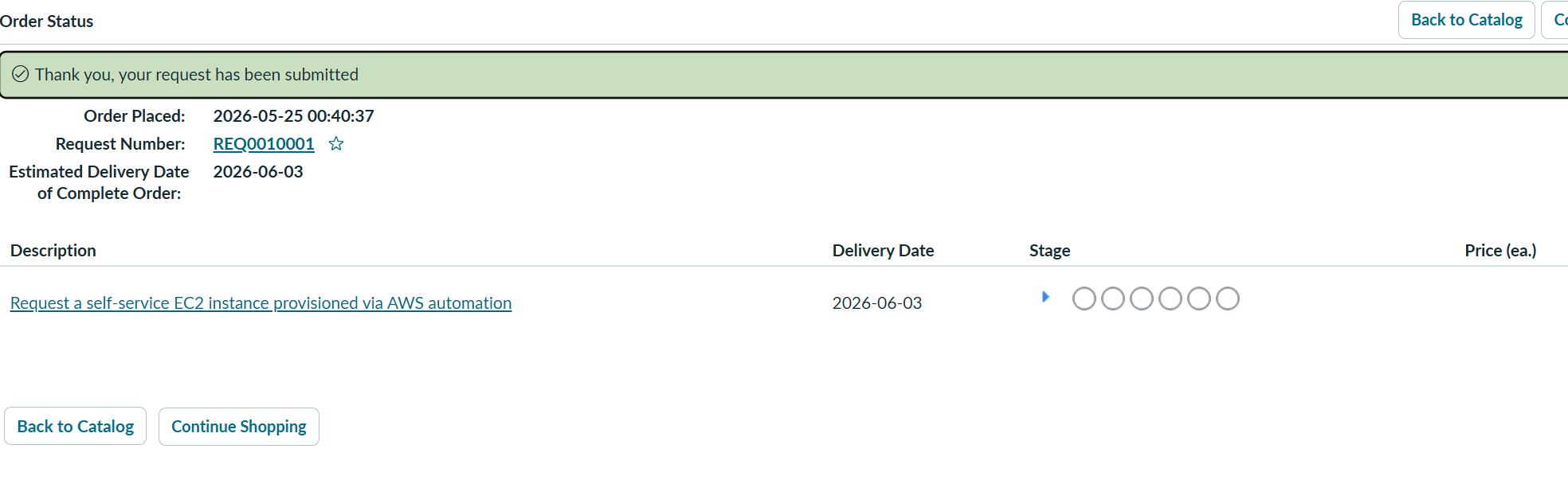
After publishing the catalog item under Technical Catalog → Infrastructure, it appeared in the portal. First submission looked like this:
How to Implement This Yourself
Everything below references the GitHub repo: katta698 / week-01-enterprise-ec2-provisioning. Fork it, follow these steps, and you'll have the full pipeline running in your own AWS account.
Prerequisites
- AWS account with admin access
- GitHub account + fork of the project repo
- ServiceNow Personal Developer Instance — free at developer.servicenow.com
- Terraform 1.10+ installed locally
- AWS CLI configured (
aws configure)
Phase 1 — AWS Bootstrap (One-time)
# Create state bucket (choose a unique name)
aws s3api create-bucket \
  --bucket YOUR-terraform-state-bucket \
  --region us-east-1
aws s3api put-bucket-versioning \
  --bucket YOUR-terraform-state-bucket \
  --versioning-configuration Status=Enabled
aws s3api put-bucket-encryption \
  --bucket YOUR-terraform-state-bucket \
  --server-side-encryption-configuration \
  '{"Rules":[{"ApplyServerSideEncryptionByDefault":{"SSEAlgorithm":"AES256"}}]}'
Phase 2 — Configure Variables
Edit terraform/environments/dev/terraform.tfvars (gitignored — never commit):
project              = "selfservice-ec2"
environment          = "dev"
aws_region           = "us-east-1"
artifact_bucket_name = "YOUR-terraform-state-bucket"
tf_state_bucket      = "YOUR-terraform-state-bucket"
github_org           = "YOUR-github-username"
github_repo          = "week-01-enterprise-ec2-provisioning"
create_github_oidc_provider = true
alert_emails         = ["your@email.com"]
servicenow_instance_url = "https://devXXXXXX.service-now.com"
servicenow_username     = "admin"
servicenow_password     = "YOUR-SN-PASSWORD"
github_token            = "ghp_xxxxxxxxxxxx"  # needs 'repo' scope
webhook_secret          = "your-random-secret"
Phase 3 — Deploy Infrastructure
cd terraform/environments/dev
terraform init \
  -backend-config="bucket=YOUR-terraform-state-bucket" \
  -backend-config="region=us-east-1"
terraform plan   # preview 49 resources
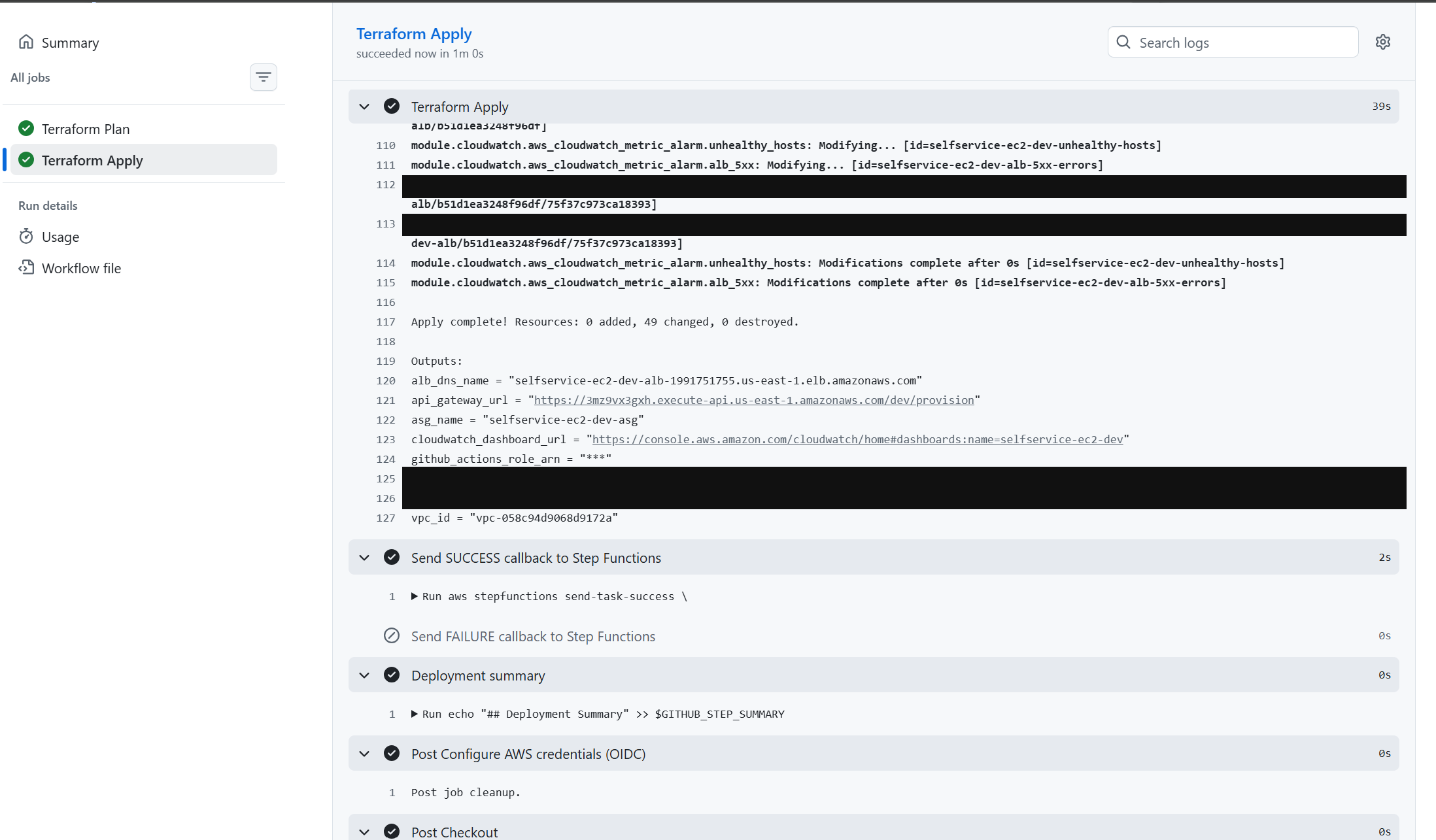
terraform apply  # ~6 minutes
# Save this output — needed for ServiceNow
terraform output api_gateway_url
Phase 4 — Set GitHub Actions Secrets
Repo → Settings → Secrets and variables → Actions → New repository secret:
| Secret Name | Value |
|---|---|
AWS_ROLE_ARN | From terraform output github_actions_role_arn |
TF_STATE_BUCKET | YOUR-terraform-state-bucket |
AWS_REGION | us-east-1 |
Phase 5 — Configure ServiceNow
5a. REST Message (outbound endpoint): System Web Services → Outbound → REST Messages → New. Set Endpoint to your api_gateway_url. Add POST method using the script in servicenow/business_rule_script.js.
5b. Catalog Item: Service Catalog → Catalog Builder → New item named "AWS EC2 Instance Request" under Technical Catalog → Infrastructure. Add 4 questions with these exact Name values:
| Label | Name (must match exactly) | Type |
|---|---|---|
| Instance Type | instance_type | Dropdown: t3.micro, t3.small, t3.medium, t3.large |
| Environment | environment | Dropdown: dev, staging, prod |
| Desired Capacity | desired_capacity | Single line text |
| Cost Center | cost_center | Single line text |
5c. Business Rule: System Definition → Business Rules → New. Table: sc_req_item. When: After. ✅ Insert only — uncheck Update. Paste script from servicenow/business_rule_script.js.
Phase 6 — End-to-End Test
- ServiceNow → Service Catalog → search "AWS EC2 Instance Request"
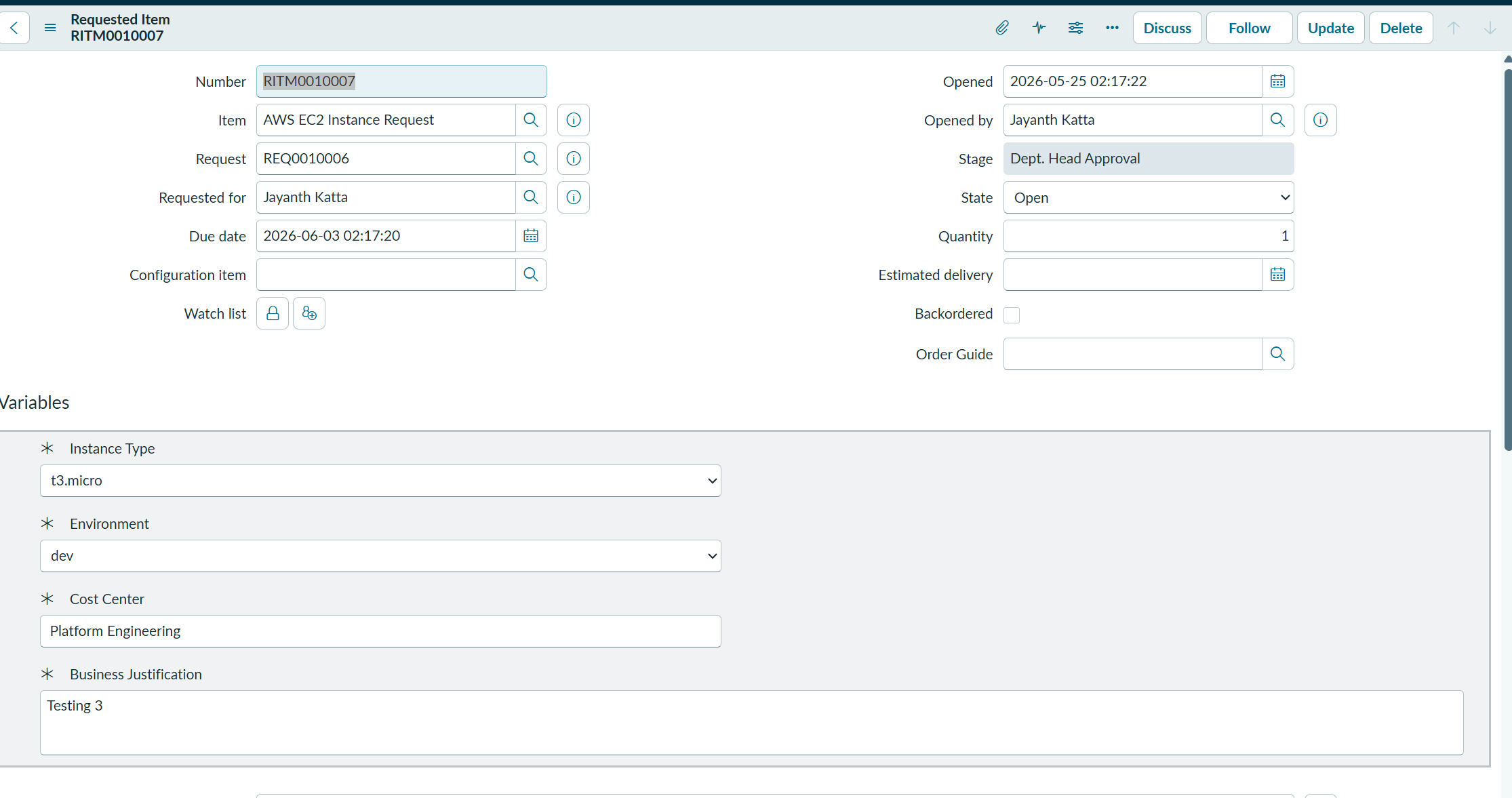
- Fill in: Instance Type = t3.micro, Environment = dev, Capacity = 1
- Submit → watch GitHub Actions start within 30 seconds
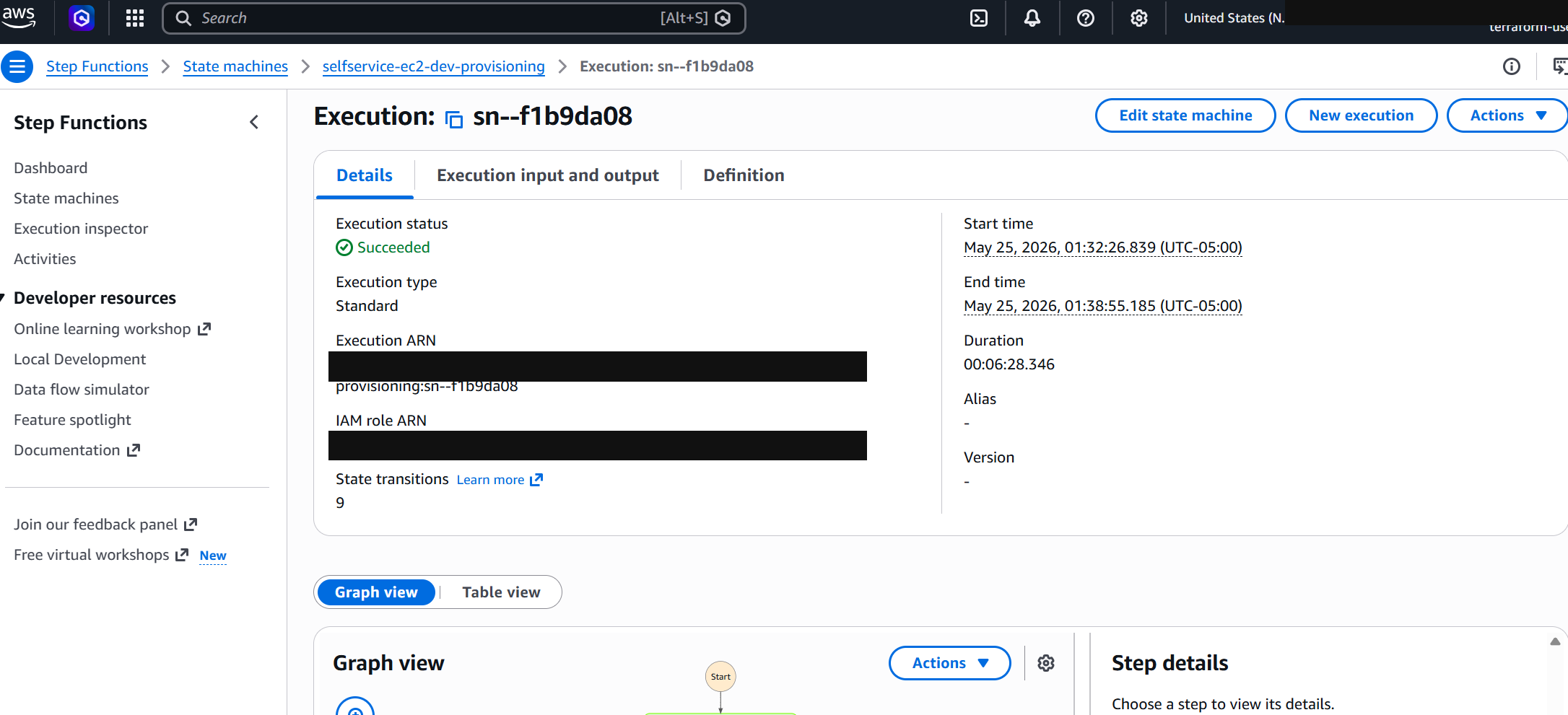
- Step Functions execution runs ~6 minutes through all 4 states
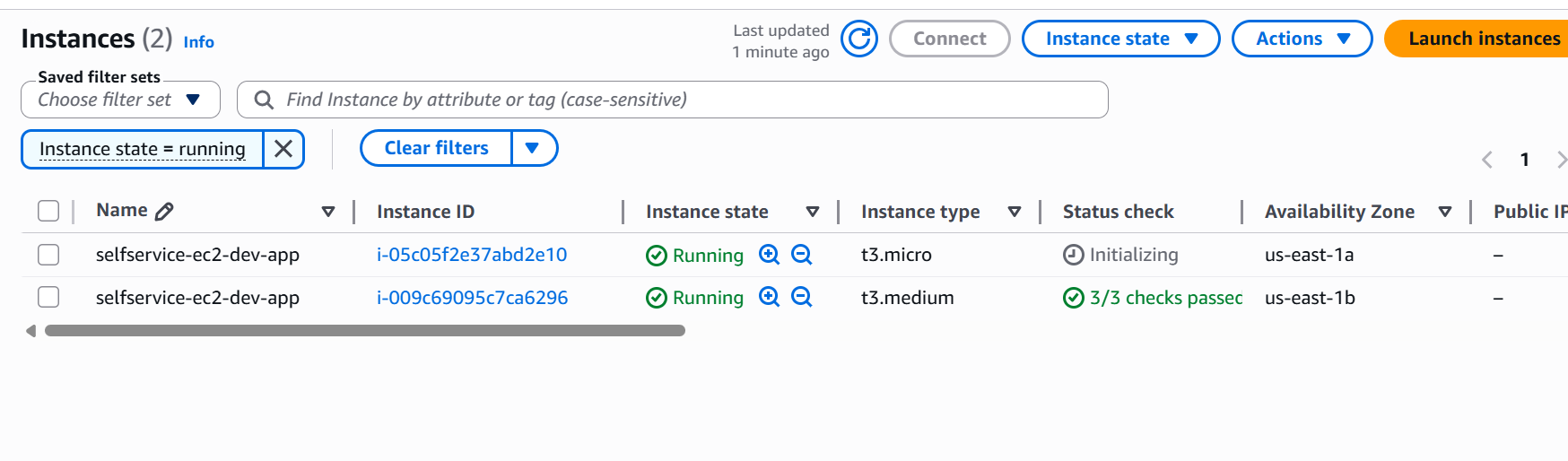
- EC2 Console → new instance
selfservice-ec2-dev-appappears ✅
Phase 7 — Teardown
terraform destroy  # destroys all the resources created
# S3 state bucket and OIDC provider are preserved — reusable across all weekly projects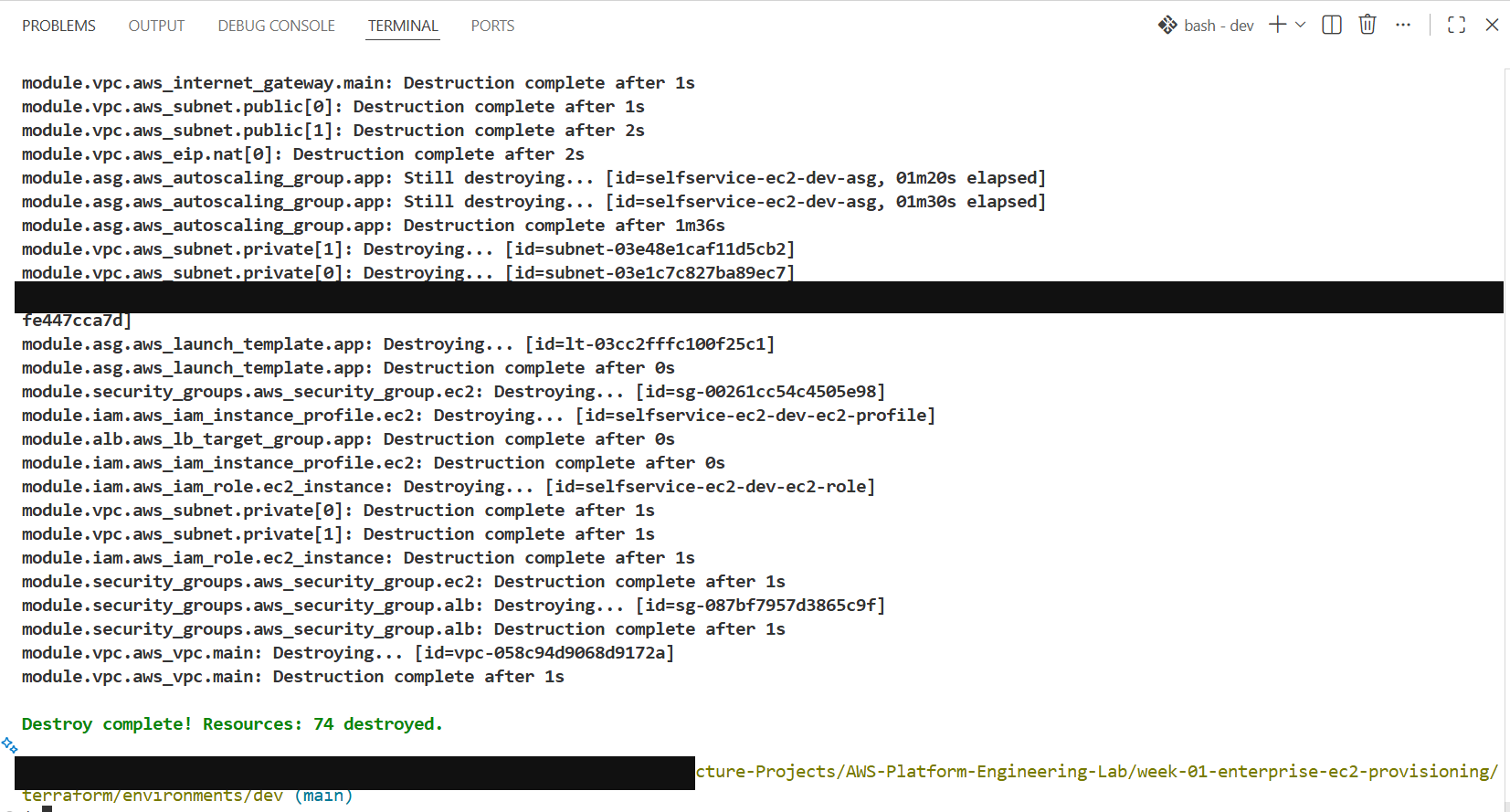
All code available on GitHub. Questions? Drop a comment below.
Validation and Evidence
This is the first post in the series and its evidence is thinner than later weeks. The rows below are what the post actually recorded; where nothing was captured, the table says so rather than guessing.
| Test | Expected | Actual | Status |
|---|---|---|---|
| A request can be submitted | The catalogue item accepts a request and raises a ticket | Submitted from the ServiceNow portal | Pass |
| The request reaches AWS | The workflow starts and completes | Step Functions execution completed | Pass |
| An instance is created | A running, tagged EC2 instance | The instance is present and running in the console | Pass |
| End-to-end time | Minutes rather than days | About six minutes from submission to a running instance | Pass |
| The ticket is updated | The requester is told, in the ticket, what they got | Fails. The ServiceNow developer instance refuses the write-back; the pipeline makes the call and the instance rejects it | Fail — free-tier limitation |
| Teardown | Everything removed | Destroy completed | Pass |
| No SSH path exists | Access only through Systems Manager | Not recorded at the time. No inbound SSH rule was created, but no access attempt was made to prove it | Not tested |
Security and Cost
Security Patterns Baked In
No SSH keys anywhere. EC2 instances use SSM Session Manager (AmazonSSMManagedInstanceCore). Connect with aws ssm start-session --target i-xxx. No key pair, no port 22, no bastion host.
IMDSv2 enforced. Launch template sets http_tokens = "required". Blocks SSRF attacks from reaching the metadata endpoint.
Private subnets. EC2 lives in private subnets, unreachable from the internet. Only accessible through the ALB.
OIDC for GitHub Actions. No AWS_ACCESS_KEY_ID in GitHub Secrets. GitHub exchanges a JWT for temporary STS credentials scoped to your specific repo.
Secrets in SSM Parameter Store. ServiceNow credentials and GitHub token stored as SecureString (KMS-encrypted). Never in env vars, never in code, never committed to git.
Cost Breakdown
| Resource | Monthly Cost (est.) |
|---|---|
| t3.micro EC2 (1 instance, always on) | ~$8.50 |
| NAT Gateway | ~$32 + data transfer charges ← biggest cost |
| ALB | ~$18 |
| Lambda / Step Functions / API GW | Free tier |
| CloudWatch | ~$3 |
| Total | ~$65/month |
terraform destroy between sessions. The state stays in S3 and you can rebuild everything in 6 minutes. You'll pay cents instead of $65/month.Troubleshooting and Lessons
This is where a post usually jumps to "and then it worked". Four things had to be fixed first, and three of them were a name that did not match another name.
Problem. ServiceNow fired the webhook and API Gateway
returned 502.
Root cause. Terraform created the function with
STATE_MACHINE_ARN and the handler read
STEP_FUNCTION_ARN. The KeyError
crashed the function, and a crashed function is a 502 at the gateway.
Resolution. Align the name in the handler with the one Terraform
sets.
Lesson. An environment variable is an interface between two files
that never see each other. 502 is what that mismatch looks like from outside.
Problem. Every function failed with
Runtime.HandlerNotFound.
Root cause. Terraform declared the handler as
handler.lambda_handler; all three files defined
def handler.
Resolution. Renamed the functions to
lambda_handler.
Lesson. The same mismatch as the first bug in a different place.
The runtime cannot tell you a function is missing until it is already running.
Problem. The execution failed at
CheckValidation: the path
$.validation.Payload.valid was not found.
Root cause. The validation step reused the status updater, which
returns no valid field, so the Choice state was reading a
field that had never existed.
Resolution. Replaced the task with a Pass state for the lab.
Lesson. Reusing a function because it is the right shape is not the
same as it returning the right thing.
Problem. The deployment trigger got 404 from the GitHub
API.
Root cause. The token was scoped to
public_repo and the repository is private, so it was
invisible to that token and the failure presented as a missing repository
rather than a refused one.
Resolution. A token with repo scope. On
Git Bash, set MSYS_NO_PATHCONV=1 when writing the
parameter, or the path is rewritten to C:/selfservice-ec2/...
before the CLI sees it.
Lesson. A not-found from an API you are authenticated to is worth
reading as a scope problem before a missing resource.
Cleanup and Key Takeaways
The waitForTaskToken pattern in Step Functions is underused. Most people either poll (wasteful) or fire-and-forget (lose visibility). The callback pattern gives you synchronous visibility into a long-running async process with zero idle cost.
version = "$Latest" in ASG launch templates is a silent footgun. Terraform doesn't see LT version changes as an ASG change. Always use aws_launch_template.app.latest_version to trigger instance refresh automatically.
IMDSv2 + private subnets + SSM is the modern EC2 security baseline. If any deployment in your org still has a key pair and port 22 open, that's technical debt worth addressing.
Design every external call as best-effort. Your infrastructure pipeline should never be blocked by a downstream ITSM system. Graceful degradation is a feature, not a workaround.
Comments