📋 In This Post
Why — The Problem This Solves
Every incident ends with somebody writing a sentence. “The IAM change at 14:02 removed the parameter read, and that is why orders stopped.” That sentence is the deliverable — it is what goes in the postmortem, what the next person reads, and what the fix is built on.
An investigating agent writes that sentence for you, in about sixteen minutes, at three in the morning. That is genuinely useful. It is also the exact reason to be careful, because a fluent wrong sentence and a fluent right one look identical. A metric that is wrong is visibly wrong. A narrative that is wrong reads like an explanation.
So the question this week asks is not can an agent investigate. AWS’s marketing covers that, and the answer is obviously yes. The question is how would I know if it were wrong — and that has to be answered before an agent’s conclusion is allowed to shorten anybody’s outage.
What makes an answer gradeable
You cannot grade a conclusion against your impression of it. You need a fact that exists independently of the agent, recorded before the agent was asked.
Two things make that possible here, and both were already in the account:
- Week 15’s organization trail. An IAM policy deletion is a CloudTrail management event with a principal, a timestamp, a source IP and a user agent attached to it. That is a fact, not an opinion, and it is not something the agent produces — it is something the agent can be measured against.
- A break chosen so that every obvious explanation is wrong. Revoke
ssm:GetParameterfrom a running function’s execution role. No deploy, no code change, no config change, same package hash. The function simply starts failing, and the only evidence anywhere is one IAM event.
Write the truth down first, ask with no hints, then mark the answer. That is the whole method, and it is the part that most “we tried an AI agent” write-ups skip.
What You Need to Know — Skills & Tools
| Concept | What actually matters |
|---|---|
| Agent space | Not a container — a boundary. Everything the agent can see or reach comes from this resource and the associations hung off it, which makes the blast radius reviewable in a pull request instead of discoverable in a console. |
| Associations | One per thing the agent may touch. The AWS one carries an account_type that decides whether the agent may only look or may also act. |
The awscc provider | Generates resources from the CloudFormation registry rather than being hand-written, so a service appears there as soon as its CFN types go LIVE. This is the only IaC path to DevOps Agent today. |
| Per-second billing with no ceiling | $0.0083 per agent-second of active work, nothing when idle, and no budget, duration or task cap anywhere in the schema. Every prior week in this series leaned on a service-enforced limit. There is none here. |
OAuth client_credentials | Machine-to-machine grant, no user in the loop. ServiceNow will only issue it once three separate settings agree — and it reports all three failures with the same unhelpful error. |
| Ground truth | The thing that turns “the agent seemed clever” into a mark out of two. Has to be written before the question is asked, or it is just a reaction to the answer. |
Architecture — How It Fits Together
Three parts, and the third is the one that matters. A small scheduled workload that can be broken cleanly; an agent space whose reach is entirely declared in Terraform; and the CloudTrail trail from Week 15 sitting underneath both, recording what actually happened so the agent’s story can be marked against it.
The agent reads and recommends. It never acts — and through Terraform, it cannot
Nothing here does auto-remediation. The agent investigates, names a cause, and produces a mitigation plan; a human ran the repair. That matters given the premise of the week: an agent that can act on a wrong narrative is a different risk category from one that can only propose it, and nothing here has earned the promotion.
I originally wrote that up as a design decision. Reading the CloudFormation schemas shows it is not one, which is more interesting:
AccountTypehas exactly one legal value —monitor. Writingaccount_type = "monitor"reads like a restraint. It is the only value the enum accepts.- Neither resource has an actions-role property.
AWS::DevOpsAgent::AgentSpaceexposesName,Description,KmsKeyArn,Locale,OperatorAppandTags. The Association’s only role field isAssumableRoleArn, which is the read role. There is nowhere to put an actions role.
The console reports Actions role status: Not configured, so the capability plainly exists — it is simply not reachable from the IaC path. Any account built entirely through Terraform gets a read-only agent whether or not that was the intention, and granting it the ability to act means stepping outside the code that describes the rest of your estate. Worth knowing before you plan a remediation workflow around it.
How We Built It — Step by Step
Step 1 — Deploy via HCP Terraform
Same pattern as every week in this series: a VCS-connected HCP workspace using OIDC dynamic credentials, so no AWS keys exist anywhere.
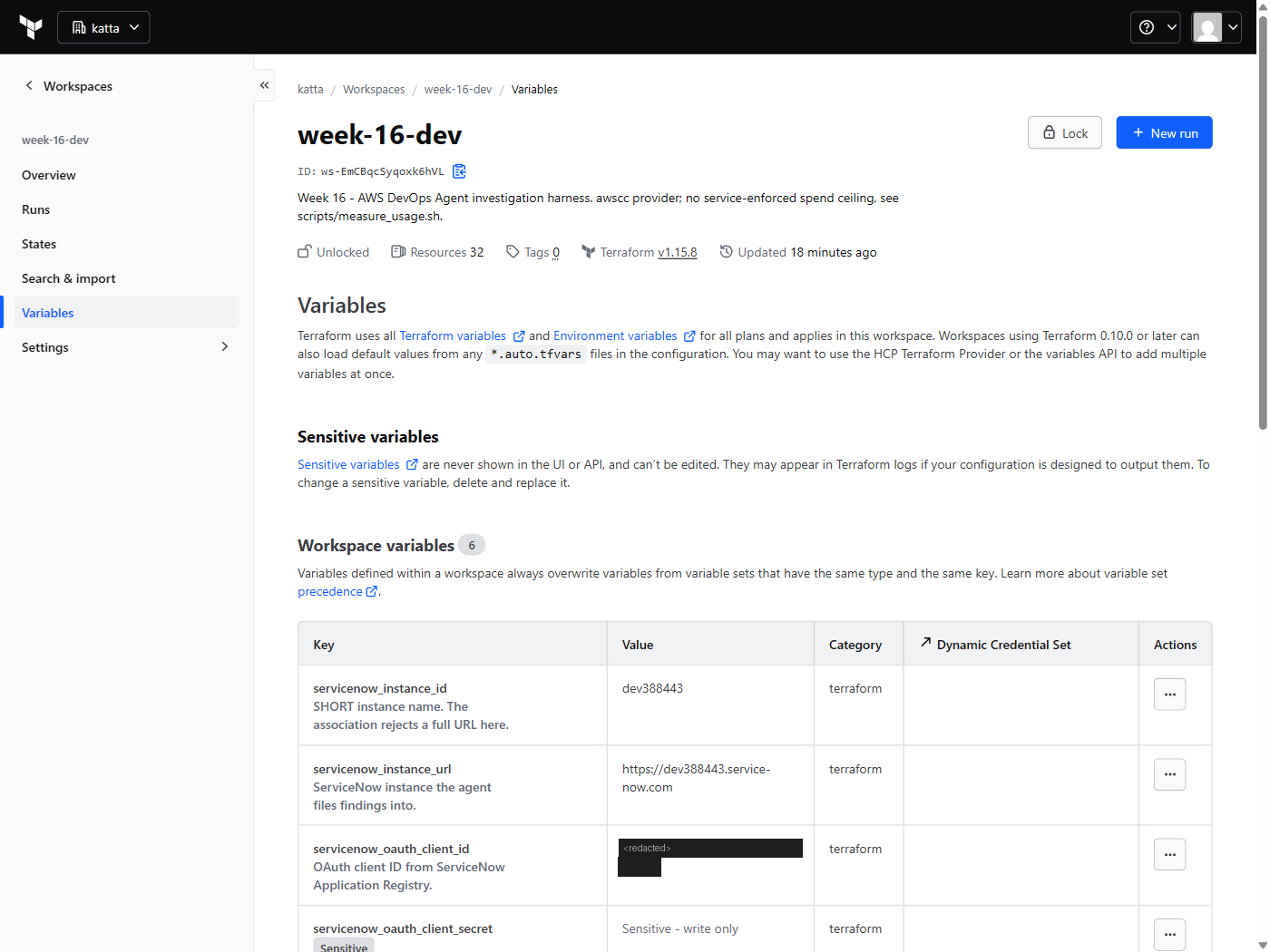
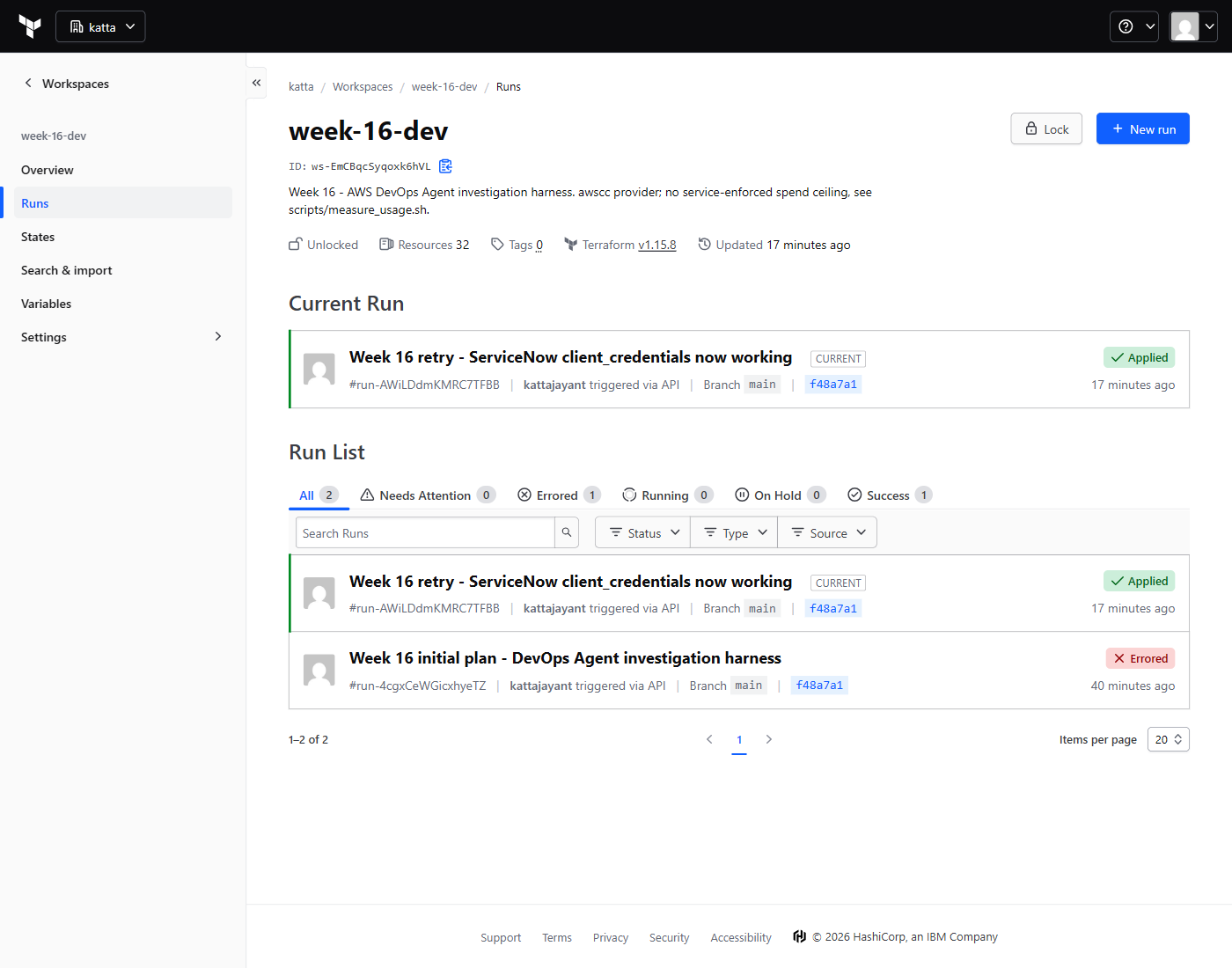
The provider does not exist yet. hashicorp/aws has no aws_devopsagent_* resources — scanning the installed v6.60.0 binary finds the string as a bare prefix with nothing behind it, and issue #46894 asking for them is still open. Everything here uses awscc instead, which generates from the CloudFormation registry and therefore had the resources on day one. The trade is real: machine-generated shapes, CloudFormation naming, and thin documentation. That is the price of being early, and it is worth paying rather than clicking through a console.
Step 2 — The agent space, and what it is allowed to reach
The space itself is small. Two IAM roles trusting the aidevops.amazonaws.com service principal do the real work — one for the agent, one for the Operator App — and both are constrained twice over, by aws:SourceAccount and by aws:SourceArn, so a confused deputy in another account cannot borrow them.
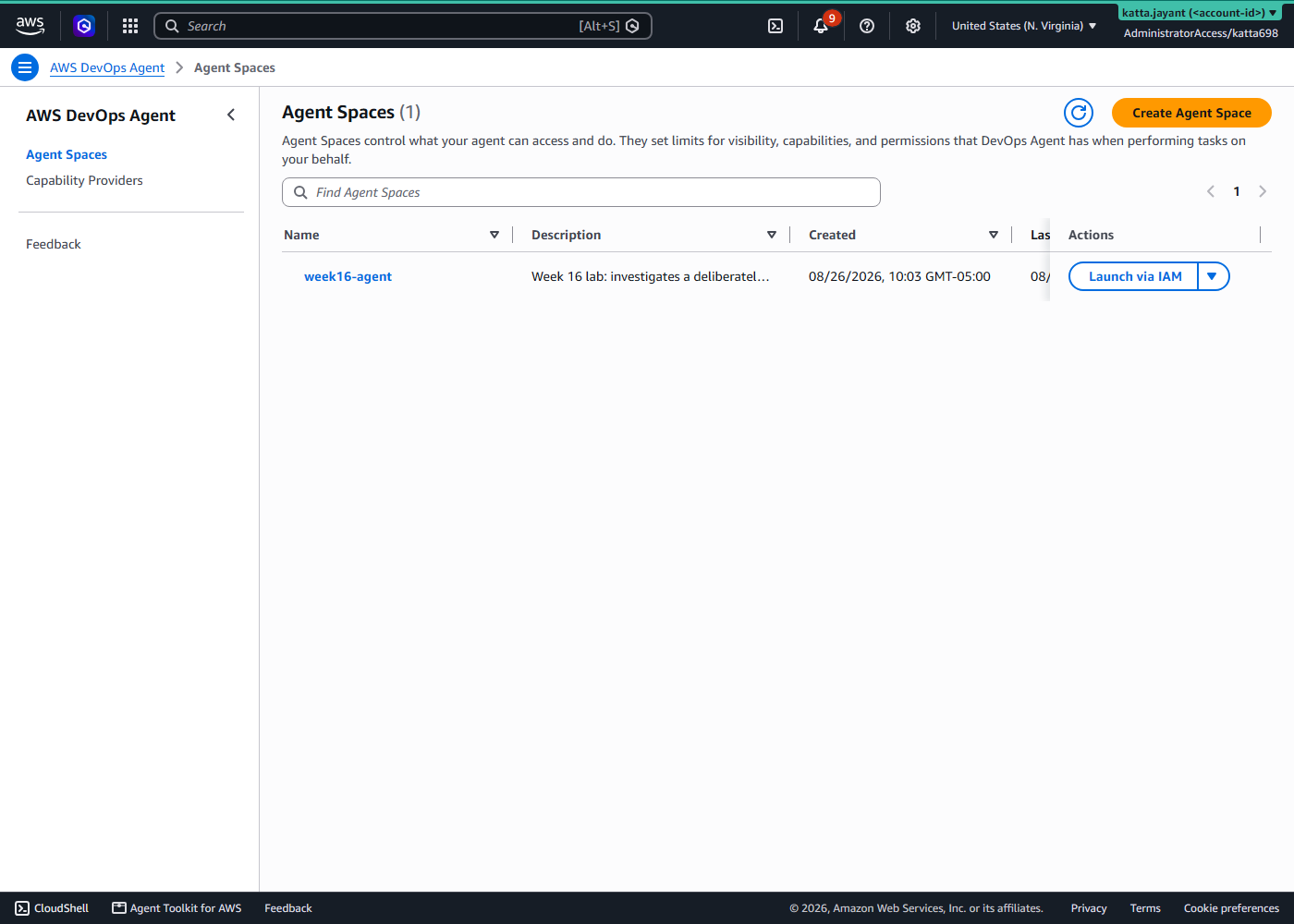
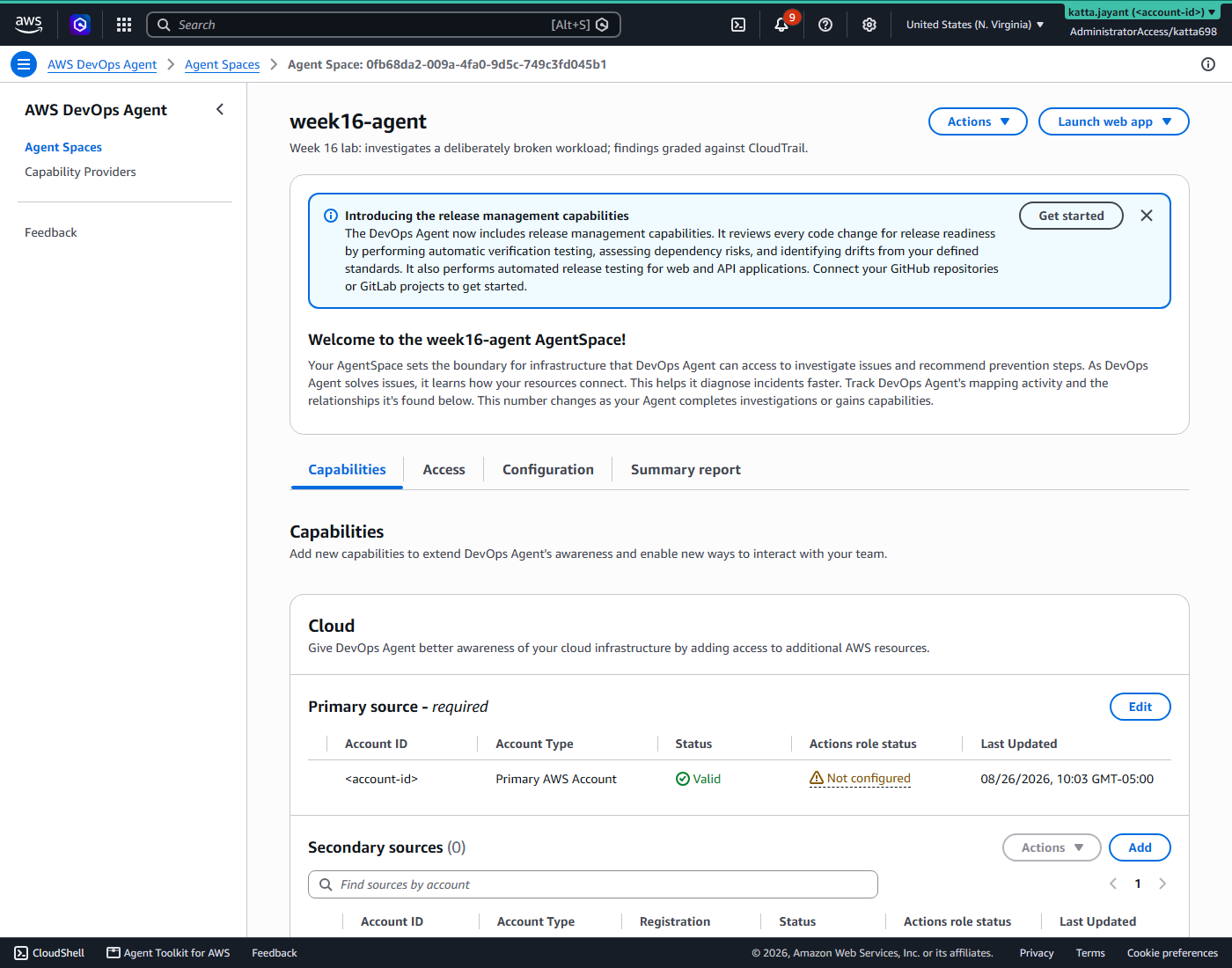
The AWS association also carries a resources list, left empty here so the agent sees the whole account. That is deliberate for a lab — the agent has to find the broken workload rather than be handed it, and pointing it at the function would test recall instead of diagnosis. In production this is the tightening point: the schema accepts specific ARNs and tags, and that scoping, far more than the IAM policy, is the practical blast-radius control.
Step 3 — Wire up ServiceNow (setup only — nothing was filed)
An investigation nobody reads is not an investigation. Weeks 1–3 turned a ServiceNow ticket into infrastructure; the intent here was the reverse — an incident becoming a ticket, written by the agent.
Be clear about what this week actually proved. The registration works — the service is associated, and the OAuth client issues a token on demand, which I re-verified against the instance after the fact. But no ticket was created. Both investigations were started by hand from the Operator App rather than from a ServiceNow incident, and neither wrote anything back: zero incidents on the instance for the day. So this section is wiring proven, loop not closed. The OAuth debugging below is the durable part; the integration itself is set up and untested, and I would rather label it that way than imply a ticket appeared.
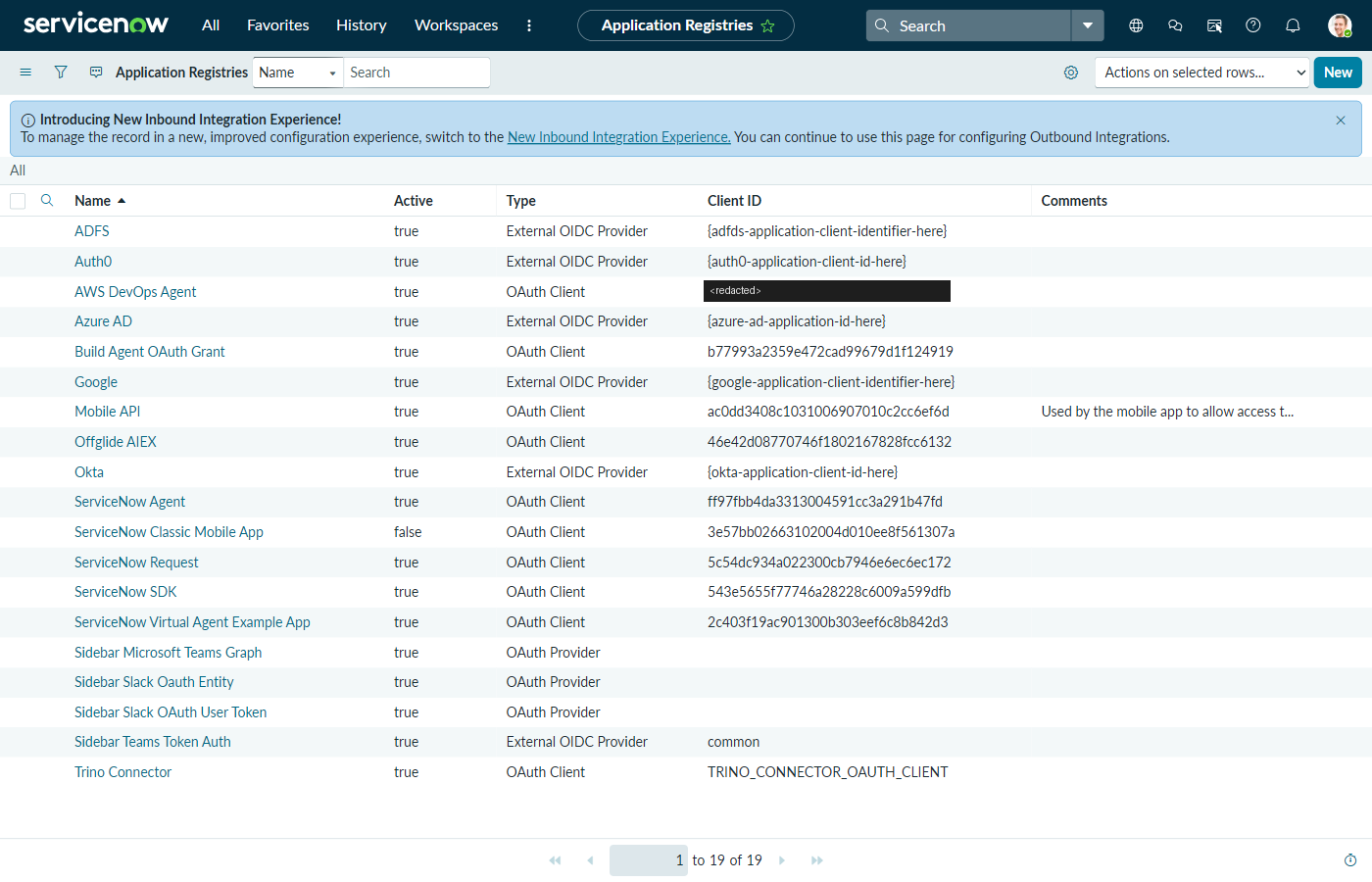
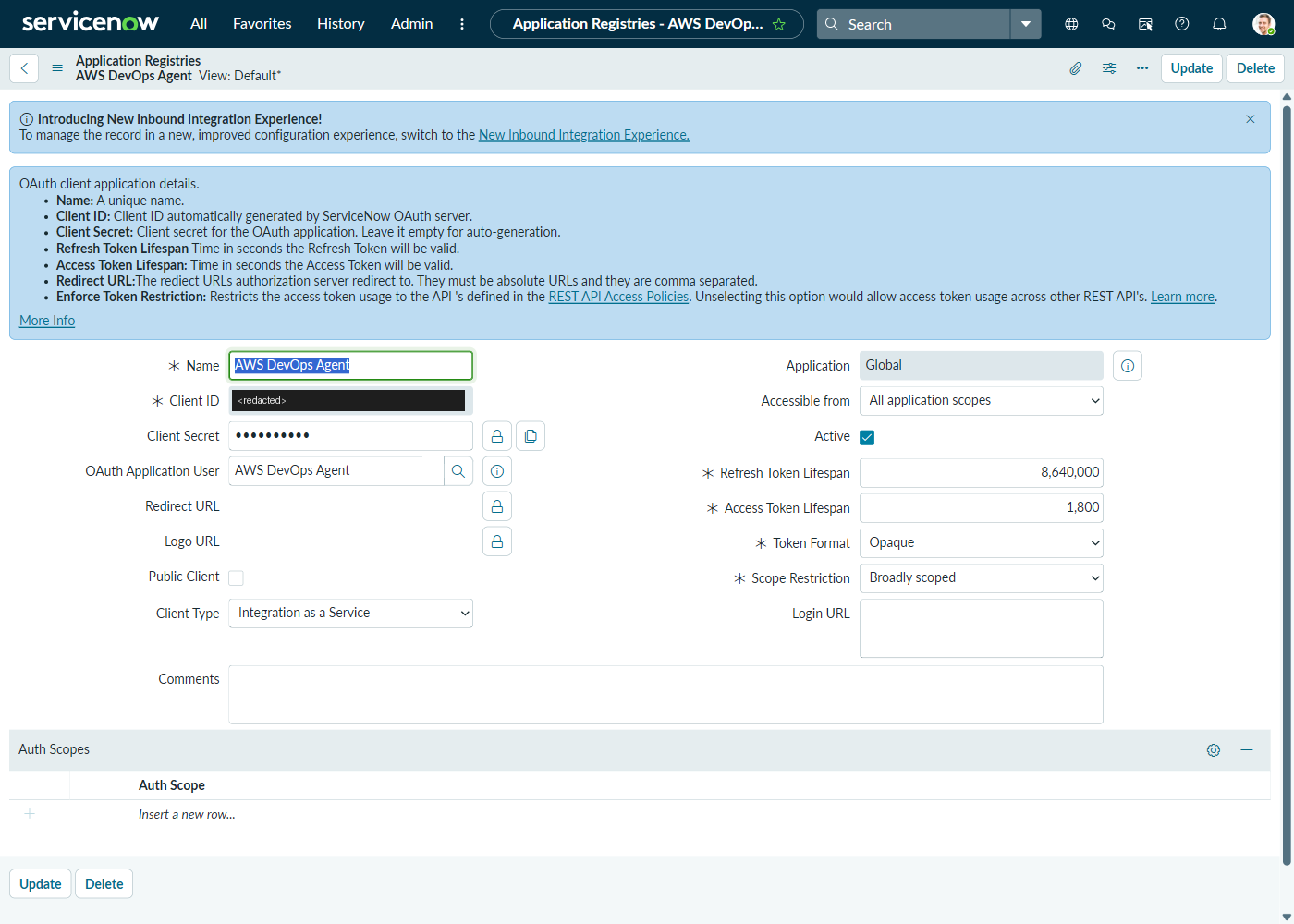
The OAuth endpoint has no Terraform path, so it is a documented manual prerequisite rather than a hidden one. In ServiceNow: System OAuth → Application Registry → Create an OAuth API endpoint for external clients.
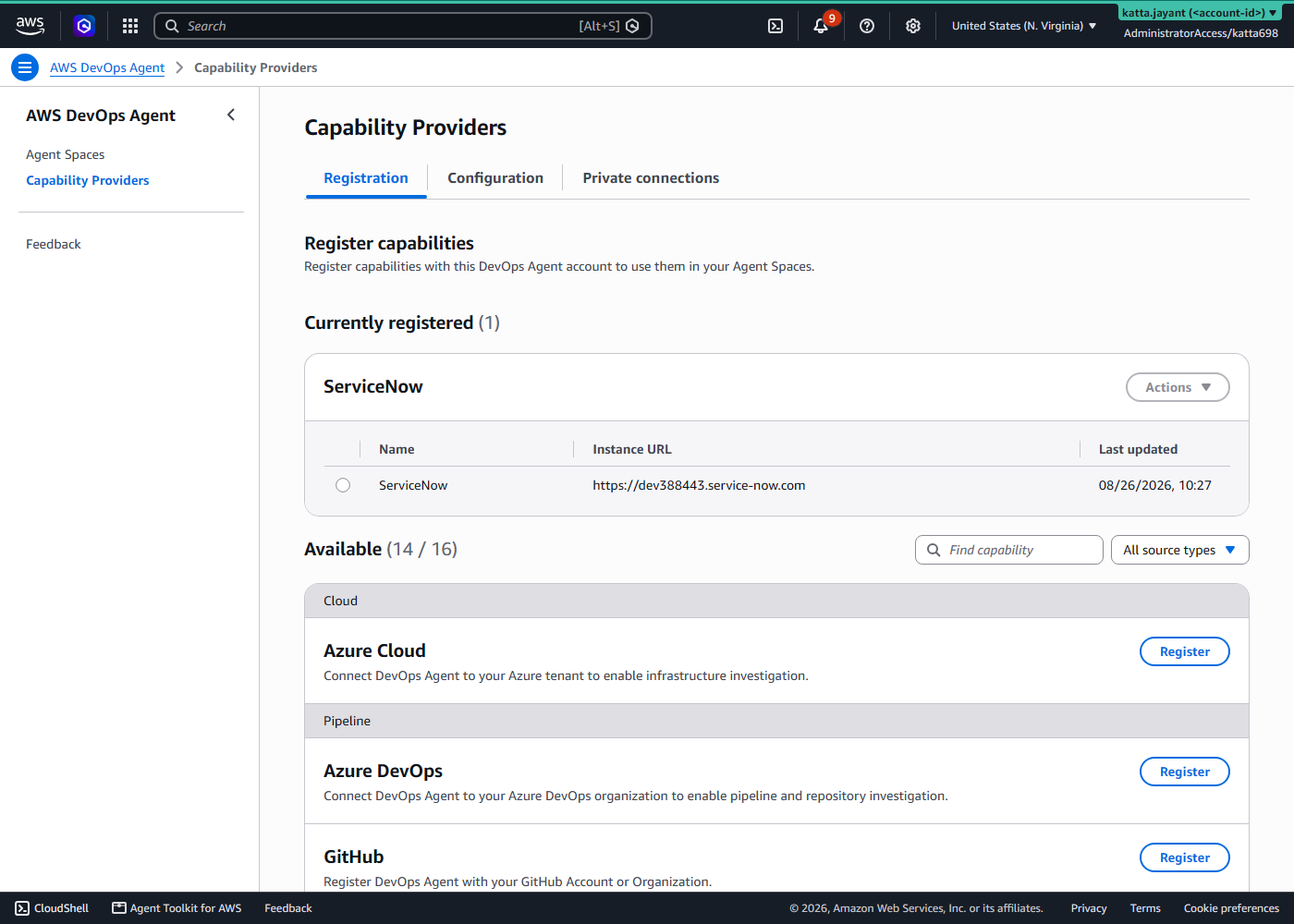
With those in place, Terraform registers the service and associates it. Registration takes the full https://<instance>.service-now.com; the association takes the bare instance name.
Step 4 — Write down the answer before asking the question
This is the step that makes the rest mean anything. break_it.sh confirms the workload is healthy first (breaking something already broken produces an investigation with two causes and no way to tell which one was found), records what it is about to do with a timestamp, and only then does it.
aws iam delete-role-policy \
  --role-name week16-agent-processor \
  --policy-name config-read
The ledger it writes names the cause, the expected symptom, and explicitly what did not change — then states the marking scheme: a correct answer names the policy detachment; naming the AccessDeniedException is the symptom, not the cause.
What actually happens next, mechanically
Nothing pushes an error anywhere. The failure surfaces because the workload keeps running and starts failing in public:
Errors = 1.Sum(Errors) >= 1 over one 300-second period, and flips to ALARM.# handler.py - the whole failure surface, on purpose
config = ssm.get_parameter(Name=PARAM_NAME)["Parameter"]["Value"]Not catching that is a design decision, not an oversight. A workload that swallows its own failure gives an investigator nothing to find — the errors never reach CloudWatch, the alarm never fires, and the only evidence is an absence. Letting it raise leaves a real, attributable stack trace in the logs, which is what the agent is being asked to work from.
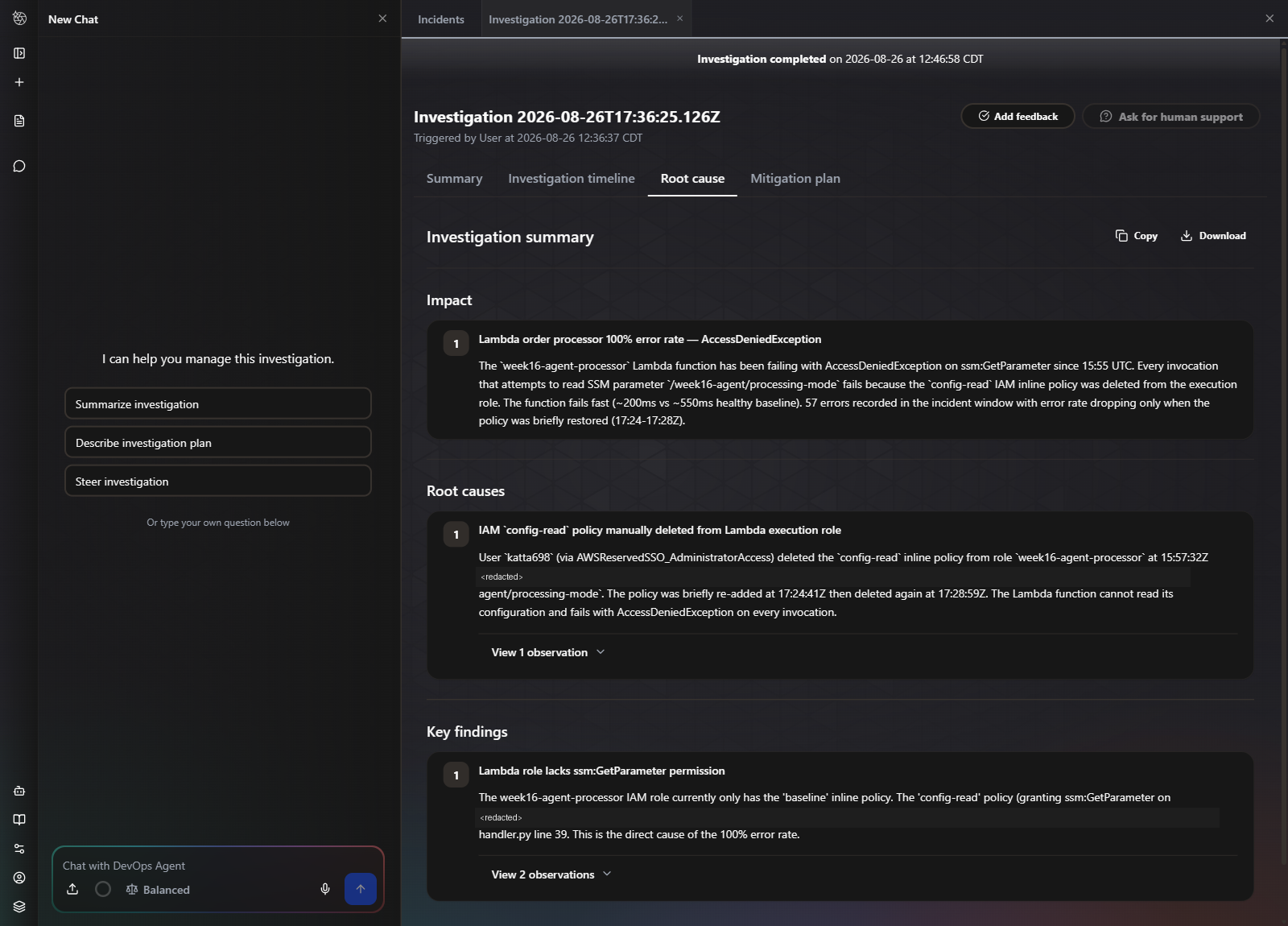
It also produces a second signal I did not plan and the agent used anyway: the function now fails faster than it succeeds, dropping from ~550 ms to ~200 ms, because it dies before doing any work. The agent read that as evidence of failing fast rather than timing out, and said so before it had found the cause.
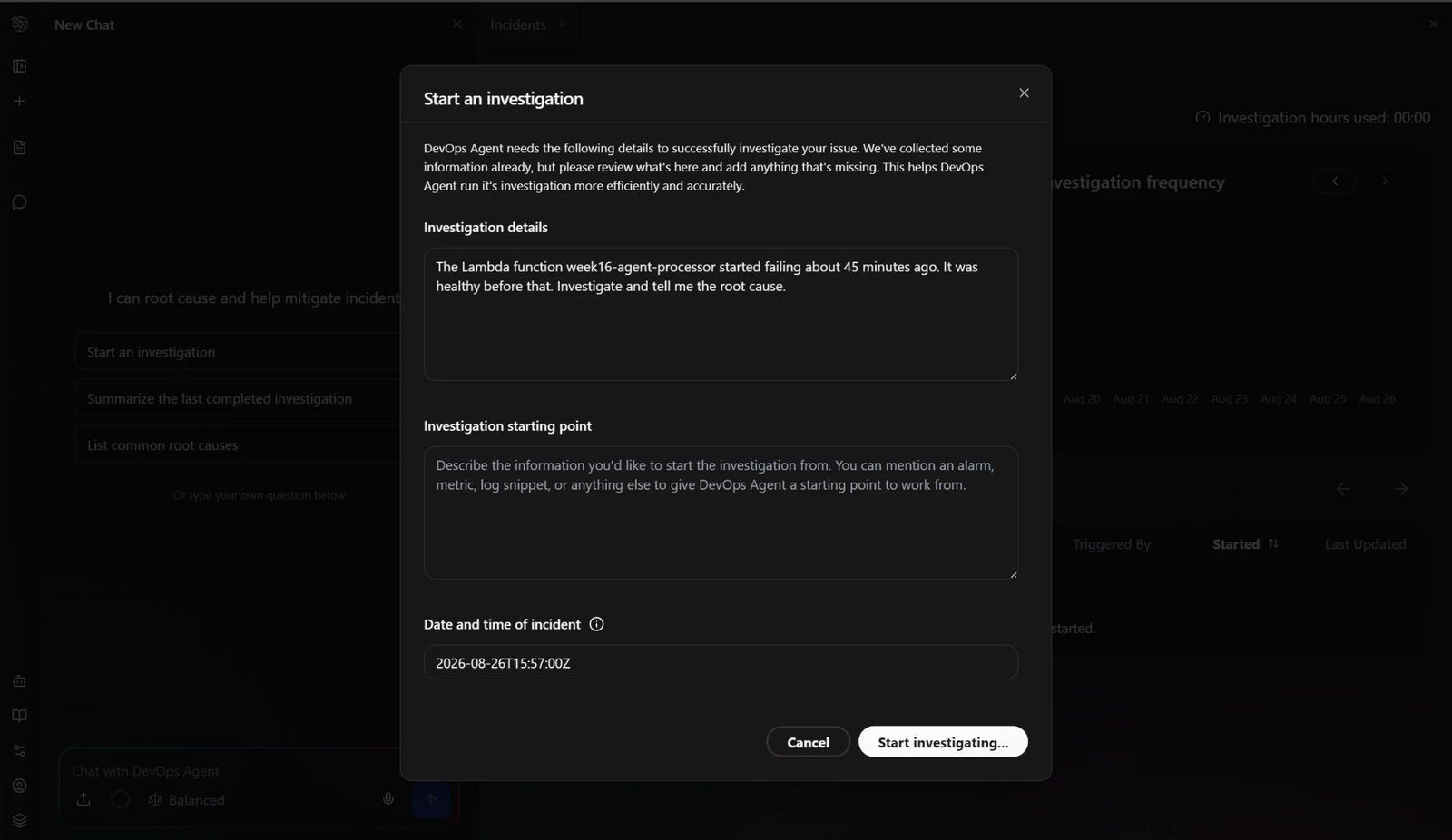
Step 5 — Ask with no hints at all
Step 6 — Watch the working, not just the conclusion
The timeline tab is the most useful screen in the product, and the one that decides whether the conclusion is trustworthy. It shows the agent forming a symptom statement, then fanning out into three named subagents in parallel, each with its own tool-call count and duration.
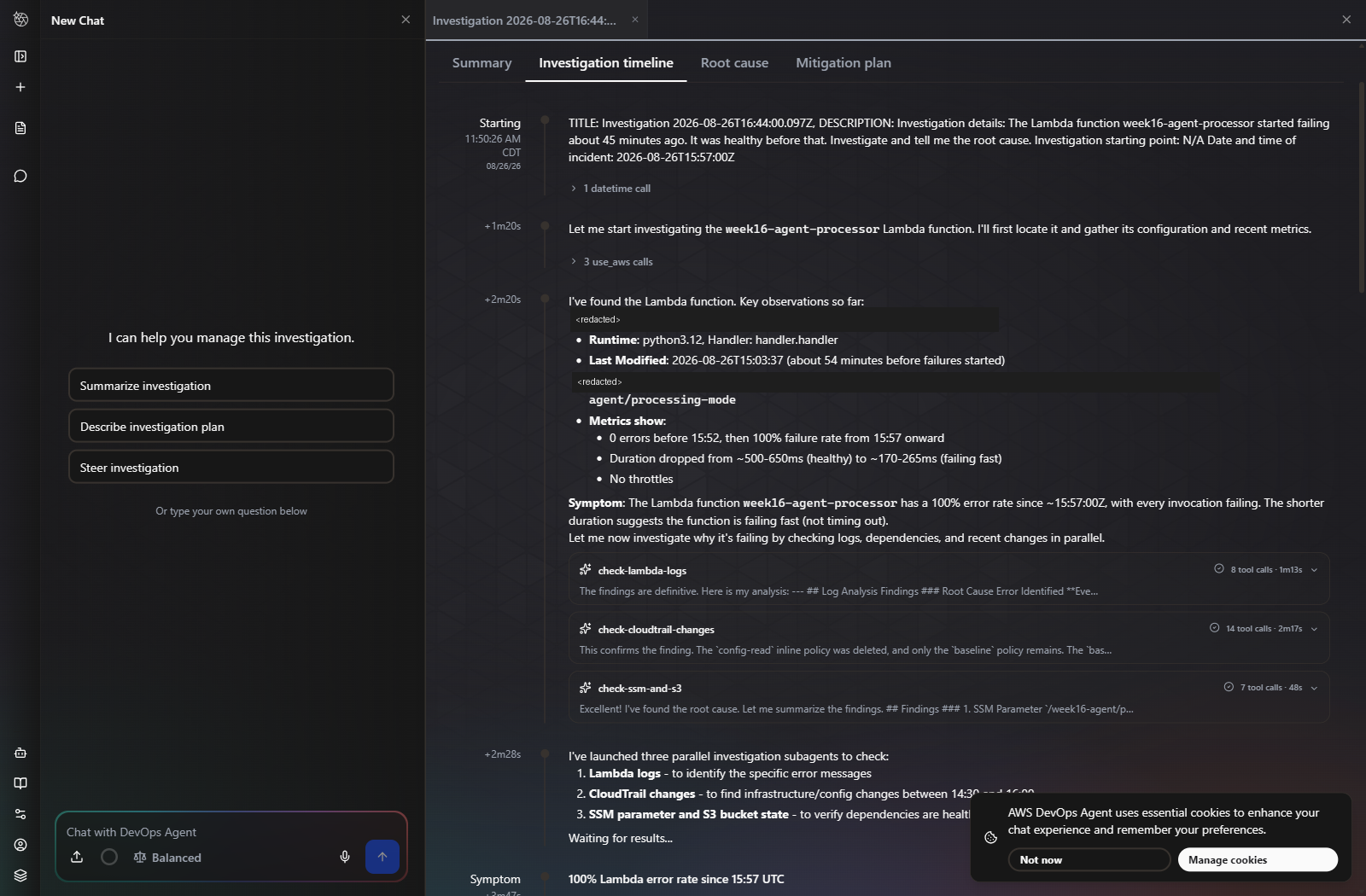
check-lambda-logs (8 tool calls, 1m13s), check-cloudtrail-changes (14 calls, 2m17s), check-ssm-and-s3 (7 calls, 48s) — running concurrently. It also noticed the function was last modified 54 minutes before the failures started, and correctly declined to treat that as the cause.Step 7 — The answer, and the gap it declared
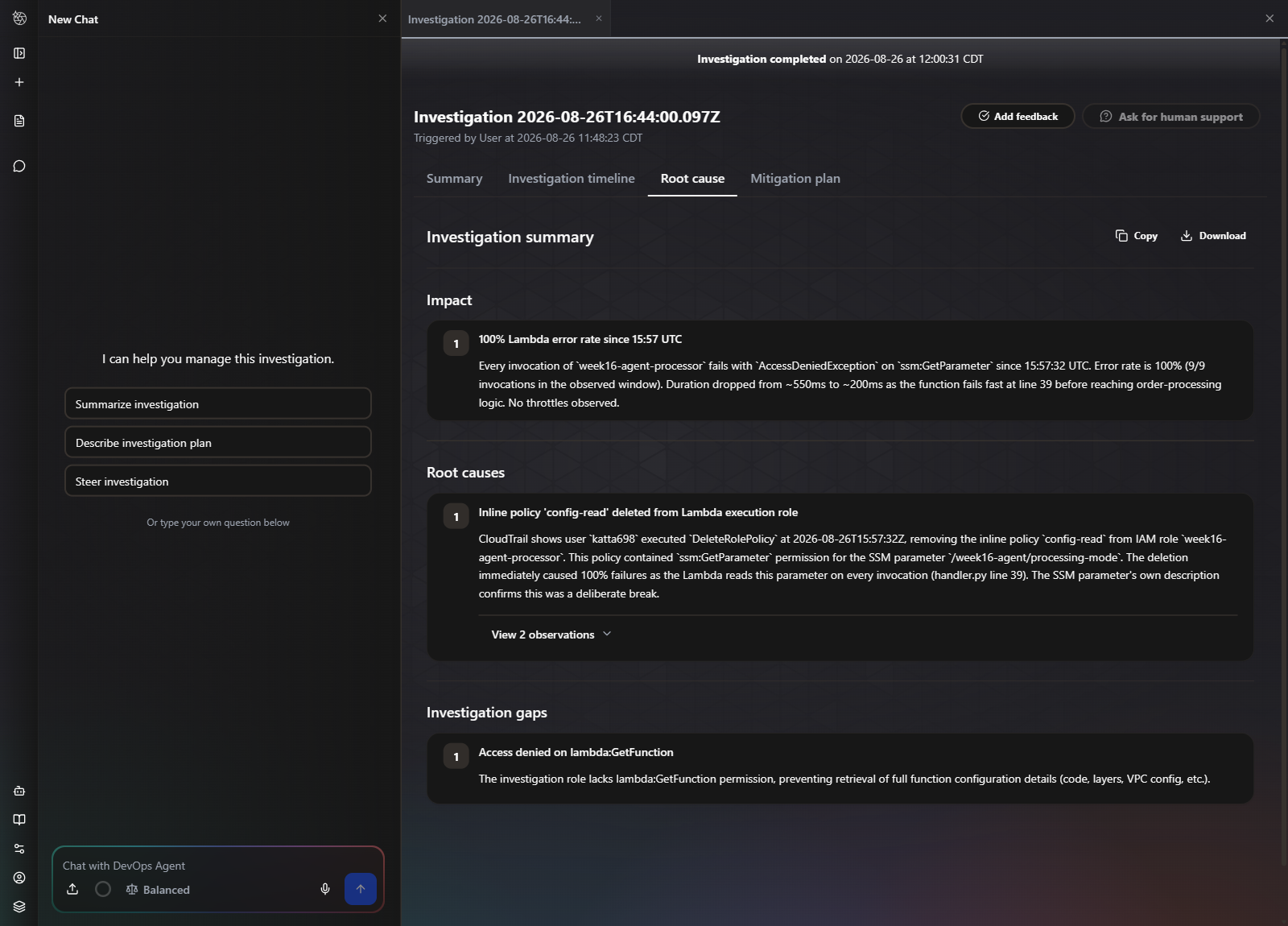
DeleteRolePolicy at 15:57:32Z. Matches the ledger. Note the Investigation gaps panel underneath — it reports being denied lambda:GetFunction rather than quietly guessing around the hole.That gaps panel deserves more attention than the conclusion. AWS’s own managed policy, AIDevOpsAgentAccessPolicy, does not grant lambda:GetFunction, so the agent could not read the full function configuration. It said so, in the output, unprompted. An agent that reports what it could not see is far more usable than one that returns the same confident paragraph either way — that panel is where you find out whether to believe the rest.
Step 8 — Run it again, with a decoy in the way
One pass proves very little. The true cause was the only change in the window, which is the easiest possible version of the problem. So the second run put something more attractive in front of it:
A recent deploy is the most attractive explanation in any incident, and here it is wrong. The prompt was identical, word for word, so the decoy was the only variable.
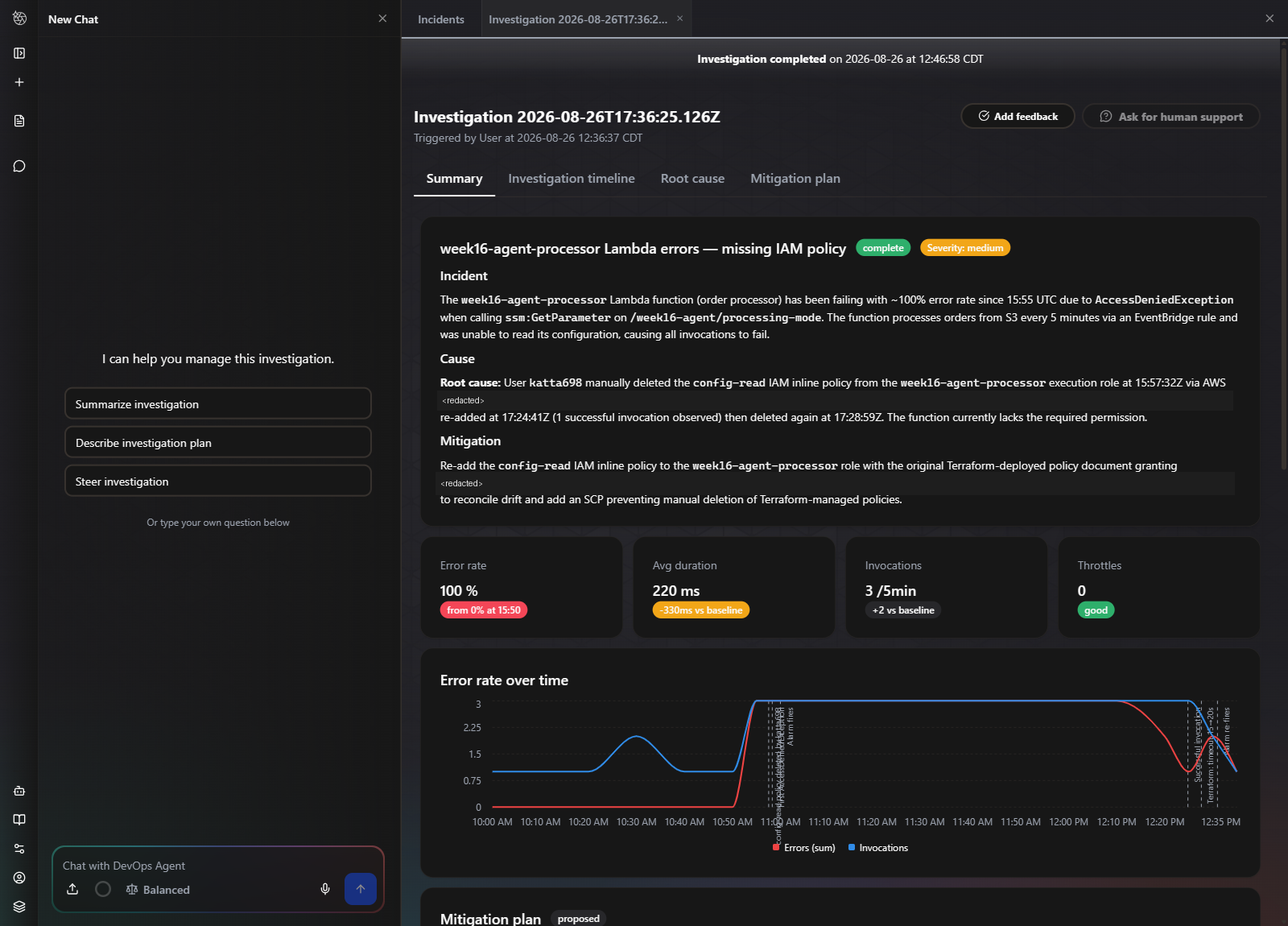
It also proposed a better remediation than the one in my ledger: alongside restoring the policy, an SCP denying manual deletion of Terraform-managed policies. That addresses recurrence, which a restore does not.
Do not over-read this result. A Lambda timeout change is a weak decoy — the failure signature is AccessDeniedException, so nothing about the symptom points at it. This shows the agent is not naively ranking by recency. It does not show it can separate two plausible permission-shaped causes, and I have not tested that. A stronger decoy would corrupt the SSM parameter name in the same apply.
Verifying it actually works
Two claims needed proving, and neither is proved by the investigation reading well.
That the conclusion matches the record. Both runs were marked against docs/ground-truth.md, written before either question was asked, and against CloudTrail. Both named the policy detachment as the cause and the AccessDeniedException as the symptom — the distinction the marking scheme was built around. The decoy run’s three reported timestamps all check out against the trail.
The limitation that matters most, and it is not the contamination. This post opens by asking how you would know if the agent were wrong. Two investigations ran and the agent was never wrong about root cause — so the marking scheme was only ever exercised against correct answers. I have no evidence it would catch a false conclusion, because it never had to.
That is the same defect as testing a smoke detector by not setting a fire. N = 2, one failure mode, one account, one afternoon. What this week demonstrates is the shape of an answer — write the truth down first, keep an independent record, fix the marking scheme before you look — and one instance of it earning its keep, when grading caught a mitigation plan that would have deepened drift. It does not establish that the method reliably separates right answers from confident wrong ones. Doing that means running it against a break where the agent is expected to fail, which is a harder experiment to design and the honest next step.
That the workload actually recovers. Restoring the policy and declaring victory is not verification. The alarm has to come back on its own:
RESTORED  17:53:18Z
alarm OK  17:58:34Z    (5m16s - one evaluation period)
That recovery is only observable because this week’s alarm uses a 300-second period. Week 15 used Period: 86400 with Statistic: Maximum, which latched — one event pinned it in ALARM and every later detection was a non-transition, so nothing was ever sent again. The short period here is a direct correction of that.
The six links between a Lambda error and a fix — and which ones this build actually has
It is easy to read a post like this and conclude the thing is ready to sit on-call. It is not, and the gap is not in the agent. Here is the full chain from a function throwing an exception to somebody having fixed it, marked against what was really built:
| # | Link | How it works | This build |
|---|---|---|---|
| 1 | CloudWatch notices | Unhandled exception → Errors metric → alarm enters ALARM in one 5-minute period | Built |
| 2 | Somebody is told | SNS topic on alarm_actions → email, Slack or PagerDuty | Not built |
| 3 | The investigation starts itself | Alarm → EventBridge → Lambda → the agent’s webhook | Not built |
| 4 | The agent investigates | Reads metrics, logs, config and CloudTrail; returns a cause and a plan | Built — started by hand |
| 5 | Findings reach a human | A ServiceNow incident, or a Slack message | Wired, zero tickets |
| 6 | The fix is applied | A human, or an agent holding the actions role | Human only |
Link 2 is the one that should be uncomfortable. The alarm in this build has no alarm_actions and there is no SNS topic anywhere in the stack. It changes state correctly and tells nobody. I knew about both breaks because I caused them, and I knew about the recovery because I sat polling the CLI in a loop. As an answer to “how would I find out something is broken”, that is no answer at all — and it is five lines of Terraform, which is exactly why it is worth calling out rather than quietly leaving as an exercise.
Links 2 and 3 are what turn this from a demonstration into operations, and neither involves the agent being any cleverer. Notification is a topic and a subscription. Automatic investigation is AWS’s documented alarm-to-webhook path, and it is what makes the agent proactive rather than something you remember to go and ask.
Why link 6 should stay human for this particular failure
The tempting last step is to close the loop and let the agent apply its own plan. For this failure class specifically, I would not, and the reason is visible earlier in this post.
The cause was a human deleting a Terraform-managed IAM policy. The correct repair is therefore terraform apply — reconcile the drift back to the declared state. A remediation that instead patches the permission back leaves an account that no longer matches its code, and the next apply produces a surprise for whoever runs it.
That is not hypothetical here. The first investigation’s own mitigation plan proposed exactly that mistake — adding ssm:GetParameter to the baseline policy rather than restoring the deleted config-read resource. Service restored, drift deepened, incident closed. Auto-applying that plan would have produced a green dashboard and a worse estate.
So the order I would build these in is 2, then 3, then 5 — notification, automatic start, findings delivery. Action comes last, after enough graded conclusions to know how often the plan is the one you would have written yourself.
Challenges — What Actually Went Wrong
1. I left the answer key in the room
The first investigation’s root cause ends with a sentence I did not expect: “The SSM parameter’s own description confirms this was a deliberate break.”
It did. Because I wrote it, in the Terraform, months of good intentions ago:
resource "aws_ssm_parameter" "config" {
  description = "Read on every invocation. Revoking the role's ssm:GetParameter is the deliberate break."
}
That description is a comment to a human reader and a signpost to anything that can read the AWS API. The agent read it, and it named the exact mechanism the test was about.
How much does it invalidate? Less than it first appears, but not nothing. The description says which permission matters; it does not say who removed it, when, or from where, and the causal chain came from CloudTrail. The decoy run reconstructed a repair and a re-break that the description contains no trace of. But the first run is weakened, and I would rather say so than quietly drop it.
The general lesson, and it applies well beyond this lab: your resource descriptions, tags, names and comments are inputs to the agent, not annotations for humans. If you are evaluating one, scrub the environment of anything that describes the scenario. If you are running one for real, the reverse holds — good descriptions make it better, and that is a reason to write them.
2. service_id = "aws" is a reserved literal that appears in no schema
Every association requires a service_id, and the obvious reading is that it references an awscc_devopsagent_service resource. For AWS itself, it does not. The ServiceType enum contains only third-party integrations — ServiceNow, GitLab, Dynatrace, PagerDuty and the MCP servers — and list-services on a fresh account returns empty. There is nothing to reference and no way to create one.
The value is the literal string "aws". It appears in the CloudFormation schema nowhere, the Terraform provider schema nowhere, and the CLI skeleton nowhere. I found it in AWS’s own published Terraform sample. This is the sharpest edge of using a service that is newer than its provider: the documentation has not caught up with the API, and the only reliable source is working example code.
3. The instance ID is the short name — a trap I read about rather than fell into
Registration takes the full https://<instance>.service-now.com. The association takes the bare instance name. Passing the URL to both is documented to fail with GeneralServiceException: instanceId ... does not match the registered ServiceNow instance — which reads as these two values disagree, when in fact they agree perfectly and only the format is wrong.
In the interest of not dressing up a design decision as a war story: I did not hit this. I read it before writing the association and carried the short name as a separate Terraform variable rather than deriving it from the URL, so the mistake was never available to make. It earns a place here because the error text points away from the fix, and because “two variables that look redundant” is exactly the kind of thing a later reader deletes to tidy up.
4. Three ServiceNow settings, one error message
Getting client_credentials to issue a token took three separate fixes, and the failures arrived in an order that pointed away from each one in turn: AWS reported “check your service credentials”, then ServiceNow returned 401 access_denied, then unauthorized_client. All three looked like a wrong secret. None of them were.
- The
client_credentialsgrant is disabled by default and enabled by a system property, not by anything on the OAuth record. - Client Type must be Integration as a Service. The default is not.
- An OAuth Application User must be assigned. Without one there is no identity for the token to act as, and ServiceNow reports that as an unauthorized client.
If you are debugging this, check all three before touching the secret. The error text will not lead you to any of them.
5. The mitigation plan was correct and would have deepened the drift
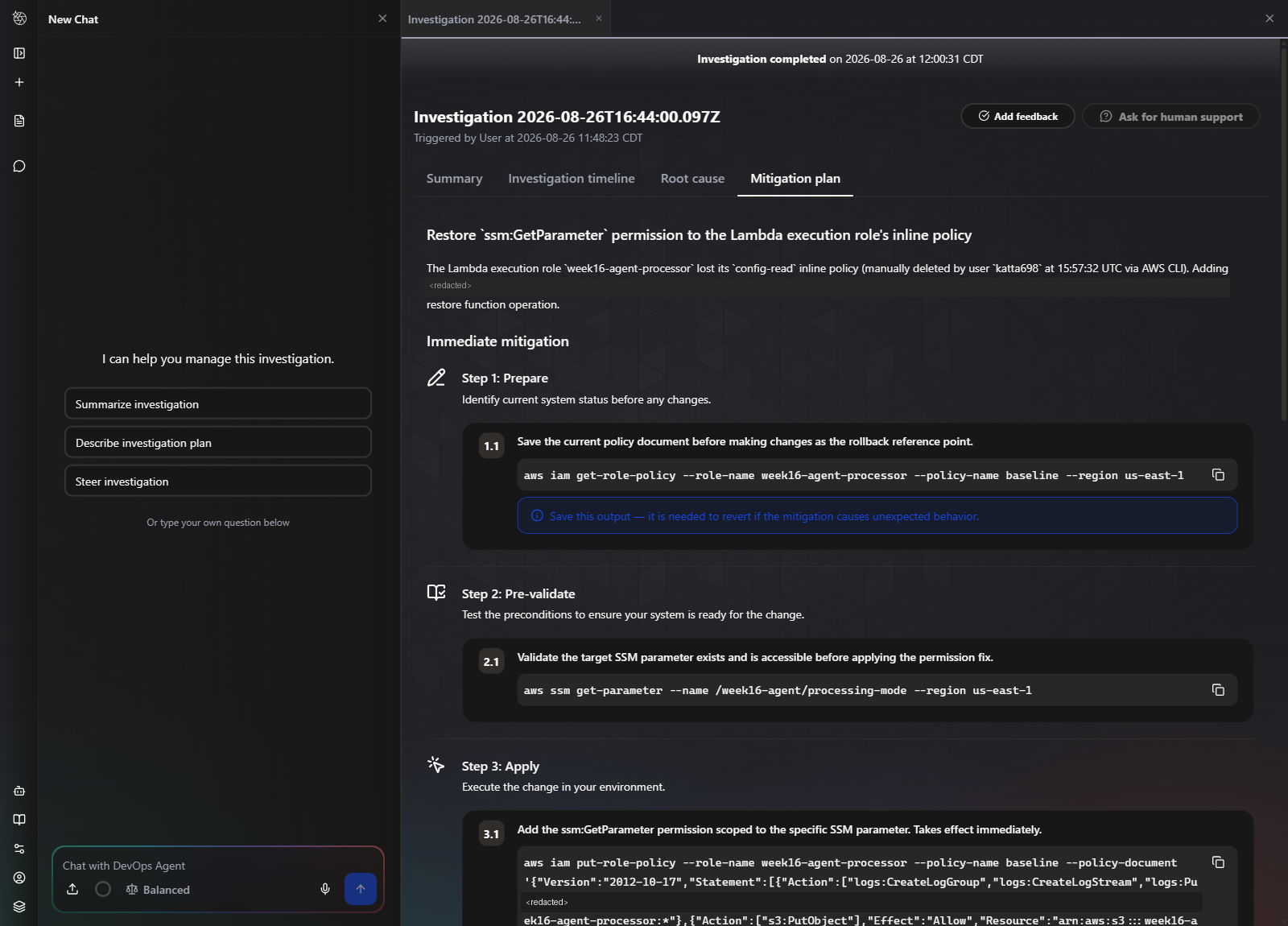
The first run’s plan proposed adding ssm:GetParameter to the existing baseline inline policy. That restores service immediately and it is a perfectly reasonable operator instinct.
It is also not what happened. What happened is that a separate policy called config-read — a Terraform-managed resource — was deleted. Following the plan would leave baseline carrying a permission Terraform does not know about, and the next terraform apply would recreate config-read alongside it. The incident closes; the estate drifts further.
Notably, the decoy run did not make this mistake — it proposed restoring the original policy document and adding an SCP. Same agent, same account, two runs, two different qualities of remediation. That variance is itself the finding, and it is the argument for reading the plan rather than running it.
6. There is no spend ceiling, anywhere
Weeks 14 and 15 both capped Athena at 10 GB per query at the workgroup level, so a mistake was bounded by configuration. The AgentSpace schema has no equivalent: Name, Description, KmsKeyArn, Locale, OperatorApp, Tags, and nothing else. No budget, no maximum duration, no task cap. The only quota bounds how many tasks run concurrently, never how long one runs.
So the control is observation rather than configuration, which is a genuinely weaker position and worth naming as such:
./scripts/measure_usage.shRun before and after anything the agent does. It reads the usage meter, converts hours to dollars, and prints the absence of a limit rather than hiding it.
Security — Controls at Every Layer
- The agent reads and recommends; it never acts — and note this is enforced by the service rather than chosen by me.
AccountTypeaccepts onlymonitor, and no actions-role property exists on either CloudFormation resource, so the whole IaC path is read-only. An agent that can act on a wrong narrative is a different risk category from one that can only propose it - Both service roles double-scoped —
aws:SourceAccountpins the caller to this account andaws:SourceArnpins it to an agent space ARN in this account and region, against the confused-deputy case. The service namespace isaidevops, notdevops-agent; getting it wrong yields a trust policy that looks right and never matches - AWS managed policies rather than hand-rolled read access —
AIDevOpsAgentAccessPolicyandAIDevOpsOperatorAppAccessPolicy. Hand-writing least-privilege across every service an investigator might touch is how you end up withReadOnlyAccessby accident - The association’s
resourceslist is the real blast-radius control — empty here so the agent must find the workload, but in production this scopes the agent to a stack or a tag far more effectively than IAM does - The OAuth secret is write-only — marked sensitive in HCP, never in state output, never in a repo
- Every capability is declared in Terraform — fourteen other providers sit available and unregistered. Each would widen what the agent can reach, and each would be a reviewable line in a pull request rather than a click
- Spend is observed, not capped — stated plainly because it is the one control this week does not have
Cost
Prices as of August 2026 — verify at the DevOps Agent pricing page.
| Item | Rate | This build |
|---|---|---|
| Agent active work | $0.0083 / agent-second (~$0.50 / min) | billed per second |
| Idle agent space | free | $0.00, verified on every meter |
| Investigations × 2 | ~0.168 hrs each, flat | $10.06 |
system learning, one-time | not listed on the pricing page | $13.22 |
| Lambda, EventBridge, SSM, S3 | — | effectively free at lab volume |
| CloudWatch alarm × 1 | $0.10 / alarm / month | $0.10/month |
| Total spent this week | $23.28 | |
| Destroyed | $0 |
Three things the meter taught that the pricing page does not
An investigation costs a flat rate regardless of effort. Sampling the meter every ninety seconds through both runs produced the same figure each time — 0.168 hours, $5.03. The decoy run did visibly more work: more steps, more tool calls, a longer wall-clock. It cost the same. Whatever “agent-second” measures, it is not proportional to the investigating I could observe.
The meter reads zero while the work is happening. Seven consecutive samples during the first investigation reported 0.0 hours, then the full 0.168 posted at once after completion. If you are watching the meter as a live guardrail, it will tell you nothing until it is too late to intervene — which materially weakens “observation” as a substitute for a spend cap.
system learning is a billed category that the pricing page does not name. It was the single largest line this week at $13.22, and it appeared once — the agent mapping the account on first use. It did not recur for the second investigation. The published categories are investigations, evaluations and on-demand SRE tasks; this is none of them. Budget for a one-off charge on first use that you cannot find a rate card for.
On the free trial: new DevOps Agent customers get two months including up to 20 hours of investigations per month. At the flat ~0.168 hours per investigation observed here, that is a great deal of investigating. It arrives as a billing credit rather than a usage limit, so it cannot be read from the API — and a credit is not a ceiling.
Cleanup
Queue a destroy from the HCP UI. Everything this week creates is a Terraform resource, including the agent space and both associations, so nothing is left behind by design.
The agent space is the one to confirm. Left behind it costs nothing while idle — genuinely nothing, verified on every meter — which is exactly what makes it easy to forget. What persists is not a bill but a standing grant: a role in your account that a managed AWS service can assume to read it. That is a thing to remove deliberately, not a thing to leave lying around because it is free.
The ServiceNow OAuth endpoint is not managed by Terraform and does not disappear with the stack. Deactivate the Application Registry record, or the credential outlives the lab.
The observed workload tears down with everything else. The S3 bucket carries force_destroy and a seven-day lifecycle rule, so teardown never needs a manual empty.
References
- About AWS DevOps Agent — AWS DevOps Agent User Guide
- Announcing General Availability of AWS DevOps Agent — AWS Cloud Operations Blog
- AWS DevOps Agent pricing — the three published billing categories
awscc_devopsagent_agent_space,_associationand_service— Terraform Registry- terraform-provider-aws issue #46894 — the request for native
aws_devopsagent_*resources, still open - Full source for this week — Terraform, the break and repair scripts, both investigation transcripts and the ground-truth ledger
Key Takeaways
- An agent returns a narrative, and narratives persuade regardless of accuracy. A wrong metric looks wrong. A wrong explanation reads like an explanation. That asymmetry is the entire reason to grade rather than admire.
- Write the ground truth down before you ask. Anything recorded afterwards is a reaction to the answer, not a test of it. This is one shell script and it is the difference between an evaluation and an anecdote.
- Your resource descriptions are inputs to the agent. I put the answer in an SSM parameter description and the agent quoted it back. Scrub the environment before evaluating; write them well before operating.
- The declared gaps matter more than the conclusion. Being told it was denied
lambda:GetFunctionis what makes the rest believable. An agent that returns the same confident paragraph whether or not it could see the evidence is the one to worry about. - Read the mitigation plan; do not run it. One run proposed a fix that would have restored service and deepened Terraform drift. The other proposed a better remediation than mine. Same agent, same account, different runs.
- It did not fall for a recent deploy sitting 71 seconds in front of the true cause — it plotted the deploy on the timeline and ranked it correctly. That is a real result, and a weak decoy; do not read it as more than it is.
- Observation is a weaker control than a limit, especially when the meter lags. No budget, no duration cap, and a meter that reads zero until the work is finished. Know that before you let something autonomous loose.
- Through Terraform, this agent can only ever read.
AccountTypeaccepts exactly one value, and no actions-role property exists on either CloudFormation resource — so an estate built entirely in code gets a read-only agent whether or not anyone decided that. The console shows the capability exists, which means enabling remediation requires stepping outside the code that describes everything else you run. Know which of your guardrails you chose and which the service chose for you. - Being early costs documentation.
service_id = "aws"exists in no schema and no CLI skeleton. When a service outruns its provider, working sample code is the only reliable source.
What I’d do differently in production
- Scope the association to resources or tags rather than the whole account. Empty is right for a lab, where finding the workload is the test. In a real estate that scoping is the practical blast-radius control, and it is more effective than tightening the IAM policy.
- Put a spend alarm on the usage meter, since the service offers no cap. It will fire late, because the meter posts late — but late is better than at the end of the month, and it is the only mechanism available.
- Wire the alarm to the agent, which this build did not. Every investigation here was started by hand in the console. AWS documents the automatic path — a CloudWatch alarm to EventBridge to a Lambda that calls the agent’s webhook — and the alarm built here fired correctly on both breaks and then went nowhere. Hand-starting was right for a grading exercise, because it controls exactly what the agent is told. It is also the reason nothing in this post should be read as evidence that the thing is on-call-ready. That is the next build, not this one.
- Close the ServiceNow loop, then verify a ticket exists. Registration succeeded and the OAuth client issues tokens, so it is easy to call this done — and zero incidents were created. “The integration is configured” and “the integration works” are separate claims, and only one of them was tested here. Check the destination system, not the source config.
- Route findings to a ticket that a human closes, and never to an automated action. The ServiceNow association is meant to be the terminus, and wiring it up is the easy half. Promoting an agent from proposing to acting should follow a track record measured the way this week measures it, not a demo that read well.
- Run the evaluation periodically, not once. The model behind this changes without a version bump in your Terraform. A quarterly rerun of the same known break, graded against CloudTrail the same way, is the only way to notice it getting worse.
- Test with a decoy in the same failure domain. A timeout change was too easy to dismiss. The honest version corrupts the SSM parameter name in the same apply, so both candidates produce a plausible permission-shaped failure.
Comments