Why — The Problem This Solves
You have a website running. You want to put a new version of it live. The obvious way is to stop the old one and start the new one, which means a gap where the site is down, and no way back if the new version turns out to be broken except doing the whole thing again in reverse.
Blue/green is the other way. Start the new version alongside the old one, wait until it looks healthy, then point the front door at it. The old version stays running for a while. If something is wrong, you point the door back — no redeploy, no gap.
The half everyone builds is the traffic switch. The half almost nobody tests is the pointing back.
So this week ran a small containerised web service on AWS behind a load balancer, released a new version of it, and then deliberately shipped a broken one — to find out which part of the machinery actually protected users. The answer was not the part built for the job.
What You Need to Know — Skills & Tools
- Amazon ECS on Fargate — runs containers with no servers to manage
- Application Load Balancer — the front door; it points at one of two target groups
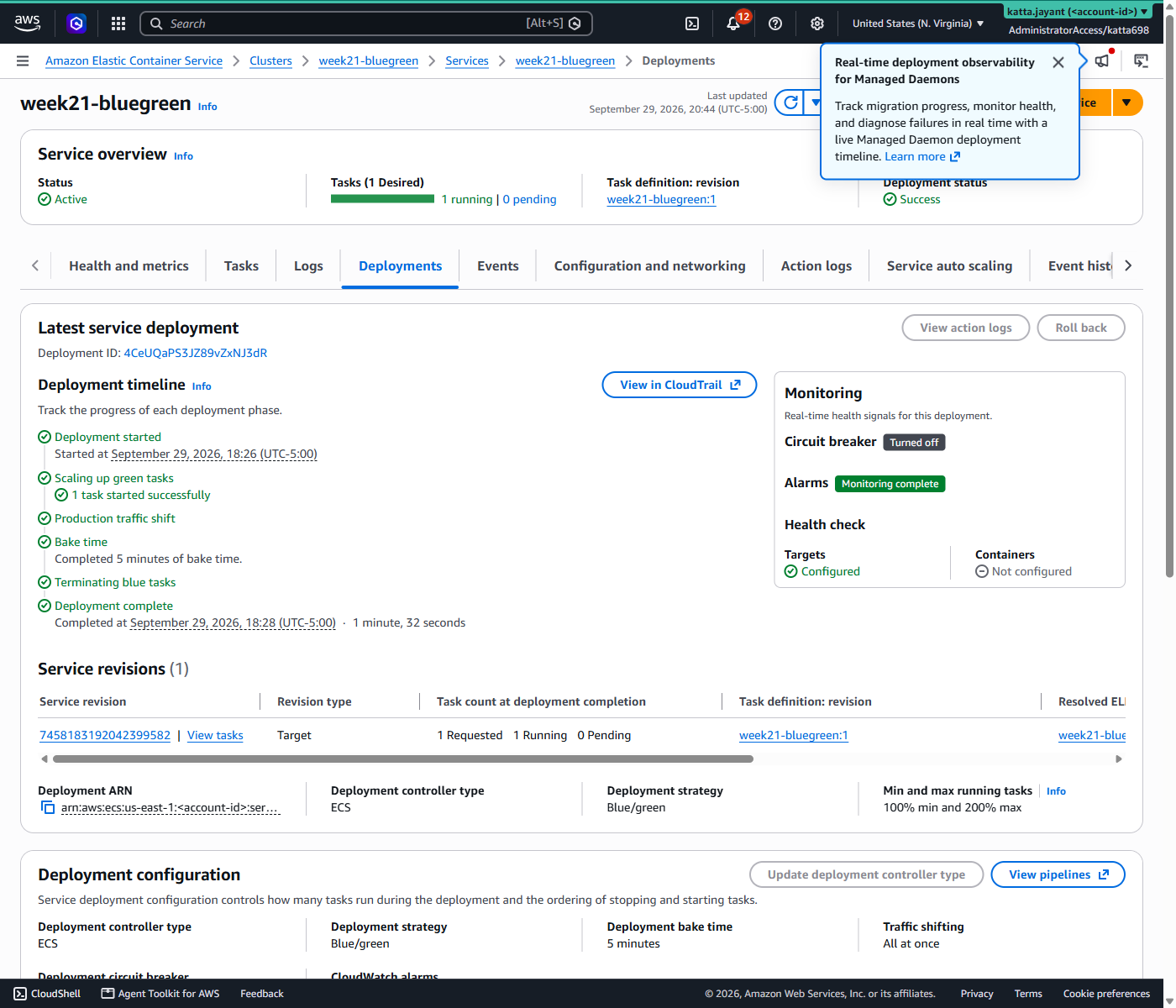
- ECS native blue/green — ECS shipped this in July 2025, canary and linear in October 2025. As of March 2026 AWS recommends it over CodeDeploy for new work, so there is no CodeDeploy here
- Terraform + HCP Terraform — the AWS provider needs 6.4.0 or later for the blue/green block
Architecture — How It Fits Together
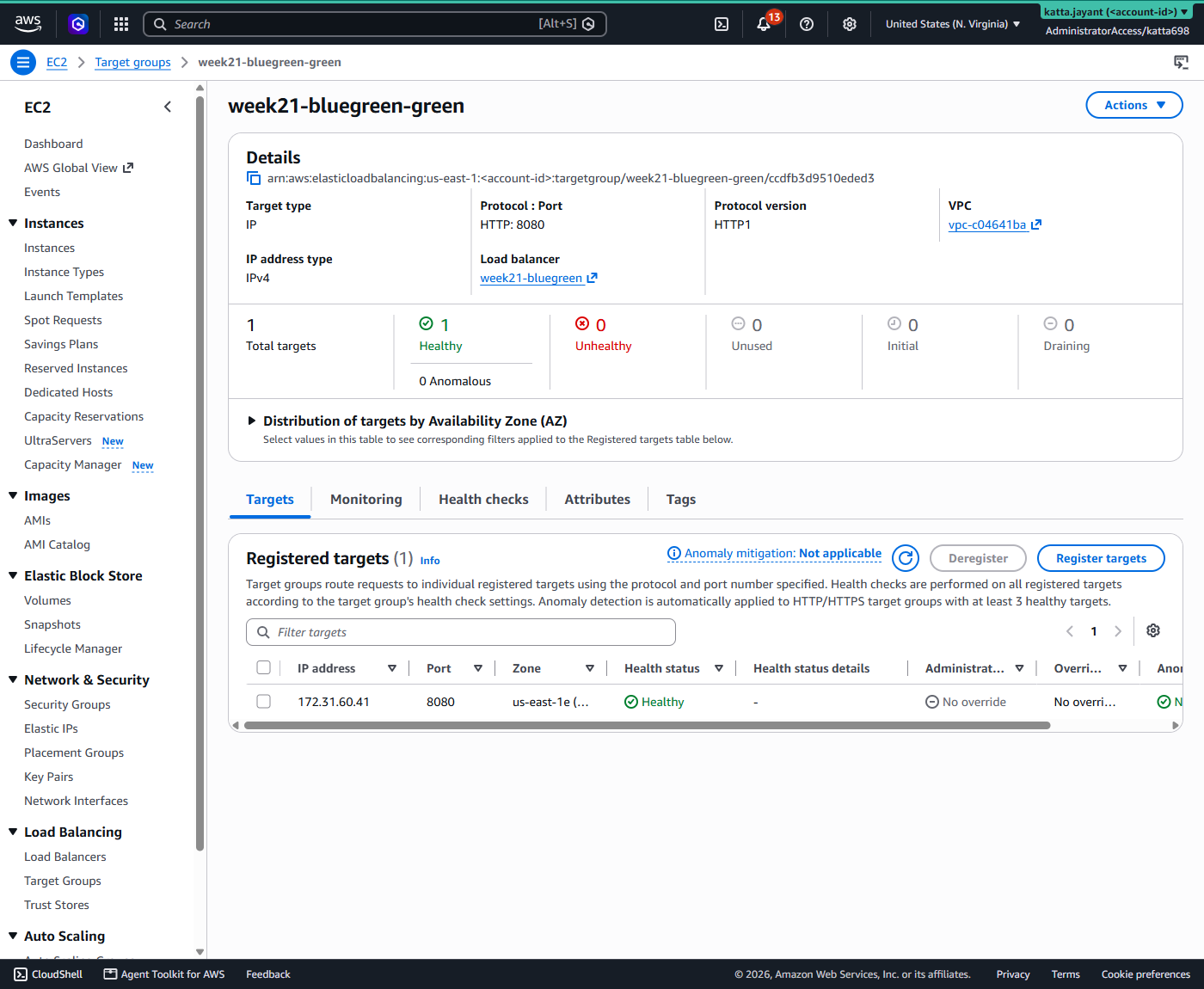
One load balancer, two target groups, one service that moves between them.
Blue and green are interchangeable slots, not fixed roles. ECS put the first deployment in green, which surprised me — Terraform names blue as the primary.
How We Built It — Step by Step
What we deployed
Sixteen AWS resources. Only the second row exists because of blue/green — everything else you need to run any container behind a load balancer:
| What | Count | Its job |
|---|---|---|
| Application Load Balancer, listener, listener rule | 3 | The front door. ECS rewrites the rule to switch versions |
| Target groups — blue and green | 2 | The two slots a version can occupy. This is the blue/green part |
| ECS cluster, task definition, service | 3 | Runs the container on Fargate; the service carries the deployment strategy |
| Security groups | 2 | Public HTTP to the ALB; the ALB only to the tasks |
| CloudWatch log group, alarm | 2 | Task logs, and the 4xx alarm wired to roll a deployment back |
| IAM roles + policy attachments | 4 | One role pulls the image and writes logs; the other lets ECS rewrite the listener rule |
HCP reports 20 rather than 16, because its count includes the four data sources that look up the default VPC and its subnets.
Default VPC on purpose — a NAT gateway costs about $0.045/hr and would have been the biggest line on the bill for containers that only pull a public image.
The application is deliberately trivial: busybox from ECR Public writes an
environment variable into a file and serves it. A "new version" is therefore just a variable
change, which keeps the deployment itself as the subject rather than a container build.
How we wrote it
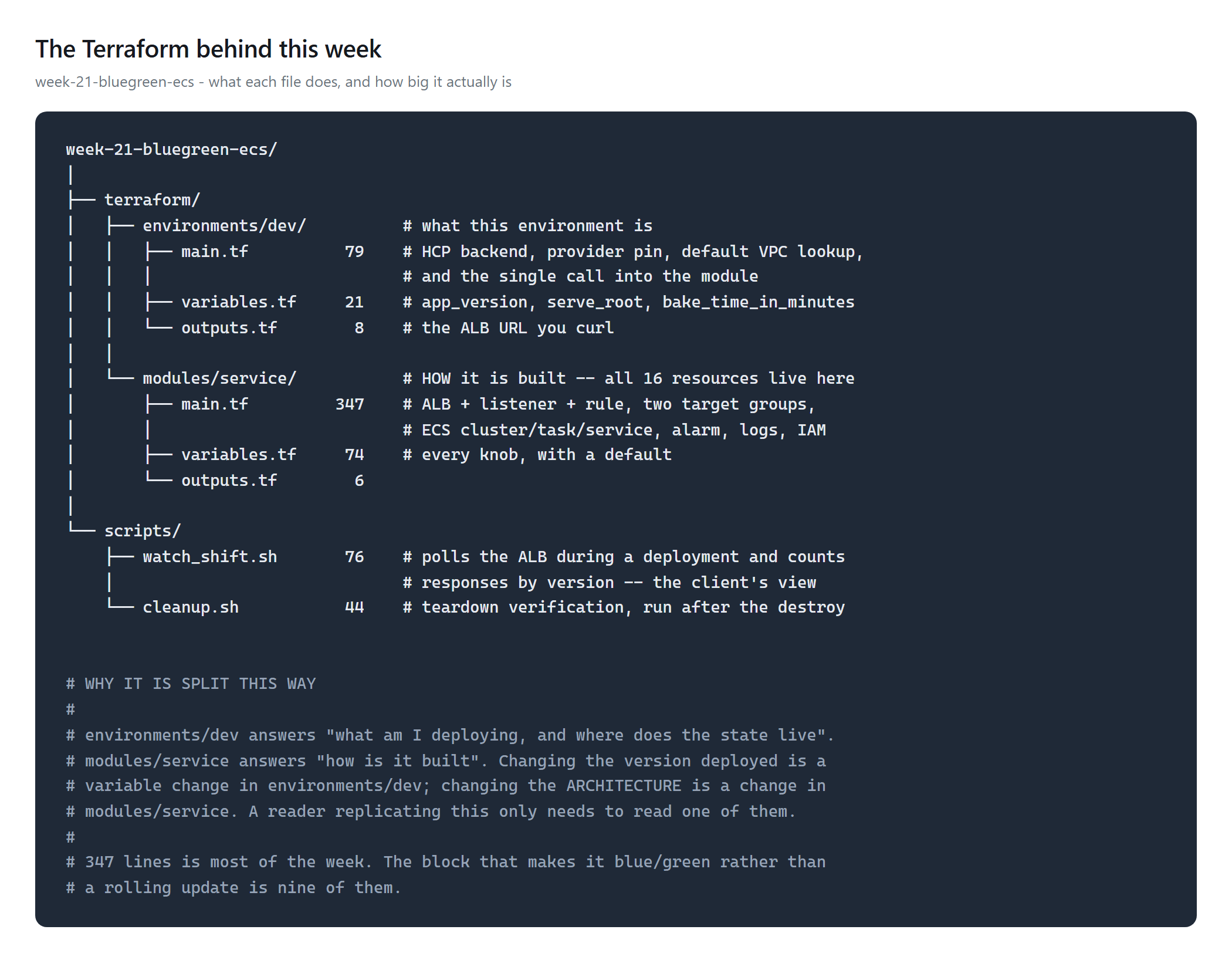
environments/dev
says what is deployed; modules/service says how it is built. Changing the
version is a variable change in one; changing the architecture is a change in the other.Of those 347 lines, the part that makes this blue/green rather than a rolling update is nine:
deployment_configuration {
  strategy             = "BLUE_GREEN"
  bake_time_in_minutes = 5      # how long the old version stays alive
}

alarms {
  enable      = true
  rollback    = true            # roll back if the alarm goes off
  alarm_names = [aws_cloudwatch_metric_alarm.errors.alarm_name]
}
Two details that are easy to get wrong. The provider must be 6.4.0 or
later; on earlier versions the block is silently ignored and you get a rolling update
that looks correct in the file. And ECS switches the listener rule, not the listener,
so the rule needs ignore_changes = [action] or the next Terraform plan proposes
shifting traffic back.
How we deployed it
HCP Terraform, VCS-driven, OIDC credentials, no static keys.
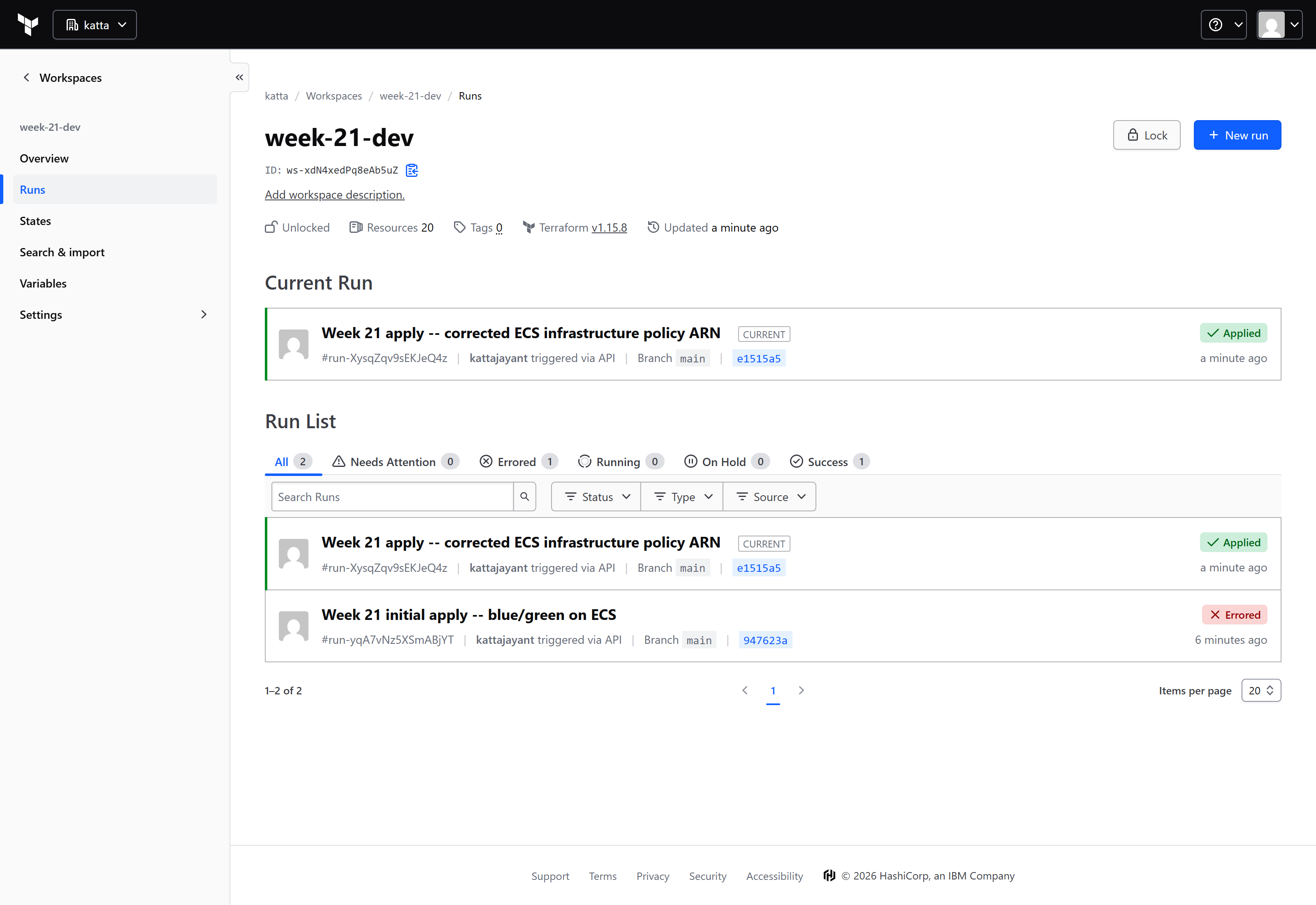
What appeared in the console
How we tested it
Two deployments. A normal one, then a broken one. Throughout both, a script polled the load balancer every two seconds and recorded what a caller actually got — because the console shows task sets and percentages, and only a client sees the service.
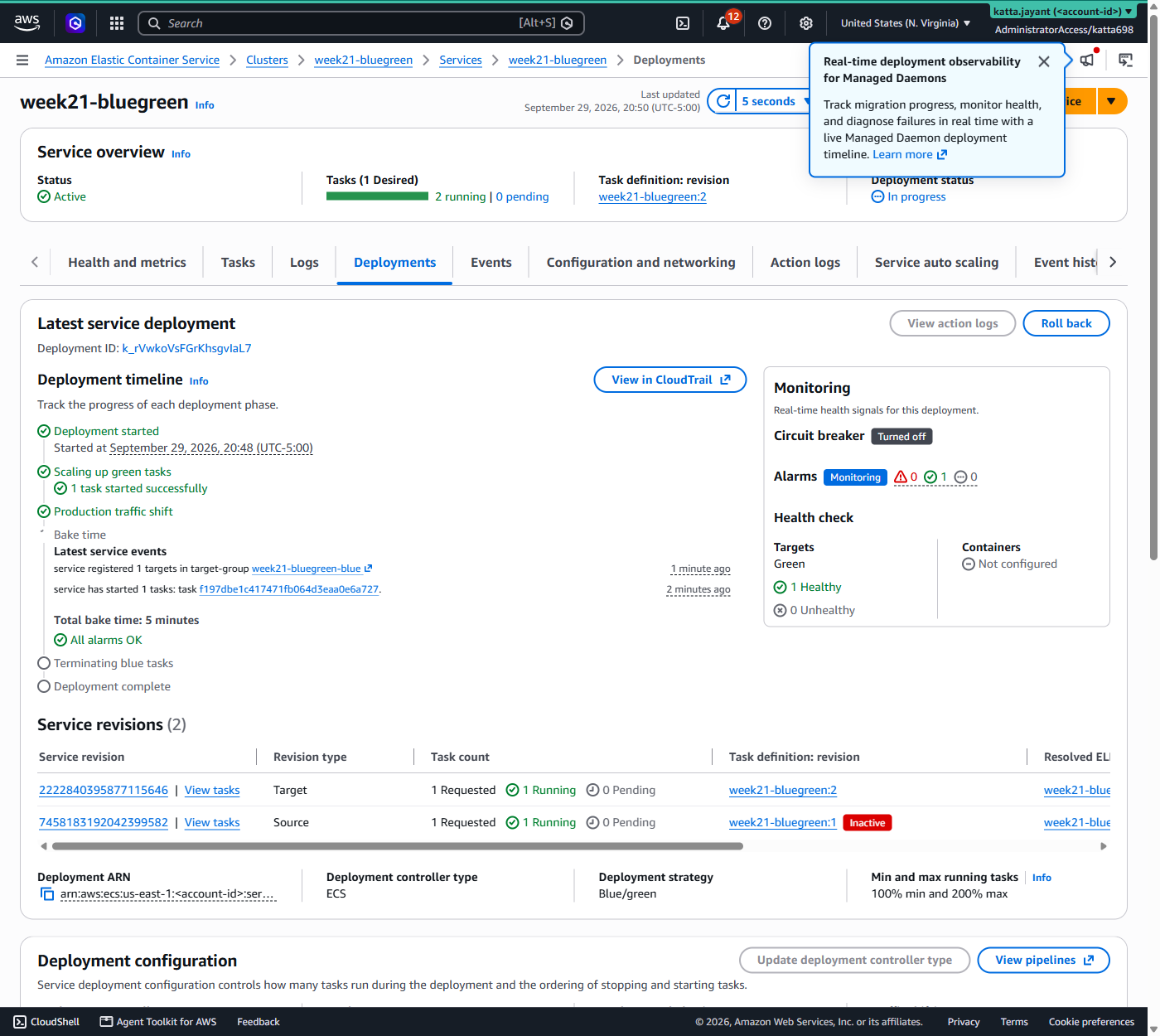
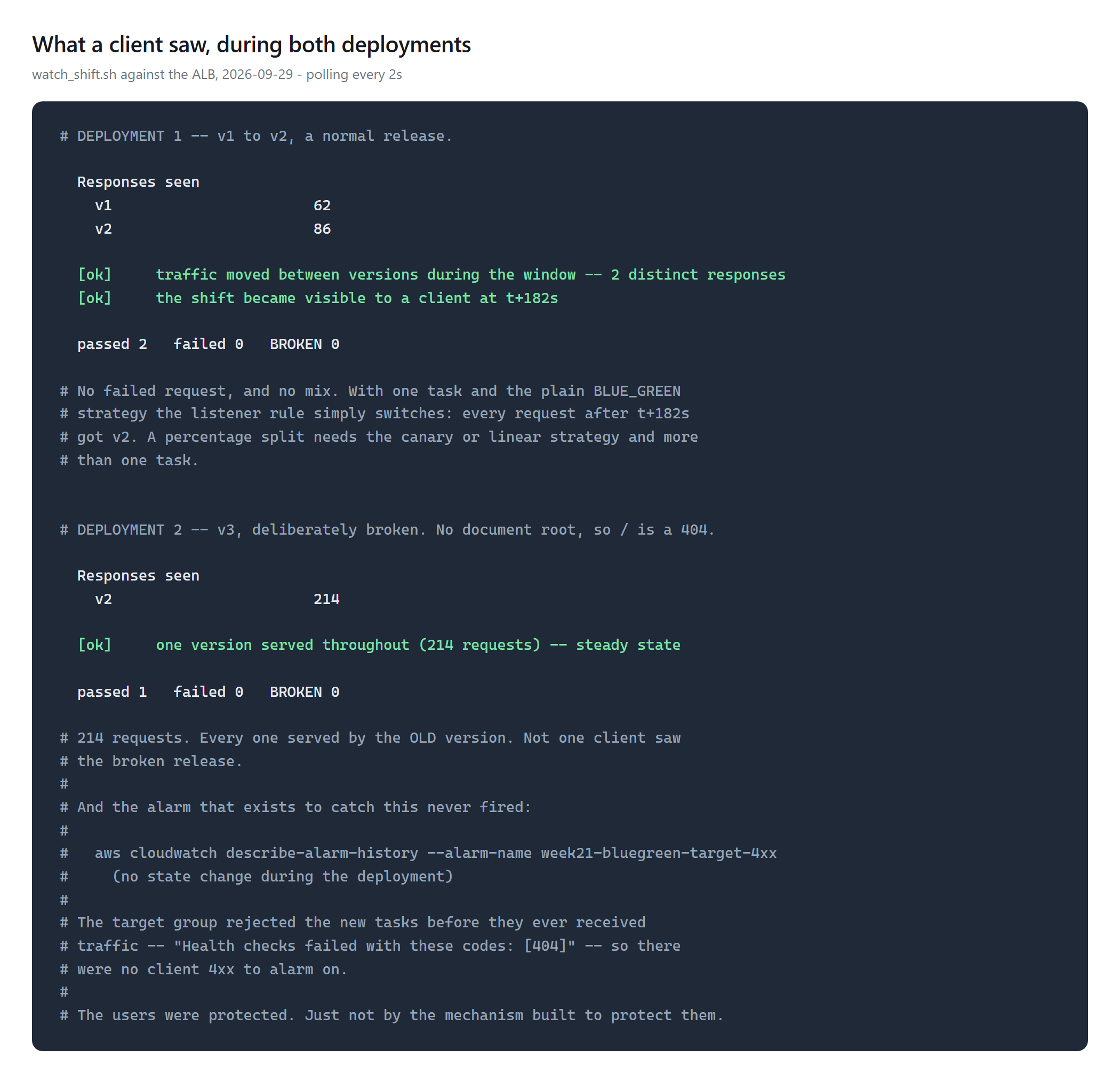
What success looked like: the good release cut over at t+182s — 62 requests on v1, 86 on v2, nothing failed. The broken release reached nobody: 214 requests, every one served by the previous version.
Challenges — What Actually Went Wrong
The rollback never happened, and that is the finding
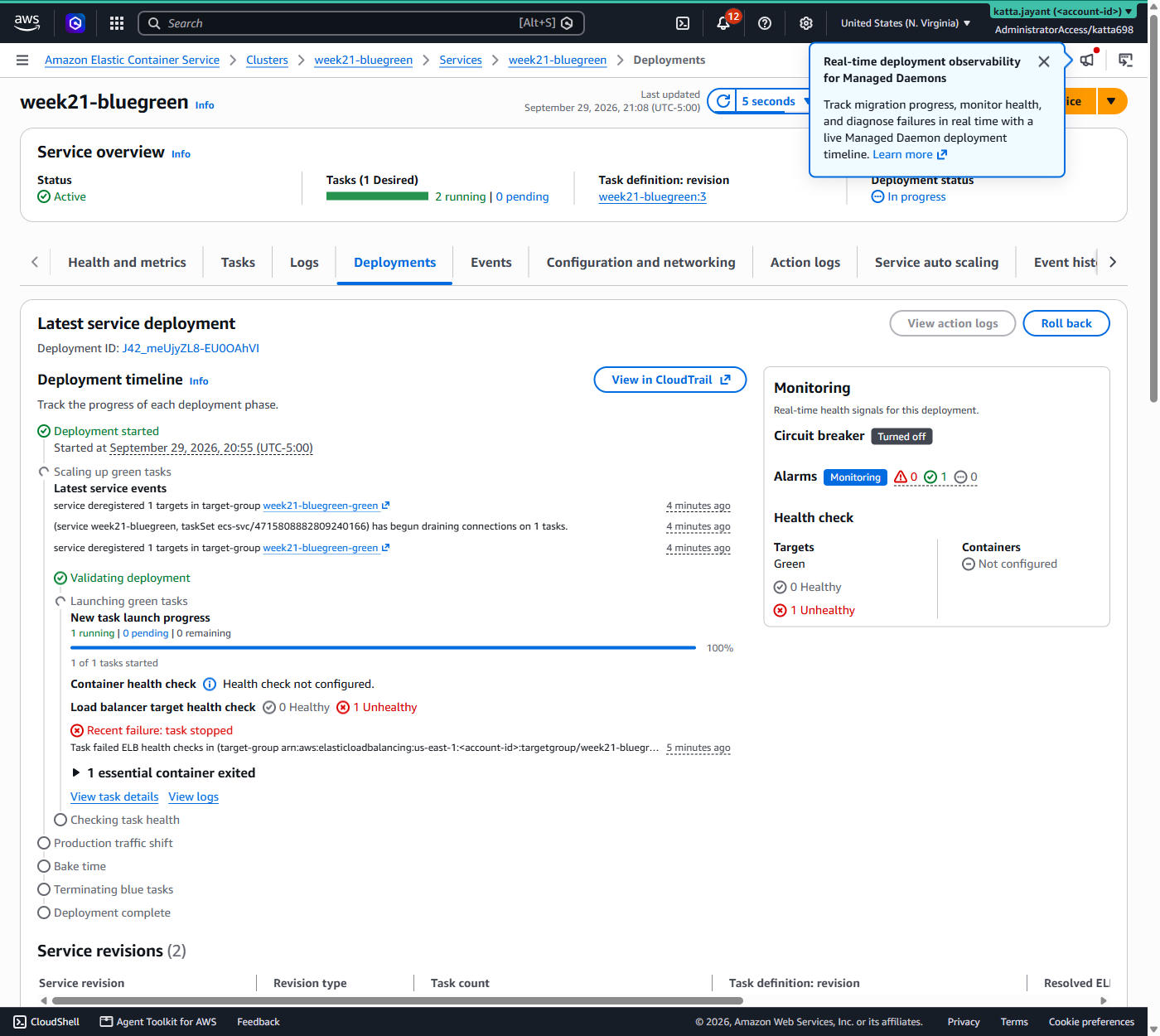
Target.ResponseCodeMismatch — "Health checks failed with these codes: [404]".The broken version failed its health check, so ECS never sent it any traffic. No
client request reached it, so there were no errors, so the alarm stayed OK and
rolled back nothing. Alarm history confirms no state change during the deployment.
Users were protected — by the health check, not by the mechanism built for the job. If you only ever test rollback with a fault your health check catches, you have tested the health check.
A failing deployment does not give up on its own
deploymentCircuitBreaker is off by default. The failed
deployment did not roll back; it retried, cycling tasks for over ten minutes until I reverted
the change. Turn the circuit breaker on.
Two small ones
terraform apply returned applied with zero new tasks running
and the old version still serving — it hands off to ECS and returns. Gate a pipeline on
that and you have gated on nothing.
And the first apply failed on
AmazonECSInfrastructureRolePolicyForLoadBalancers: it has no
/service-role/ path, unlike AmazonECSTaskExecutionRolePolicy.
ECS then reports it as "Unable to assume role and validate the specified targetGroupArn",
which sends you looking at target groups instead of at the role.
Security — Controls at Every Layer
- No static AWS credentials. HCP Terraform assumes a role via OIDC
- Tasks reachable only through the ALB. The task security group accepts traffic from the load balancer's group and nothing else
- Scoped IAM. Two AWS managed policies, one per role, no inline wildcards
- Known gap: tasks run in public subnets with public IPs to avoid NAT costs. Production puts them in private subnets
Cost
| Item | Rate |
|---|---|
| Application Load Balancer | $0.0225/hr + $0.008/LCU-hr |
| Fargate | $0.04048/vCPU-hr + $0.004445/GB-hr |
| CloudWatch alarm | $0.10/month (first 10 free) |
This build has a real hourly meter, and the load balancer is most of it — it bills whether or not anyone visits. About $0.05/hour with both versions running; roughly $16/month for an ALB left up. Ran about three hours.
Billed total: $0.1552. Read from Cost Explorer once AWS posted the charges — Elastic Load Balancing $0.1126 and ECS/Fargate $0.0425 across 29–30 September, with $0.00 on the 1st, which is what a verified teardown looks like on a bill.
The load balancer was 73% of it, for a service that served a few hundred requests. That is the shape worth remembering: the meter is the front door, not the containers behind it.
Cleanup
Destroyed via HCP, then verified independently of the teardown script: no load balancer, no cluster, no target groups, no leftover network interfaces, workspace at zero resources.
bash week-21-bluegreen-ecs/scripts/cleanup.sh
# CLEAN - nothing from Week 21 remains.
References
Key Takeaways
- ECS does blue/green itself now. No CodeDeploy for new work — one less service in the failure path
- Test rollback with a fault your health check cannot see. Otherwise you are testing the health check and learning nothing about the alarm
- Turn on the deployment circuit breaker. Without it a failing deployment retries instead of reverting
- The load balancer is the cost. It bills hourly with no traffic at all, so tear it down
- Watch a deployment from the client's side. The console shows task sets; only a caller shows the service
Comments