ARC Region switch picked up four capabilities on Tuesday. The one worth your afternoon is the quota parity check — and specifically the sentence in its documentation about which plans have it switched on.
“New plans have service quota checks enabled by default; plans that you created before service quota checks were available have them disabled by default.”
Executive summary
Region switch “helps you orchestrate the failover of multi-Region applications to achieve a bounded recovery time during a Regional impairment”. Four additions: “AWS Systems Manager Run Command execution block, payloads for custom action Lambda execution block, service quota parity checks, and wait for target group health feature for compute scaling actions”.
The quota check exists because of a failure mode the documentation describes exactly: “As demand grows in your active Region, you might raise service quotas there to keep up, but forget to request matching increases in your standby Region. This gap can cause a healthy-looking plan to fail during execution.”
So it is a check for drift that accumulates silently over months. Which makes the default inversion the thing to act on: the plans that have had the longest to drift are the plans the check is off for.
What changed
| Capability | What it does |
|---|---|
| Service quota parity checks | “verifies quota parity between your primary and standby Region, and automatically submits quota limit increases” |
| Wait for target group health | Provisioned capacity “may not be ready to serve traffic”; the optional feature “verifies that your provisioned capacity is ready to serve traffic” |
| Systems Manager Run Command block | “Run an AWS Systems Manager command document against managed nodes as part of your plan execution” |
| Payloads for custom action Lambda | “allowing reusability of your Lambda functions across recovery plans” |
| Availability | “all commercial and AWS GovCloud (US) Regions” |
Architecture
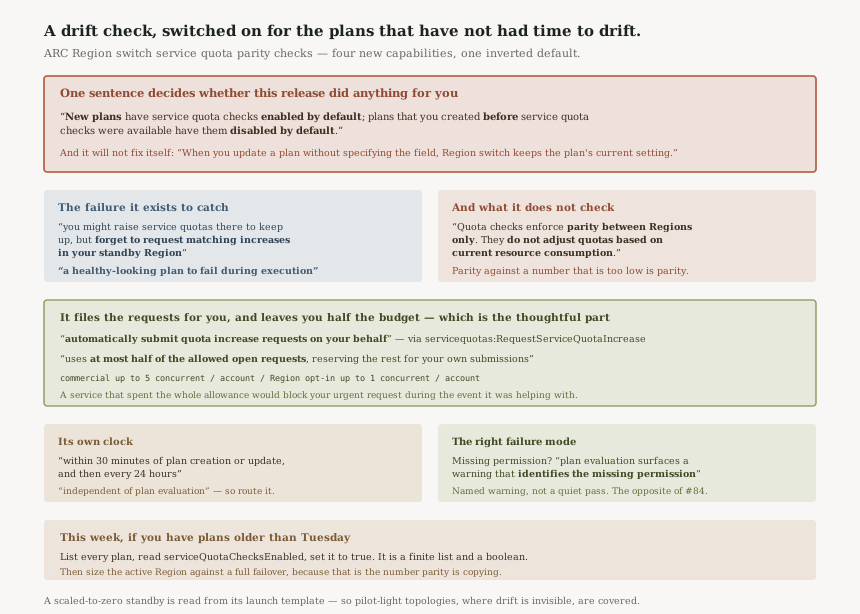
Three things to understand about the check, in order of how likely they are to catch you out.
1. The default is inverted with respect to risk
“Service quota checks are controlled by the serviceQuotaChecksEnabled setting on a
plan.” New plans: on. Pre-existing plans: off.
That is a defensible decision — switching on a feature that files quota increase requests against accounts whose owners did not ask for it would be worse. But the consequence is that the protection lands on plans built after today, while the drift it protects against is a function of elapsed time.
And it will not switch itself on later: “When you update a plan without specifying the field, Region switch keeps the plan's current setting.” Routine maintenance on an old plan leaves the check off.
2. Parity is not sufficiency
“Quota checks enforce parity between Regions only. They do not adjust quotas based on current resource consumption.”
The mechanism compares the two Regions to each other: “When Region switch finds a Region or account whose applied quota is lower than the matching one, it can request an increase to raise the lower quota to match the higher one.”
So if your active Region's quota is itself too low to absorb a full failover — which is common, because an active Region's quotas are sized for its own steady state, not for twice its traffic — then a passing parity check tells you the two Regions agree, and both of them are short. No mismatch is reported, because there isn't one.
3. It files requests from your account, deliberately bounded
“servicequotas:RequestServiceQuotaIncrease and
servicequotas:GetRequestedServiceQuotaChange allow Region switch to automatically
submit quota increase requests on your behalf.”
That is an outward-facing action taken by a service, so the limit is the interesting part: “To avoid exhausting the account-level limit on open quota increase requests, Region switch uses at most half of the allowed open requests, reserving the rest for your own submissions.”
In practice, “up to 5 concurrent requests per account per Region” in commercial Regions, and “up to 1 concurrent request per account” in opt-in Regions. Beyond that, “additional mismatches are surfaced as warnings”, and “once open requests are approved or resolved, Region switch submits the remaining increases on the next check cycle”.
Reserving half the budget for the human is a small, thoughtful piece of design. A service that consumed the whole allowance would block you from filing an urgent request during the very event it was trying to help with.
Business value
The gap this closes is one of the most embarrassing kinds of failure: the plan was green, the runbook was rehearsed, the standby Region existed, and it could not launch the instances. Nothing in a plan evaluation caught it because nothing was wrong with the plan.
Quota drift is also the single hardest kind of readiness problem to keep on top of manually, because every individual increase is reasonable and nobody is tracking the aggregate across two Regions and several accounts. A check that runs “every 24 hours” and compares them is doing work that was previously nobody's job.
The wait-for-target-group-health addition is the quieter one, and it fixes a real lie in the previous model. A scaling action that reports success when capacity is provisioned but not yet in service produces a plan that completes and an application that does not serve. Verifying readiness rather than provisioning is the difference between a recovery time you measured and one you hoped for.
Security considerations
The read path is benign: servicequotas:GetServiceQuota lets Region switch read applied values
and warn on mismatch. Granting that alone gives you the detection with none of the action.
The write path deserves a decision rather than a default. Granting
servicequotas:RequestServiceQuotaIncrease means a service can open requests against your
account without a human in the loop. That is bounded in number, visible in Service Quotas, and reversible
— but it is still a service acting outward on your behalf, and it belongs in whatever record you keep
of such grants.
The failure behaviour is good, and worth contrasting with the pattern this series keeps finding: “Region switch performs service quota checks only for plans whose execution role, and any cross-account roles that the plan uses, include these permissions” — but that does not become a silent no-op. “If a role is missing a required permission, plan evaluation surfaces a warning that identifies the missing permission instead of the quota result.”
A missing permission that produces a named warning rather than a clean pass is the correct design, and it is the opposite of what #84 described.
Cost considerations
No price is attached to the checks themselves. The cost that matters is second-order and real: a successful parity check can raise your standby Region's quotas, and quotas are permission to spend rather than spend itself — but a standby Region that can now launch what the plan asks for is a standby Region that will, during a failover, cost what the active one costs.
That is the point of having it, not a surprise. It is worth saying out loud only because the mechanism is automatic: the increase arrives without anybody filing it, so the budget conversation does not have a natural trigger.
Operational considerations
“Quota checks run automatically within 30 minutes of plan creation or update, and then every 24 hours. This cadence is independent of plan evaluation.”
Independent is the word to note. A quota warning can appear on a plan nobody touched, between evaluations, so whatever surfaces plan warnings to your team needs to be something that notices a change rather than something somebody opens before a game day.
One detail shows the feature was built against real standby topologies rather than a diagram: “An Amazon EC2 Auto Scaling group sometimes has no running instances, such as in a standby Region that is scaled to zero. In this case, Region switch determines the instance families from the group's launch template or launch configuration.” And when instances exist, “Region switch uses those instances as the source of truth instead.”
A scaled-to-zero standby is the normal shape of a pilot-light architecture, and a check that could not read one would have been useless for exactly the customers who need it most.
Tradeoffs
| What you gain | What it costs |
|---|---|
| Daily detection of quota drift between Regions | Off by default on every plan that predates the feature |
| Automatic remediation without a human filing tickets | A service permitted to open requests from your account |
| Half the open-request budget reserved for you | Above the cap, mismatches wait for the next cycle |
| Parity between primary and standby | Parity against a number that may itself be too low |
| Readiness verified, not just capacity provisioned | Longer plan execution, because waiting is the feature |
Implementation guidance
- List every Region switch plan and read its
serviceQuotaChecksEnabledvalue. Do not assume the announcement applied to what you already have. - Set it explicitly to
trueon the older plans. An update that omits the field changes nothing. - Grant
servicequotas:GetServiceQuotafirst and get the warnings. Decide about the request-submission permissions separately, as their own decision. - Check the permissions on cross-account roles too — the requirement covers “any cross-account roles that the plan uses”.
- Size the active Region against a full failover, not against today's traffic, before trusting a passing parity check.
- Read plan evaluation warnings for missing-permission messages, which appear in place of a quota result rather than alongside one.
- Enable wait-for-target-group-health on compute scaling blocks and re-measure your recovery time, which will get longer and become true.
Best practices
- Treat the inverted default as a one-time migration task, not a setting to find later. It is a finite list of plans and a boolean.
- Separate detection from remediation when you first turn it on, so the first thing you see is the size of the drift rather than a set of requests.
- Record the grant that lets a service file requests for you. It is bounded and visible, and it is still a new outward-facing capability in your account.
- Do not read "parity achieved" as "failover will work". The documentation is explicit that consumption is not considered.
- Route plan warnings somewhere, because the check runs on its own cadence and will produce findings between the times anybody looks.
Who should adopt this and when
This week, if you have Region switch plans older than this release. They are the ones with the check disabled and the most accumulated drift. The work is reading a field and setting it.
This week also, if you run a scaled-to-zero standby. That topology is where quota drift is invisible by construction, because nothing ever tries to launch the capacity until the day it matters.
Soon, if your recovery time is a number you report. Wait-for-target-group-health will make that number larger and correct, and it is better to discover that in a game day than in an incident.
Not a priority if you are single-Region or if your standby runs at full capacity continuously, where the quota question largely answers itself.
Key takeaways
- “New plans have service quota checks enabled by default; plans that you created before service quota checks were available have them disabled by default” — the default is inverted with respect to risk.
- An update that omits the field “keeps the plan's current setting”, so it will not turn itself on.
- “Quota checks enforce parity between Regions only” and “do not adjust quotas based on current resource consumption” — parity against a number that is too low is still parity.
- It can “automatically submit quota increase requests on your behalf”, bounded to “at most half of the allowed open requests” — 5 per account per Region commercially, 1 in opt-in Regions.
- Checks run “within 30 minutes of plan creation or update, and then every 24 hours”, “independent of plan evaluation”.
- A missing permission “surfaces a warning that identifies the missing permission instead of the quota result” rather than passing quietly — the right failure mode.
- A scaled-to-zero Auto Scaling group is read from its “launch template or launch configuration”, so pilot-light standbys are supported.
Official AWS references
- ARC Region switch adds four new capabilities — the four additions, the quota parity and automatic increase behaviour, the wait for target group health rationale, Lambda payload reusability, and Region availability
- Working with service quota checks — the serviceQuotaChecksEnabled default split between new and pre-existing plans, the update-keeps-current-setting behaviour, the parity-only limitation, the check cadence, the half-of-open-requests budget and its per-Region numbers, the required permissions and the named warning when one is missing, and how a scaled-to-zero Auto Scaling group is read
- Working with execution blocks — the Systems Manager Run Command execution block and the skip behaviour of the other block types
- Plan evaluation — further reading on what evaluation checks and when; no claims in this post are drawn from it
- Region switch in ARC — further reading on the service as a whole; no claims in this post are drawn from it
Comments