📋 In This Post
Why — The Problem This Solves
Six weeks of this lab have built a hierarchy: folders, projects, policies, a Shared VPC, a project factory, a billing export. Asked what exists in this organization right now, the only honest answer was to open the console and scroll.
Fine at seven projects, useless at seventy — and it cannot answer the question that matters: which of the rules I have written are being broken right now? Cloud Asset Inventory turns the organization into a table you can query. This week wires it up and asks it two questions.
What You Need to Know — Skills & Tools
Google Cloud
- Cloud Asset Inventory — snapshots and feeds, at organization scope
- BigQuery — where the snapshot lands and gets queried
- Pub/Sub — where the feed publishes changes
- IAM service agents — the identity Google uses on your behalf
Tooling
- Terraform —
google_cloud_asset_organization_feed - HCP Terraform — remote runs, Workload Identity Federation
- gcloud asset export — the half that is not declarative
- Standard SQL — enough for
COUNTandARRAY_LENGTH
Concepts to understand before starting
Architecture — How It Fits Together
The feed is a Terraform resource; the export is not. That is not a provider gap — a snapshot is an operation with a moment attached, not a thing you own. Run it twice and you get two different answers, neither of which is drift.
How We Built It — Step by Step
1. The Terraform, and how it deploys
Five resources: the API on two projects, a BigQuery dataset, a Pub/Sub topic, and the feed itself. The feed is the only interesting one.
resource "google_cloud_asset_organization_feed" "hierarchy" {
  billing_project = var.seed_project_id
  org_id          = var.org_id
  feed_id         = "hierarchy-changes"
  content_type    = "RESOURCE"

  asset_types = [
    "cloudresourcemanager.googleapis.com/Project",
    "cloudresourcemanager.googleapis.com/Folder",
  ]

  feed_output_config {
    pubsub_destination { topic = google_pubsub_topic.asset_changes.id }
  }
}
Two asset types, not everything — a hierarchy change is rare and meaningful, and worth not burying under every metadata write in the org.
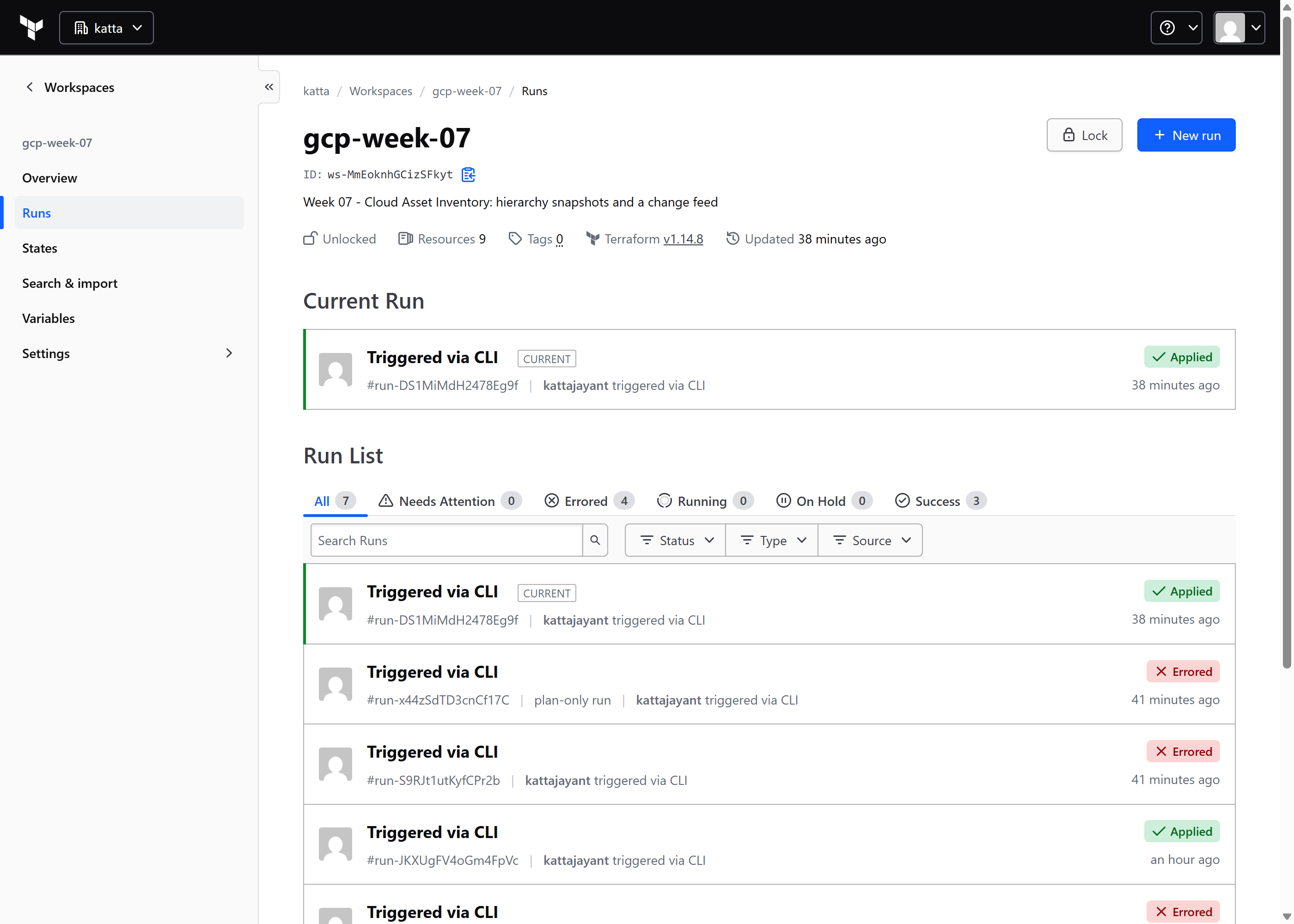
Deployment is three commands, because the workspace holds everything else:
terraform init      # binds this directory to HCP workspace gcp-week-07
terraform plan
terraform apply
The run executes in HCP Terraform, not on my laptop. HCP mints an
OIDC token for the run, Google exchanges it through a workload identity pool
that trusts app.terraform.io under an attribute condition, and the
run receives a short-lived token impersonating a service account. There is no
service account key, and no Google credential on the machine that typed
apply. Input variables — the organization ID, the project IDs
— live in the workspace, which is why there is no tfvars file
in the repository.
Plan runs as a read-only identity and apply as a write-capable one, so a mistake fails before it can write. Mostly. See the challenges.
2. The snapshot, which is not Terraform
gcloud asset export \
  --organization="$ORG_ID" \
  --content-type=resource \
  --bigquery-table="projects/$PROJECT/datasets/asset_inventory/tables/hierarchy" \
  --output-bigquery-force
Asynchronous: gcloud returns an operation name and the rows appear a minute
later. --output-bigquery-force overwrites rather than appends,
because appending would turn the table into overlapping pictures with no column
saying which is which.
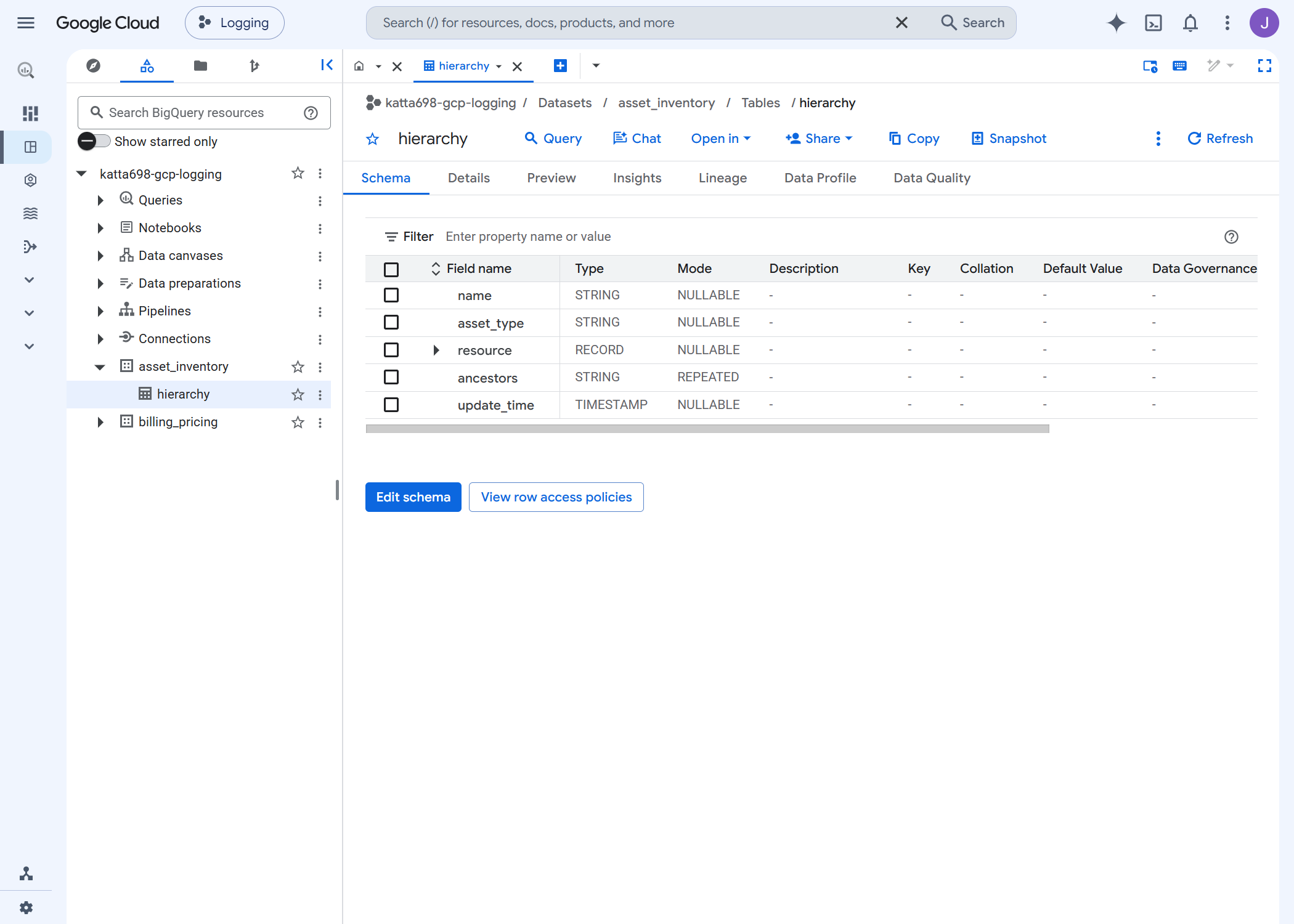
ancestors — a repeated column of the
resource's parents, which turns "which projects are not in a folder" into one
line of SQL.3. Asking the two questions
First: which projects sit outside a folder? A project's
ancestors array is itself, then its parents, so a project directly
under the organization has exactly two.
SELECT JSON_VALUE(resource.data, '$.projectId') AS project_id,
       ARRAY_LENGTH(ancestors)                  AS depth
FROM `…asset_inventory.hierarchy`
WHERE asset_type = 'cloudresourcemanager.googleapis.com/Project'

project_id                 state             depth
dev-adapter-506301-k1      ACTIVE                2   ← at the org root
katta698-gcp-lab-seed      ACTIVE                2   ← at the org root
katta698-gcp-dev-app-01    DELETE_REQUESTED      4
katta698-gcp-dev-app-02    ACTIVE                4
katta698-gcp-logging       ACTIVE                3
katta698-gcp-net-hub       ACTIVE                3
katta698-gcp-security      ACTIVE                3
In Week 5 I wrote a custom organization policy constraint requiring a project
ID to start with the org prefix and its parent to be a folder. It is
still in dry run. Both of these projects predate it, dev-adapter-506301-k1
breaks the naming half as well, and I had genuinely forgotten it existed.
Second: are there any service account keys? This lab's standing rule is none, ever. The naive query says two, which is alarming for about fifteen seconds:
service_account   key_type         key_origin
…719141           SYSTEM_MANAGED   GOOGLE_PROVIDED
…820355           SYSTEM_MANAGED   GOOGLE_PROVIDED
Both are Google's own rotating signing keys, not downloadable credentials. User-managed keys: zero. The inventory answered exactly what I asked, which was not quite what I meant.
4. Testing the feed
A subscription has to exist before the change, or there is nothing to catch. Then: create a folder, wait, pull.
assetType  : cloudresourcemanager.googleapis.com/Folder
name       : //cloudresourcemanager.googleapis.com/folders/336002261512
displayName: week07-feed-test
window     : 2026-09-29T20:05:27.608Z
Under 25 seconds from folder creation to message. Deleting
it produced another. The test folder is now in DELETE_REQUESTED and
purges itself.
Challenges — What Actually Went Wrong
1. Google writes as itself, not as you
Three separate 403s, all the same cause: Cloud Asset Inventory delivers to
every destination as its own service agent, and being project owner
on that destination does not help. The agent needs
pubsub.publisher on the topic, bigquery.dataEditor
on the dataset and bigquery.jobUser on the project.
A shape rather than three facts: when a Google service writes somewhere for you, check what it may do, not what you may.
2. The same product, two very different errors
Creating the feed without the publisher binding names the service account,
the exact permission and the resource. The identical missing-grant condition on
the BigQuery destination returns The caller does not have permission
and nothing else — no details array, no field.
Same service, same afternoon. When you get the useless one, the fastest route is a guess you can test in one call, not more documentation.
3. There is no read-only role that can read a feed
roles/cloudasset.viewer does not carry
cloudasset.feeds.get. Only roles/cloudasset.owner
does, and that also grants create, update and delete. Every HCP apply runs a
plan first, so the plan identity had to be given owner or the resource could
not be managed at all.
Plan is read-only everywhere else in this lab. That guarantee now has one hole, written into the CI config rather than left to be discovered.
Security — Controls at Every Layer
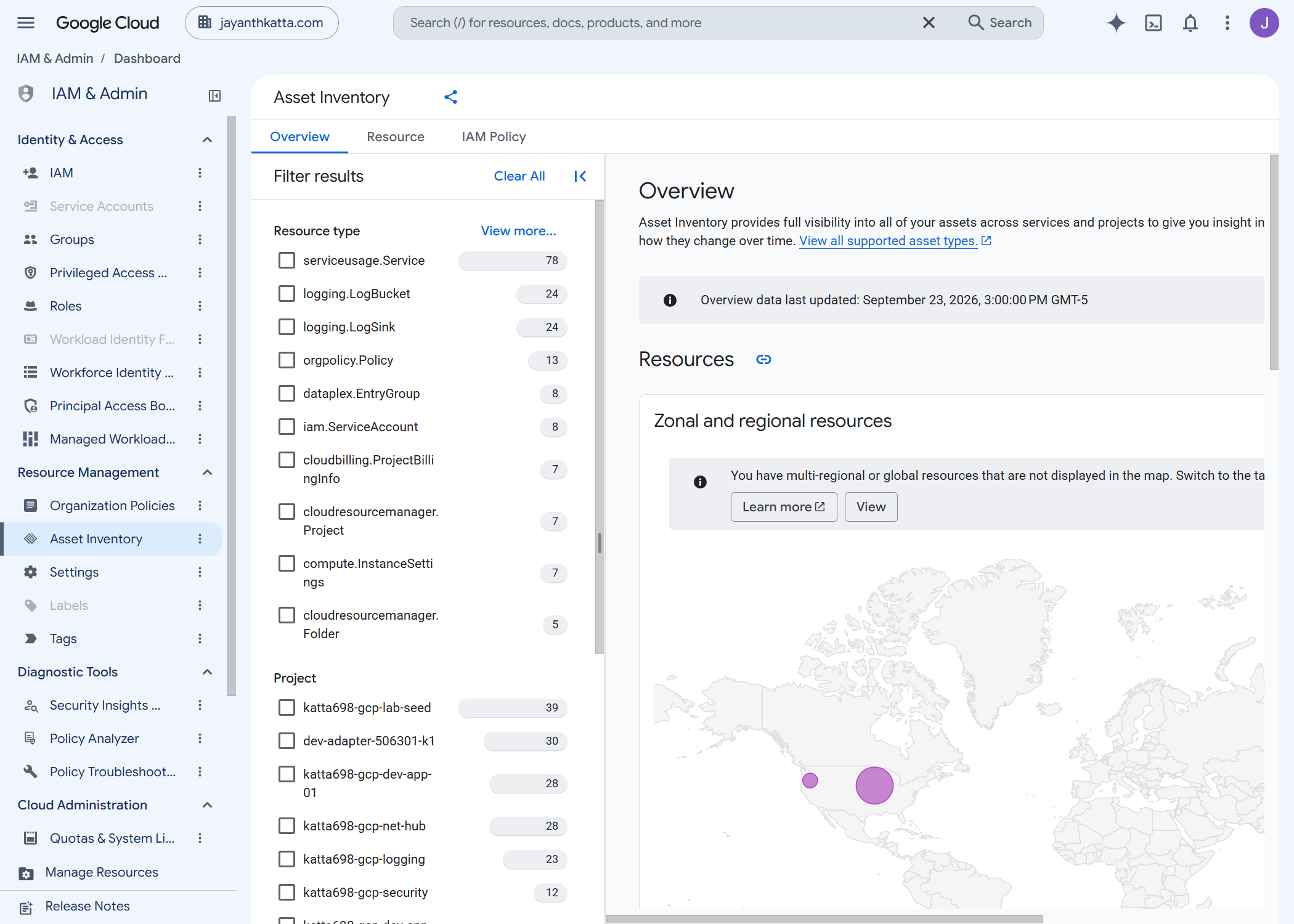
The audit is the control. Six weeks of guardrails were all preventive — policies refusing things at creation. This is the first detective one, and it immediately found two resources no policy would ever have caught.
The feed scope is narrow on purpose. Projects and folders only. A feed on everything is an alert that fires constantly, which is an alert nobody reads.
A human cannot borrow the CI identity. The apply service account is impersonatable only by HCP's principal set, never by a person — so running the export by hand cost me one read-only grant of my own.
Cost
$0. Cloud Asset Inventory exports and feeds are free. The snapshot is 213 rows of BigQuery storage, far below the 10 GiB free tier, and the topic has no subscriber so nothing accumulates in it.
Both destinations share a project with Week 6's billing export, so cost and inventory are one join apart — what a resource is, and what it charged.
Cleanup
This week is exempt from teardown. A feed has value only while it runs, and the snapshot is what later weeks compare against. Destroying it removes the ability to answer the question it was built for.
If you do tear it down, delete the feed before the topic. A feed pointing at a topic that no longer exists does not error; it simply stops delivering, which is the failure mode you would least like to discover by noticing nothing.
References
- Cloud Asset Inventory overview — snapshots, feeds, and the 35-day history window.
- Export asset metadata to BigQuery — the export as an operation, with no declarative form.
- Release notes — checked before writing code; current, not renamed, adding resource types only.
Not answered anywhere I looked, and measured instead: that the service agent needs three separate grants on the destinations; that no read-only role can read a feed; and that a feed delivers in under 25 seconds.
Key Takeaways
- A creation-time rule says nothing about what already exists. Policies govern what comes next. Finding out what came before is a different tool, and you need both.
- Check what the service is allowed to do, not what you are. Owner on the destination bought me nothing three times in one afternoon.
- The naive query is usually the wrong query. "Two service account keys" and "zero user-managed keys" are the same data, and only one of them is the answer.
- Query the source, not the dashboard. The console summary was six days stale while sitting next to live data.
Next week: what the hierarchy is actually doing — logs, sinks, and getting them somewhere they can be read.
Comments