📋 In This Post
Lab Overview
A security group gets opened to the whole internet on port 22 — someone debugging at 6pm who meant to close it afterwards. GuardDuty and Security Hub are very good at spotting that within minutes. Then the finding sits in a console, because nobody wants to be the person whose automation revoked a rule production depended on.
This lab closes that loop for a narrow, clear-cut set of findings: the fix runs in seconds and the finding is marked resolved, while judgement calls still go to a human. The blast radius is handled by one boring guardrail — nothing is ever modified unless it carries an explicit opt-in tag.
| What it does | Auto-remediates world-open security-group rules and public S3 buckets; routes GuardDuty threats to a human instead |
|---|---|
| Core services | Security Hub CSPM, GuardDuty, EventBridge, Lambda, SNS, SQS, CloudWatch, AWS Config |
| Terraform resources | 30 applied, from 16 blocks across three
modules (seven of the remediation module's blocks use
for_each over the three functions) |
| Safety model | Opt-in by tag, enforced twice — in the
function code and again as an IAM aws:ResourceTag
condition |
| Lab runtime | Not recorded |
| Cost | Estimated $5–20/month if left running; the lab ran inside the 30-day free trials of both services. Destroyed: $0 |
| Status | Published 23 July 2026 — resources destroyed |
Cloud Services and Concepts
| Service | Its job here |
|---|---|
| Security Hub CSPM | Runs the AWS Foundational Security Best Practices standard and normalizes every finding, including GuardDuty's, into one schema |
| Amazon GuardDuty | Threat detection over CloudTrail, VPC Flow Logs and DNS; publishes to EventBridge every 15 minutes |
| EventBridge | Content-based routing — one rule per finding class, matching on the control ID |
| Lambda (Python 3.13) | Three functions: two remediate, one only notifies |
| SNS / SQS | Results and alerts out; a 14-day dead-letter queue for anything that fails |
| CloudWatch | An alarm on dead-letter queue depth |
| AWS Config | Backs the controls being remediated — without it recording, the pipeline deploys cleanly and does nothing |
ASFF — one schema for everything
The AWS Security Finding Format is what makes a single pipeline possible. A GuardDuty threat and a failed config control arrive in the same shape, so one set of routing rules and one writeback call cover both.
Classic CSPM, not the unified Security Hub
AWS relaunched a unified Security Hub (v2 APIs) at re:Invent in December 2025,
correlating GuardDuty, Inspector, Macie and classic Security Hub into one view. As
of mid-2026 the Terraform AWS provider does not stably support it —
aws_securityhub_account_v2 is still an open feature request. That
costs this build nothing: v2 is a correlation layer above the finding stream and
does not change how you react to a finding. Everything here is classic CSPM, which
the provider fully supports, and v2 can be enabled alongside it in the console.
Architecture and Workflow
- Detect. GuardDuty analyses CloudTrail, VPC Flow Logs and DNS. Security Hub CSPM runs the FSBP standard and ingests GuardDuty's findings, all normalized to ASFF.
- Enrich, before routing. A Security Hub automation rule runs
inside Security Hub before any EventBridge rule fires, escalating failed controls
on resources tagged
environment=productionto CRITICAL. Downstream paging gets smarter without touching a line of Lambda code. - Route. EventBridge rules match on
detail.findings.Compliance.SecurityControlId— EC2.13/14/19 to the security-group remediator, S3.2/3/8 to the S3 remediator — and on the nativeaws.guarddutyevent for the threat notifier. Every rule matchesWorkflow.Status = NEWonly, which turns out to be the most important clause in the stack. - Act, but only on opt-in. The security-group remediator
revokes just the world-open ingress on high-risk ports; the S3 remediator applies
all four Block Public Access settings. Both act only on resources tagged
auto-remediate=true. Anything untagged is reported to a human and left exactly as it is. - Write back. Every action is written to the finding via
BatchUpdateFindings, so the console reflects reality rather than a backlog of issues that were quietly fixed hours ago. Failed asynchronous invocations land in a dead-letter queue that alarms — a dropped security action is worse than a slow one.
Prerequisites
| Requirement | Why | How to check |
|---|---|---|
| AWS Config recording security groups and S3 buckets | The controls this stack remediates (EC2.13/14/19, S3.2/3/8) are backed by Config. Without a recorder they report NO_DATA, no findings are raised, and the pipeline does nothing at all | aws configservice describe-configuration-recorder-status
returns recording=True, lastStatus=SUCCESS |
| No second Config recorder | An account normally has one centrally-managed recorder; adding another conflicts. This stack deliberately does not provision one | Same command — confirm exactly one recorder exists |
| Terraform ≥ 1.10, AWS provider ~> 6.0 | Classic CSPM, GuardDuty and
aws_securityhub_automation_rule are all stable in the 6.x
line |
terraform version |
| A confirmed SNS email subscription | Every remediation receipt and threat alert goes here; an unconfirmed subscription silently drops them | The subscription shows Confirmed, not Pending |
| Patience on the first apply | Subscribing the FSBP standard on a cold account takes longer than the provider's three-minute default | The resource sets timeouts { create = "15m" } |
Implementation
| Module | Resources | Its job |
|---|---|---|
securityhub | 4 | Account enablement, the FSBP standard subscription, a cross-region finding aggregator, and the automation rule that escalates production findings |
guardduty | 1 | One detector — foundational sources, Extended Threat Detection included at no extra cost |
remediation | 25 | Three Lambdas built from
one for_each block, each with its own role, policy, log group,
EventBridge rule and invoke permission, plus a shared SNS topic, SQS
dead-letter queue and CloudWatch alarm |
Setting control_finding_generator = "SECURITY_CONTROL" on the
account matters more than it looks: it is what populates
Compliance.SecurityControlId, the exact field every EventBridge rule
keys on. Without it the routing silently matches nothing.
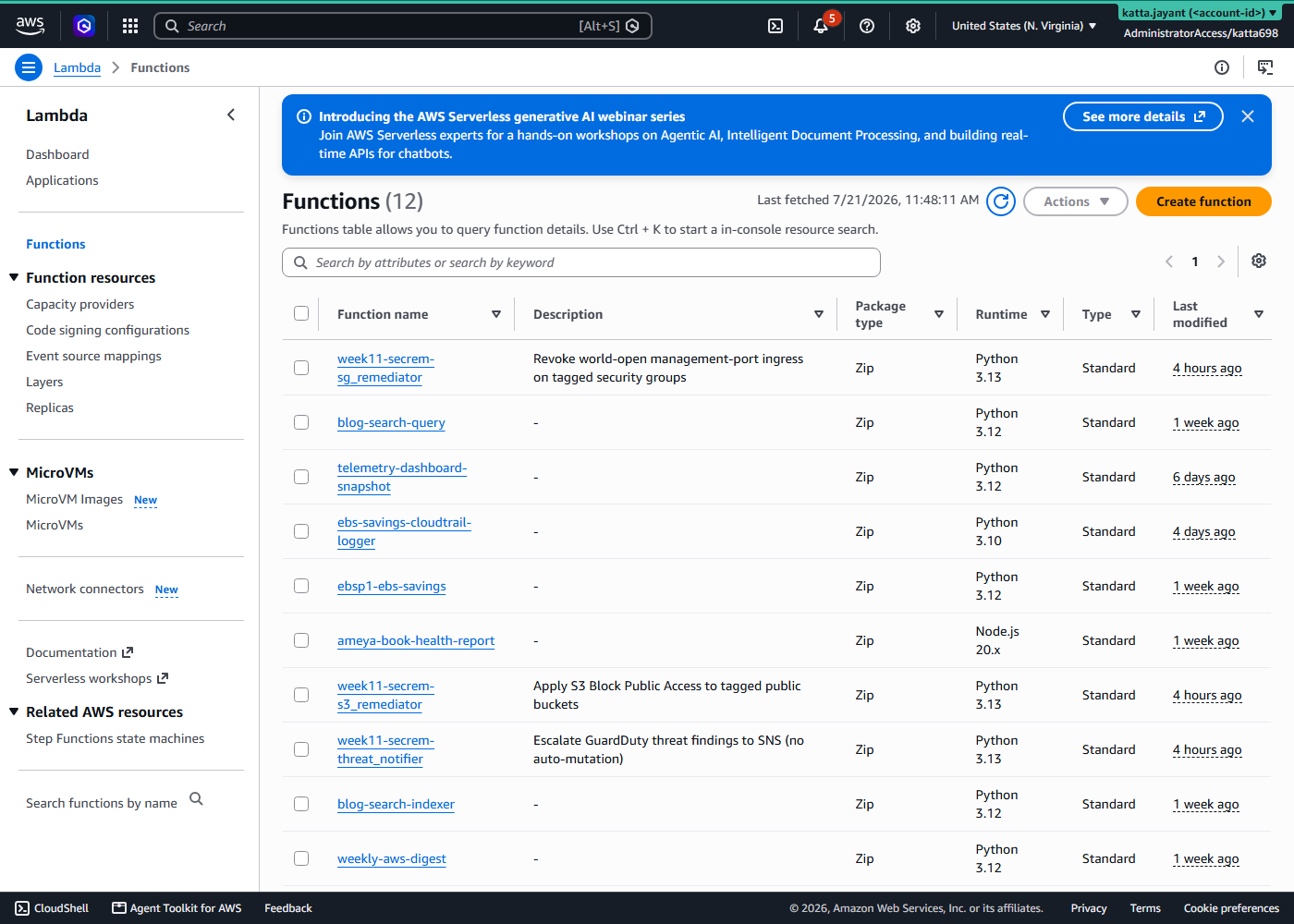
Lambda is the right shape here rather than Step Functions or ECS: each remediation is one or two API calls, stateless, event-triggered, finished in seconds, with near-zero concurrency. Step Functions would earn its place if a remediation needed approval steps or ran for minutes. Neither does.
Validation and Evidence
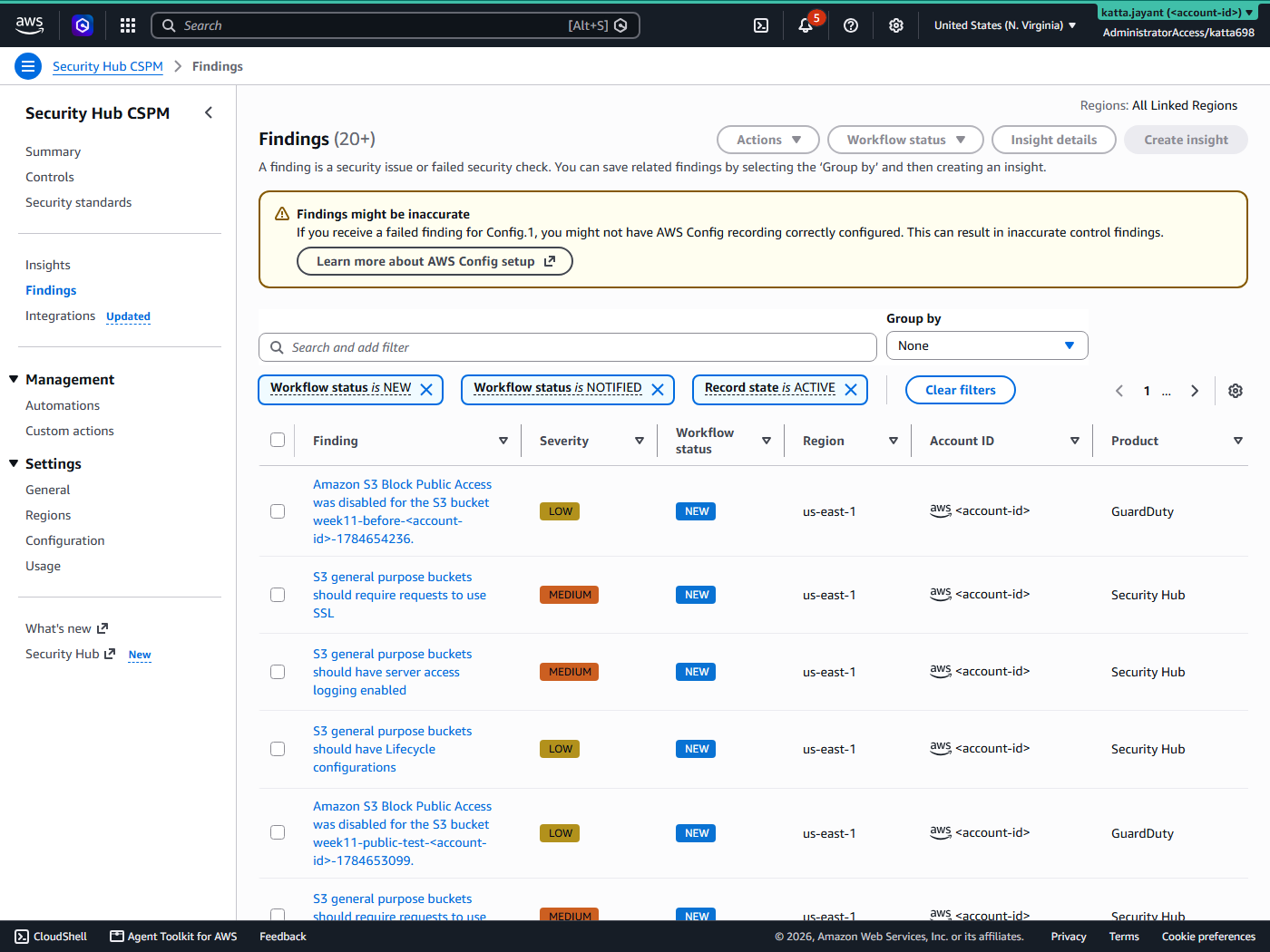
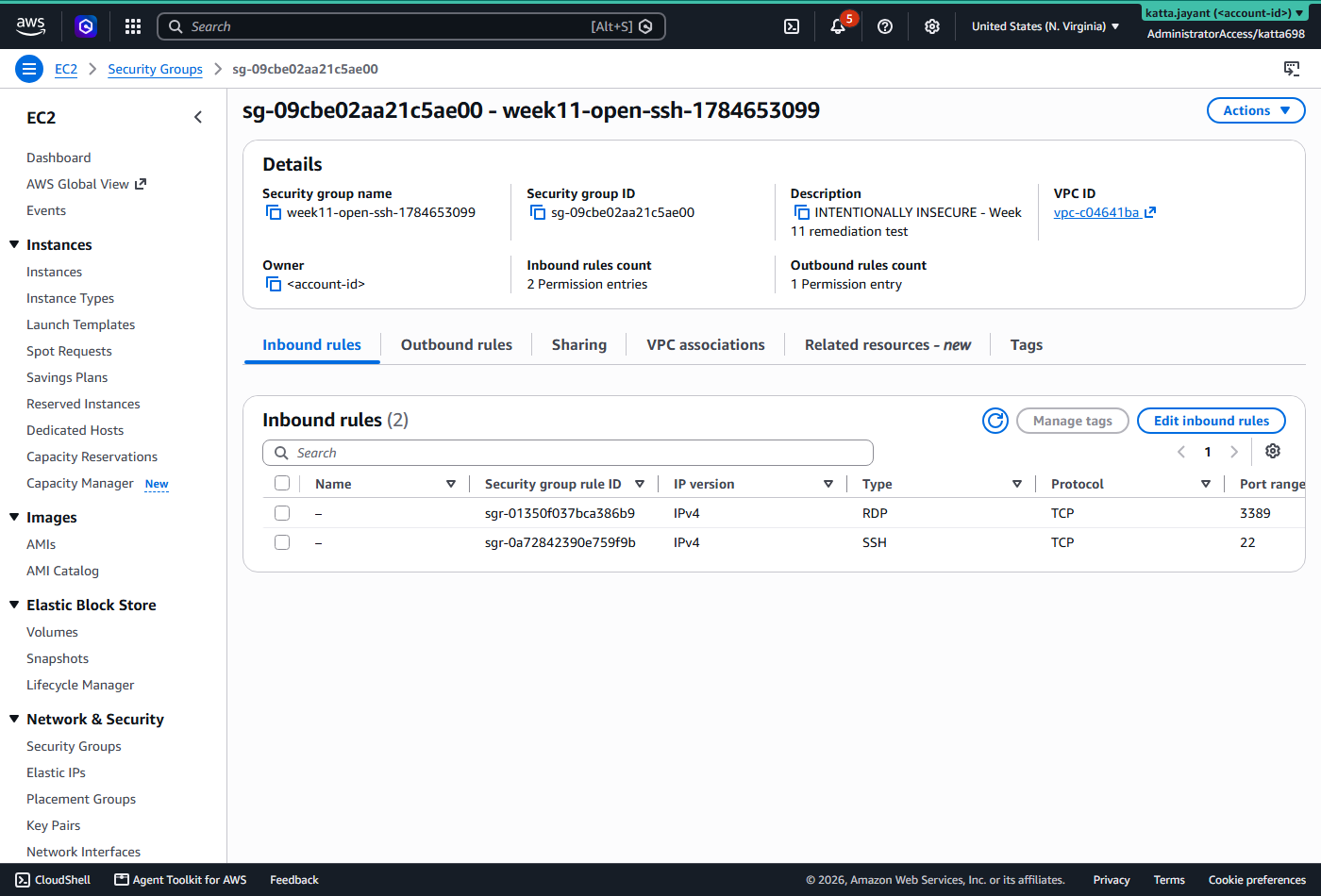
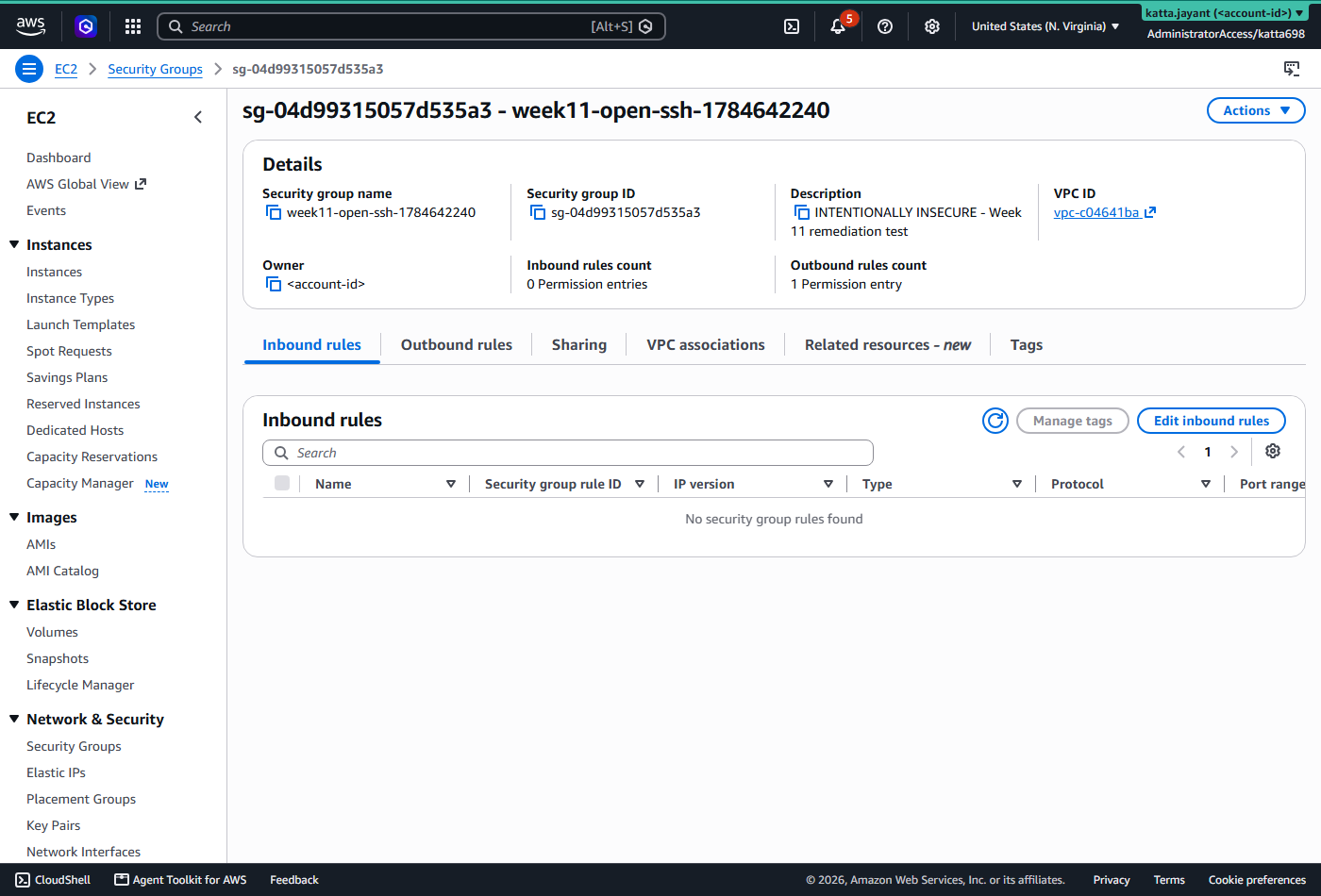
Each path was exercised against real findings in the account, not synthetic events — which is how the third problem below was found at all.
| Test | Expected | Actual | Status |
|---|---|---|---|
Security group with SSH and RDP open to 0.0.0.0/0, tagged
auto-remediate=true |
World-open rules revoked, finding set to RESOLVED | Revoked and resolved; about 90 seconds from finding to fix | Pass |
| Public S3 bucket, tagged for opt-in | All four Block Public Access settings applied, finding RESOLVED | Applied and resolved, overriding the public bucket policy still present | Pass |
| GuardDuty sample findings (credential exfiltration, crypto-mining) | Human notified by SNS; nothing mutated | Alert delivered with full context and an explicit note that no action was taken | Pass |
| Untagged public bucket already in the account | Reported, never modified | A [REVIEW] email was sent; the bucket was left
untouched |
Pass |
| Failed asynchronous invocation | Lands in the dead-letter queue and raises an alarm | Alarm configured on queue depth with a 14-day retention | Pass |

Security and Cost
The point of auto-remediation is that it acts with no human in the loop, so the safety has to be structural rather than procedural.
- Opt-in by tag, enforced twice. Mutating remediations only
touch resources tagged
auto-remediate=true. The function checks the tag, and its IAM policy carries anaws:ResourceTagcondition soRevokeSecurityGroupIngressitself refuses on anything untagged. A bug in the code cannot widen the blast radius. - Least privilege per function. Each Lambda has its own role with exactly the actions it needs. The threat notifier has no mutating permissions at all — it can publish to SNS and nothing else.
- Surgical and idempotent. The remediator strips only the
0.0.0.0/0and::/0ingress on high-risk ports, leaving scoped rules alone, and treats an already-removed rule as success. - No silent failures. Failed invocations go to a 14-day dead-letter queue that alarms. Every action is written back to the finding, so there is always a record of what changed and why.

Cost
Estimates for a single low-traffic account in us-east-1, from the published rates in July 2026 — this lab ran inside the 30-day free trials of both Security Hub and GuardDuty, so no charge was measured.
| Item | Estimate |
|---|---|
| GuardDuty foundational sources | $2–5 / month |
| Security Hub CSPM checks ($0.0010 each, first 10,000 findings a month free) | $3–15 / month |
| EventBridge, Lambda, SNS, SQS | Within the free tier |
| After destroy | $0 |
Troubleshooting and Lessons
The remediator fed itself, about eight times a minute
The S3 remediator began firing indefinitely against one pre-existing untagged bucket, emailing every time.
Root cause: the EventBridge rule matched
Workflow.Status of both NEW and NOTIFIED. On the notify path the
Lambda called BatchUpdateFindings to set the status to NOTIFIED
— and that update was re-emitted as a finding event, which matched the rule
again. The automation's own writeback was its trigger.
Fix: match NEW only, so the writeback status falls
outside the trigger pattern. This never appeared in synthetic testing; it took the
account's real findings to surface it.
The first apply timed out, then undid itself
aws_securityhub_standards_subscription failed with "timeout while
waiting for state to become READY".
Root cause: the FSBP standard has roughly 300 controls and sits in PENDING on a cold account for longer than the provider's three-minute default. Each failed apply then disabled and re-enabled the standard, resetting the clock — a loop that looks like a broken resource and is really an impatient one.
Fix: timeouts { create = "15m" }.
The fix was pushed, and the old code ran anyway
A run queued through the HCP API timed out at three minutes again, with the fifteen-minute setting nowhere in evidence.
Root cause: a run created via the HCP API reuses the workspace's most recently ingested configuration version. It does not fetch the new commit, so both runs executed the pre-fix code.
Fix: bind the run to the new commit's configuration version, or let the VCS webhook ingest it first and confirm the run's version matches the commit you intend. "Queue a run via the API" is not "deploy my latest commit".
Cleanup and Key Takeaways
Queue a destroy on the week-11-dev workspace: it disables Security
Hub CSPM and the GuardDuty detector and removes the Lambdas, rules, SNS topic and
dead-letter queue. A small script tears down the deliberately-insecure test
resources. One apply rebuilds the stack in about ten minutes, so destroying is
cheap to reverse.
- Breaking the loop is the whole game. Any find-and-act automation whose action updates the thing that triggered it will feed itself forever unless the writeback status falls outside the trigger pattern.
- Opt-in, not opt-out. Tag-scoping enforced in both code and IAM is what turns "terrifying" into something you would run in production. An untagged resource is reported, never touched.
- Fix the mechanical, escalate the judgement calls. Misconfigurations get closed automatically; active threats get a human. Killing the wrong instance mid-incident can be worse than the threat.
- Know what the pipeline depends on. Security Hub controls need Config recording, and standards take minutes to initialize. Neither is obvious when the symptom is a pipeline that deploys perfectly and does nothing.
- Real findings find what synthetic events cannot. The feedback loop was invisible to unit tests and obvious within a minute of meeting the account's actual backlog.
Comments