📋 In This Post
Lab Overview
Security Hub's FSBP standard checks roughly 300 controls, and by Week 11 it already covered nearly every security-relevant misconfiguration in this account — open ports, public buckets, disabled encryption defaults.
The problem. It has no concept of governance drift. A bucket created without a cost-center tag, or one that was never versioned, is not a security finding — Security Hub simply has no control for either. Nothing watches for it. That kind of drift does not announce itself; it accumulates quietly until a cost-allocation report has a chunk of unattributed spend, or until someone deletes an object from an unversioned bucket and there is no previous version to recover.
The objective. A conformance pack that evaluates governance rules continuously, auto-remediates the safe ones through AWS-managed automation, and reports the rest to a human daily.
The outcome. It works — and produced an unusually dense run of real
bugs, none of which terraform validate or the documentation caught.
| Difficulty | Advanced |
| Lab runtime | Not recorded |
| Cost | Estimated — roughly $1–5/month, and the recorder is the line that matters |
| Deployment | Terraform via HCP Terraform with OIDC |
| Full lab guide | GitHub — prerequisites, Terraform, commands, validation, cleanup |
Cloud Services and Concepts
| Service | Purpose in this lab |
|---|---|
| AWS Config | Records configuration changes for every supported resource type, continuously, account-wide. The recorder is the foundation — and the billing line. |
| Conformance pack | A self-contained bundle of three rules. It defines its rules rather than wrapping externally-created ones. |
| SSM Automation | The remediation substrate. AWS-managed documents, not custom code. |
| AWS Lambda + EventBridge | A scheduled reporter that reads the pack's own compliance status daily. |
| SNS + SQS | The digest to a human inbox, and a dead-letter queue so a failed report is never silent. |
Governance drift is not a security finding. That distinction is the whole week: Security Hub answers "is this dangerous", Config answers "is this how we said it should be". The second question has no owner unless you give it one.
Config's Scope is either-or. Resource-type filtering and tag
filtering cannot combine in one rule. When you need both a type and a tag constraint, scope on
the tag alone and let the rule's own logic handle the type.
Architecture and Workflow
- An AWS Config recorder captures configuration changes for every supported resource type, continuously and account-wide.
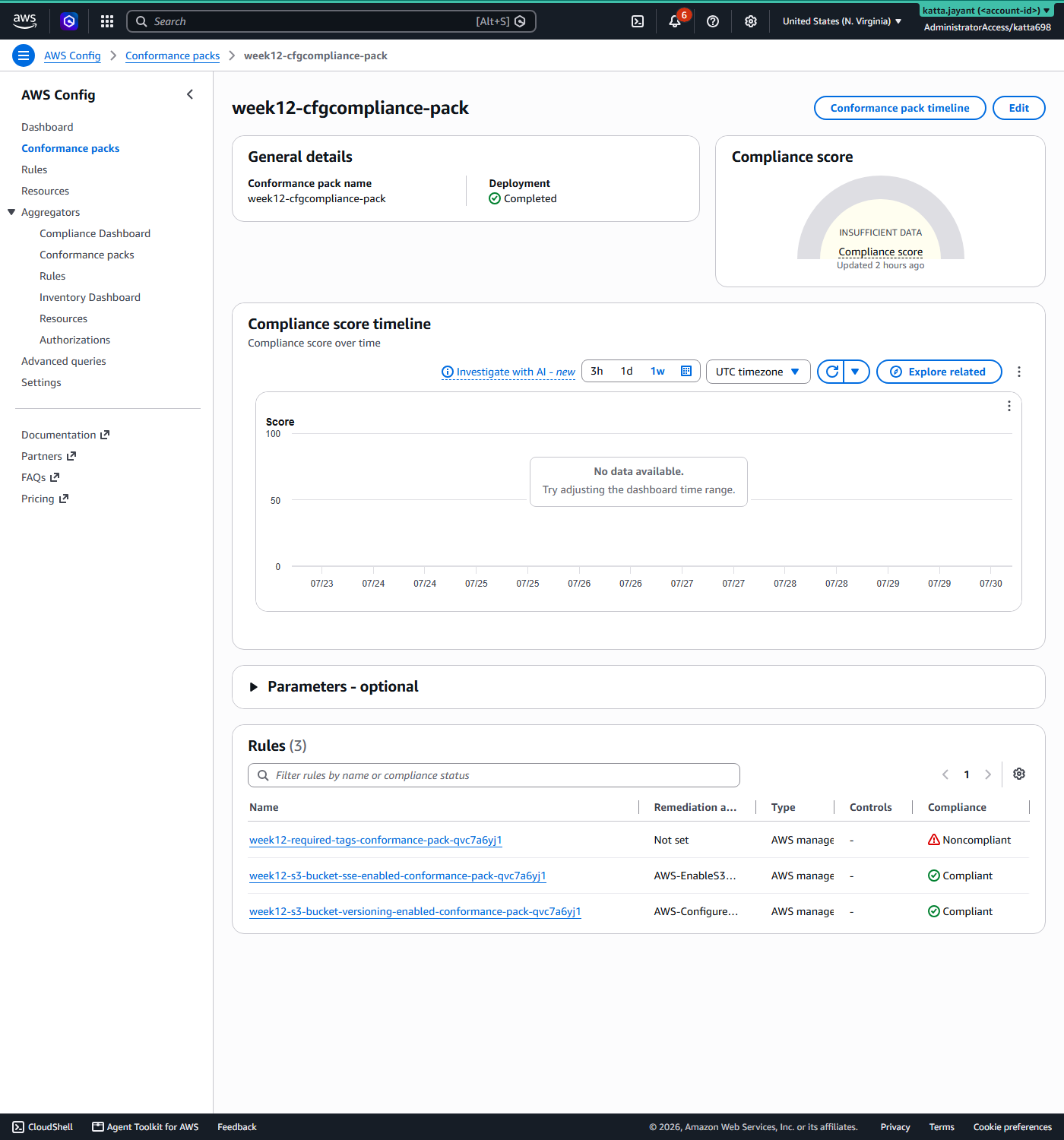
- A conformance pack containing three rules evaluates against those configuration items.
required-tagschecks everything broadly and is notify-only — it never invents a value.- Two S3 rules evaluate only buckets carrying
auto-remediate=true, and auto-remediate through SSM Automation when they fail. - Remediation runs an AWS-managed SSM document, verified live against this account before use.
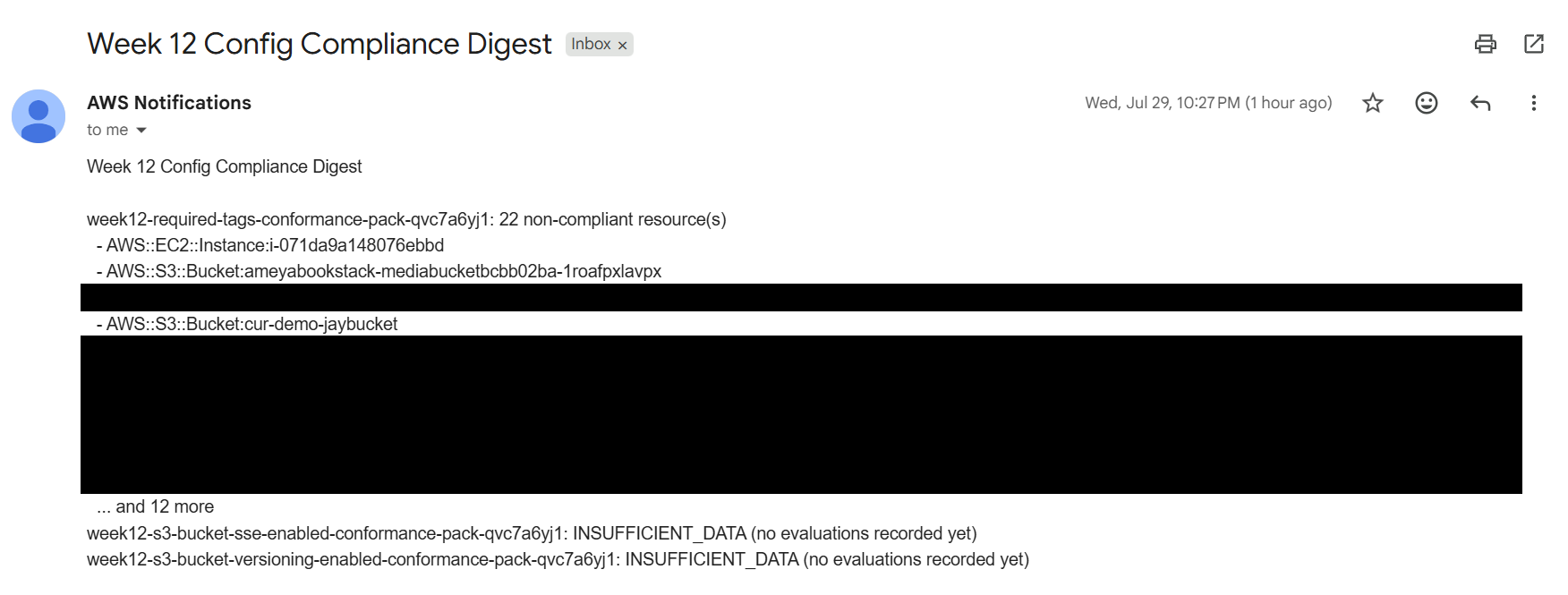
- A scheduled Lambda reads the pack's own compliance status daily and emails a digest — scoped to these three rules, never the account's other ~300.
- A failed reporter invocation lands in a 14-day dead-letter queue that alarms.
Design decisions
Tag-scoped opt-in, enforced by Config itself. An untagged bucket is never flagged non-compliant, so remediation never fires for it. No custom code decides this — the scope is the control.
Notify, never invent. required-tags does not auto-tag.
A human has to supply the actual cost-center value; automation only reports what is
missing.
A conformance pack, not standalone rules. A pack is self-contained. Build standalone Config rules or a pack — never both for the same rule.
Prerequisites
| Requirement | Detail |
|---|---|
| AWS account | Permission for Config, S3, SSM, Lambda, EventBridge, SNS, SQS |
| Terraform | >= 1.10 |
| HCP Terraform | Two workspace variables: TFC_AWS_PROVIDER_AUTH=true and TFC_AWS_RUN_ROLE_ARN. Remote runners have no AWS credentials by default |
| Region | us-east-1 |
The recorder is the dependency that will surprise you. An account can have exactly one Config recorder. This stack owns it, which means destroying this week also removes the account's only recorder — and anything else relying on Config, Security Hub included, loses its evidence source. Confirm nothing else depends on it before you deploy, and again before you destroy.
"Reuse the centrally-managed recorder" is only safe if you actually control it. During this build an unrelated project's cleanup script deleted the shared recorder mid-apply.
Implementation
A Config recorder and delivery channel, a three-rule conformance pack, an SSM remediation role, and a scheduled reporter with its DLQ and alarm. The lab guide carries the full Terraform and the pack YAML.
week-12-config-compliance-automation/
|
+-- terraform/
|   +-- environments/dev/   HCP backend, OIDC, wires the modules
|   +-- modules/recorder/   Config recorder, delivery channel, S3 bucket
|   +-- modules/pack/       the conformance pack and its three rules
|   +-- modules/reporter/   Lambda, schedule, SNS, DLQ, alarm
|
+-- scripts/ test-bucket creation and teardown checksNever hardcode a name AWS generates for you. Conformance-pack rule names get a real generated suffix — discover them at runtime rather than writing them down.
Validation and Evidence
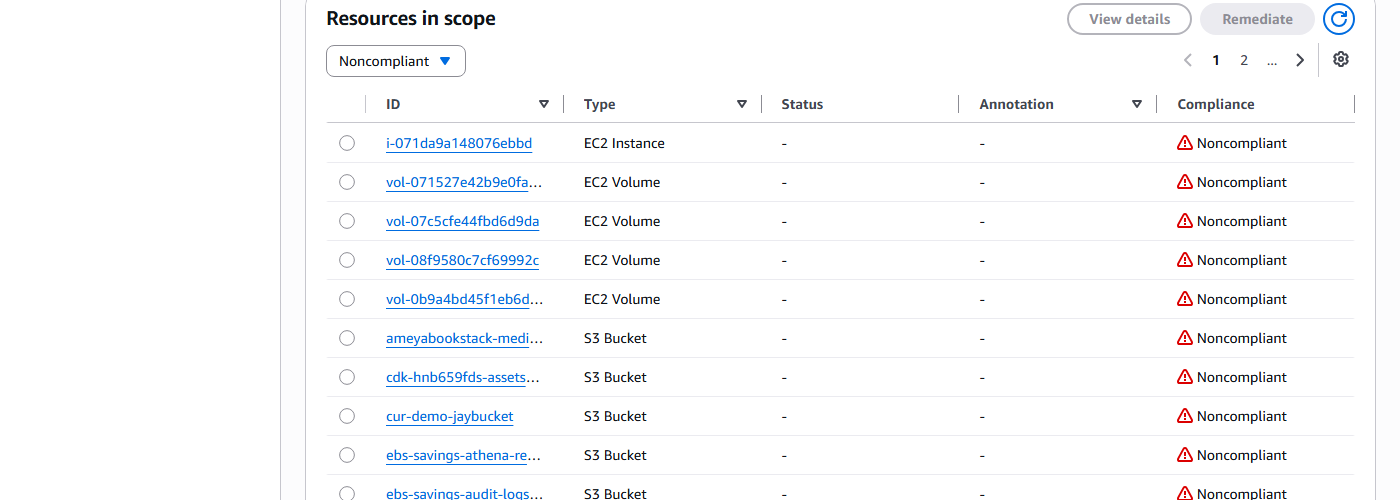
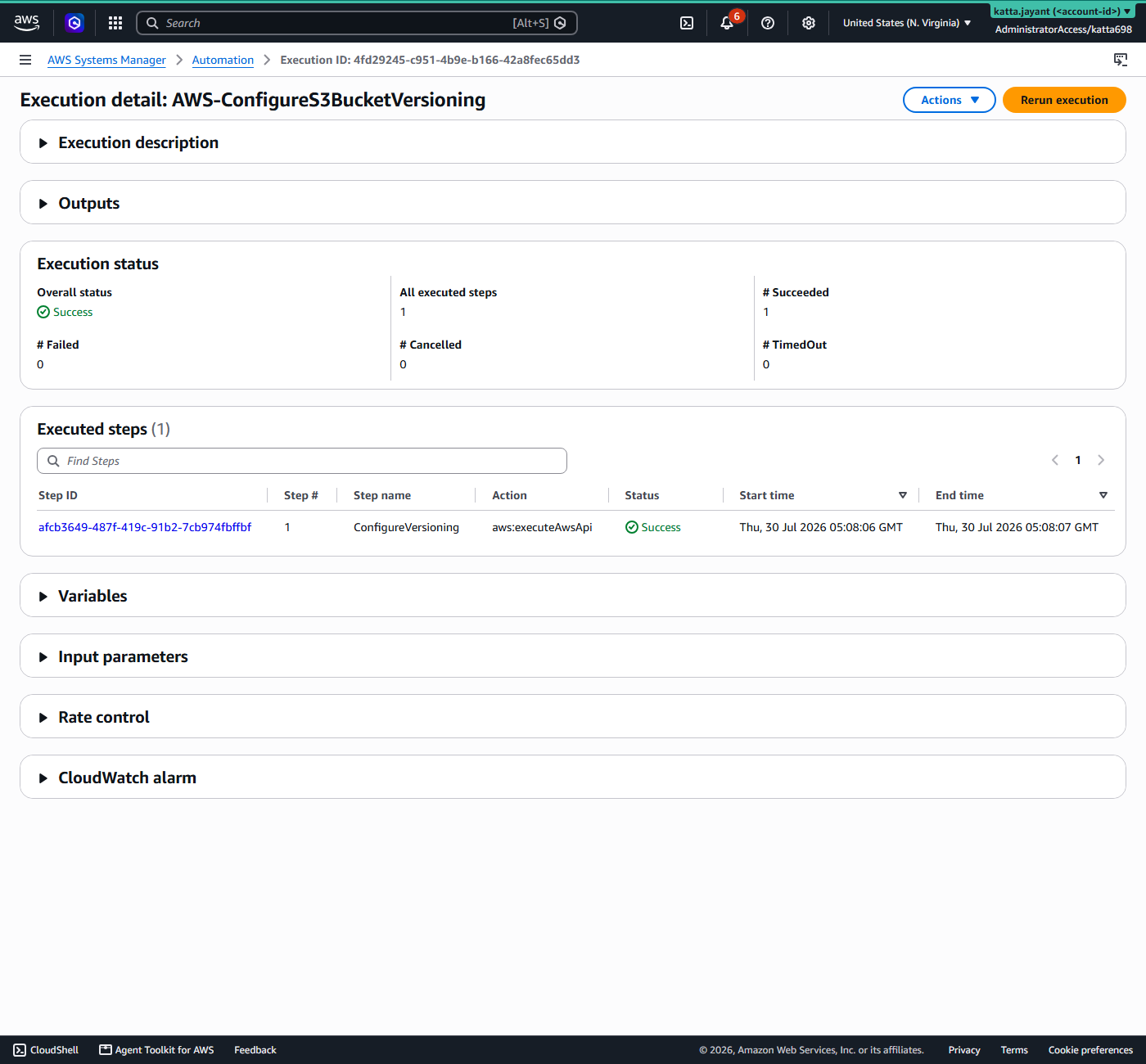
A deployed pack is not an enforcing one. Each rule was tested against a deliberately non-compliant bucket.
| Test | Expected | Actual | Status |
|---|---|---|---|
| Untagged bucket | Flagged by required-tags | Flagged, notify-only | Pass |
| Untagged bucket auto-tagged? | No — a human supplies the value | Not tagged | Pass — by design |
| Unversioned bucket, opted in | Remediated via SSM | Remediated | Pass |
| Unversioned bucket, not opted in | Never evaluated | Never evaluated — Config scope alone | Pass |
| Daily digest reaches a human | Email, scoped to these 3 rules | Delivered | Pass |
| Tag-scoped IAM guardrail on S3 | Restricts bucket-level admin actions | Silently does nothing | Fail — see below |
Security and Cost
Security
Tag-scoped opt-in, enforced by Config alone. The two S3 rules only evaluate
buckets tagged auto-remediate=true, via Config's native scope. An untagged bucket
is never flagged, so remediation never fires for it, and no custom code decides that.
Native remediation substrate, not custom code. Both fixes are AWS-managed SSM Automation documents, verified live against this account before use.
Notify, never invent. required-tags never auto-tags a
resource. Automation reports what is missing; a human supplies the value.
No silent failures. Failed reporter invocations land in a 14-day SQS dead-letter queue that alarms to SNS.
The guardrail that did not transfer. A tag-scoped IAM condition works for EC2 security groups and silently does nothing for S3 bucket-level admin actions. Verify per action rather than assuming a pattern carries.
Cost
These are rates and an estimate, not a measurement. No Cost Explorer figure was recorded for this week.
| Item | Estimate |
|---|---|
| Config rule and pack evaluations ($0.001/eval, no free tier) | pennies/month at this resource count |
| Config recorder — configuration items ($0.003/item, continuous, account-wide) | ~$1–5/month — bills for the whole account's inventory, not just this week's resources |
| Lambda, EventBridge, SNS, SQS | pennies, well within free tier |
| S3 delivery bucket (90-day lifecycle) | pennies |
The recorder is the line that matters, and it is the one people forget is account-wide: it bills for every supported resource in the account, not for the handful this week created.
Troubleshooting and Lessons
HCP's remote runners have no AWS credentials by default
Problem. The first plan on a brand-new workspace errored immediately:
"No valid credential sources found".
Root cause. HCP's remote execution environment is not running inside the AWS
account, so nothing hands it credentials.
Resolution. Two workspace environment variables enable the dynamic-credentials
(OIDC) flow: TFC_AWS_PROVIDER_AUTH=true and TFC_AWS_RUN_ROLE_ARN.
Lesson. Obvious in hindsight, and it blocks every first run on a new
workspace.
A tag-scoped IAM guardrail does not transfer between services
Problem. An IAM condition that correctly restricts EC2 security-group
actions by tag had no effect on S3.
Root cause. S3 bucket-level admin actions do not evaluate the same condition
key.
Resolution. Verify the guardrail per action rather than assuming the pattern
carries.
Lesson. It fails open and silently — the policy is
accepted, and simply does not constrain anything.
The account's only Config recorder was deleted mid-build
Problem. An apply broke because the recorder had vanished.
Root cause. An unrelated project's cleanup script removed the shared recorder.
Nothing in this week's Terraform owned it at the time.
Resolution. This stack now owns its recorder outright.
Lesson. "Reuse the centrally-managed recorder" is only safe if you
actually control it. This is also what made Week 15 necessary — nothing could
say who deleted it.
Never hardcode a name AWS generates
Problem. Remediation could not find its rule.
Root cause. Conformance-pack rule names get a generated suffix.
Resolution. Discover them at runtime.
Lesson. A generated name is not a stable identifier.
Cleanup and Key Takeaways
Queue a destroy plan on week-12-dev in the HCP UI. This removes the conformance
pack, the reporter Lambda, its schedule, SNS and DLQ, the SSM automation role —
and the recorder itself, since this stack owns the account's only one.
Confirm nothing else depends on it first. Destroying this week takes AWS Config out of the account, and anything using Config as an evidence source loses it. Leftover test buckets clean up separately.
Key takeaways
- A conformance pack is self-contained. It defines its own rules rather than wrapping externally-created ones — build standalone rules or a pack, never both for the same rule.
- Config's scope is either-or. Resource type and tag filtering cannot combine in one rule.
- Never hardcode a name AWS generates for you. Discover it at runtime.
- A tag-scoped IAM guardrail does not automatically transfer between services. It works for EC2 security groups and silently does nothing for S3 bucket-level admin actions.
- "Reuse the centrally-managed recorder" is only safe if you control it. Otherwise someone else's cleanup script is in your dependency chain.
Comments