📋 In This Post
Why — The Problem This Solves
Every AWS account running EC2 instances has the same invisible problem: you cannot answer basic fleet questions without logging into dozens of consoles, running scripts, or waiting for a weekly report.
Questions like:
- Which servers are missing critical patches right now?
- How many Windows vs Linux instances are running in prod?
- What version of Java is installed across the fleet?
- Which instances haven't reported to SSM in the last 24 hours?
In a small environment you can click around the SSM console to answer these. In an enterprise with hundreds or thousands of EC2 instances across multiple accounts, that becomes impossible. The data exists — SSM is already collecting it — but it's fragmented: one JSON file per instance, stored in S3, with no way to query across all of it at once.
Security audits require patch compliance reports. Compliance teams need OS inventory snapshots. Operations teams want to know which instances are running outdated agents. All of this data lives in SSM — but extracting it manually every time is slow, error-prone, and doesn't scale.
The Business Value
This platform turns a manual, hours-long process into a self-service, 30-minute automated pipeline:
Self-Service Request
Any team member submits a ServiceNow RITM ticket. No AWS console access required. No engineer involvement needed to kick it off.
Automatic Pipeline Execution
The ticket triggers an AWS Step Functions workflow. Crawler → ETL → data ready. Fully orchestrated, no manual steps.
Ticket Auto-Closes
When the pipeline finishes, the Lambda closes the ServiceNow ticket with the Athena query URL in the notes. Requester gets notified automatically.
SQL Queries on Fleet Data
Analyst opens Athena, runs SQL against clean Parquet tables — patch compliance, inventory, applications, fleet summary. No Python, no scripts.
Security teams get patch compliance reports on demand. Ops teams get fleet inventory without digging through consoles. Compliance teams get audit-ready data that refreshes automatically. Engineers get out of the loop — no one needs to ping them to run a script.
What You Need to Know — Skills & Tools
This project is deliberately complex — it's Week 4 of an enterprise lab series. Before attempting it, you should be comfortable with the following:
Required AWS Knowledge
Required Engineering Skills
Concepts to Understand Before Starting
Medallion Architecture
Raw data (Bronze) → cleaned data (Silver) → aggregated data (Gold). This project implements all three layers in S3.
Glue Data Catalog
A metadata store that maps S3 file paths to table schemas. Athena uses it to know what columns exist and where the files live.
Event-Driven Architecture
ServiceNow fires a webhook → API Gateway receives it → Lambda validates → Step Functions orchestrates. No polling, no cron jobs.
Step Functions Polling Loop
A Wait → Check → Choice state pattern used to monitor long-running Glue jobs without Lambda timeouts. Standard pattern for async orchestration.
Architecture — How It Fits Together
Why Step Functions Instead of a Single Lambda?
Glue crawlers and ETL jobs run for minutes — sometimes 10–15 minutes for a large fleet. Lambda has a 15-minute maximum timeout, but more importantly, keeping a Lambda alive just to poll a job wastes money and is fragile. Step Functions' Wait states are free — the state machine pauses and resumes when the job finishes, using zero compute while waiting.
Why Two S3 Buckets?
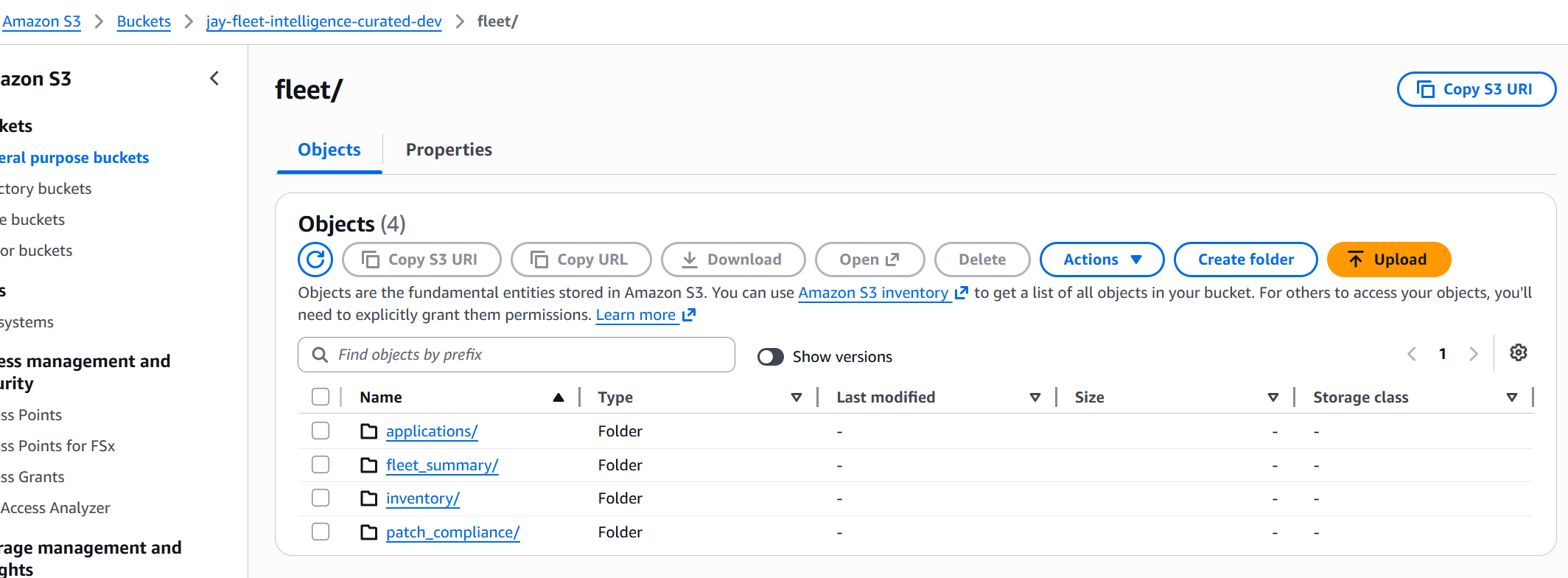
The raw bucket holds everything SSM exports, unchanged. If the ETL logic ever needs to be corrected or the schema changes, we can reprocess from raw without re-running the SSM sync. The curated bucket holds clean, queryable Parquet — the "source of truth" for analysts. This separation is the foundation of every production data lake.
How We Built It — Step by Step
Step 1: Terraform Modules
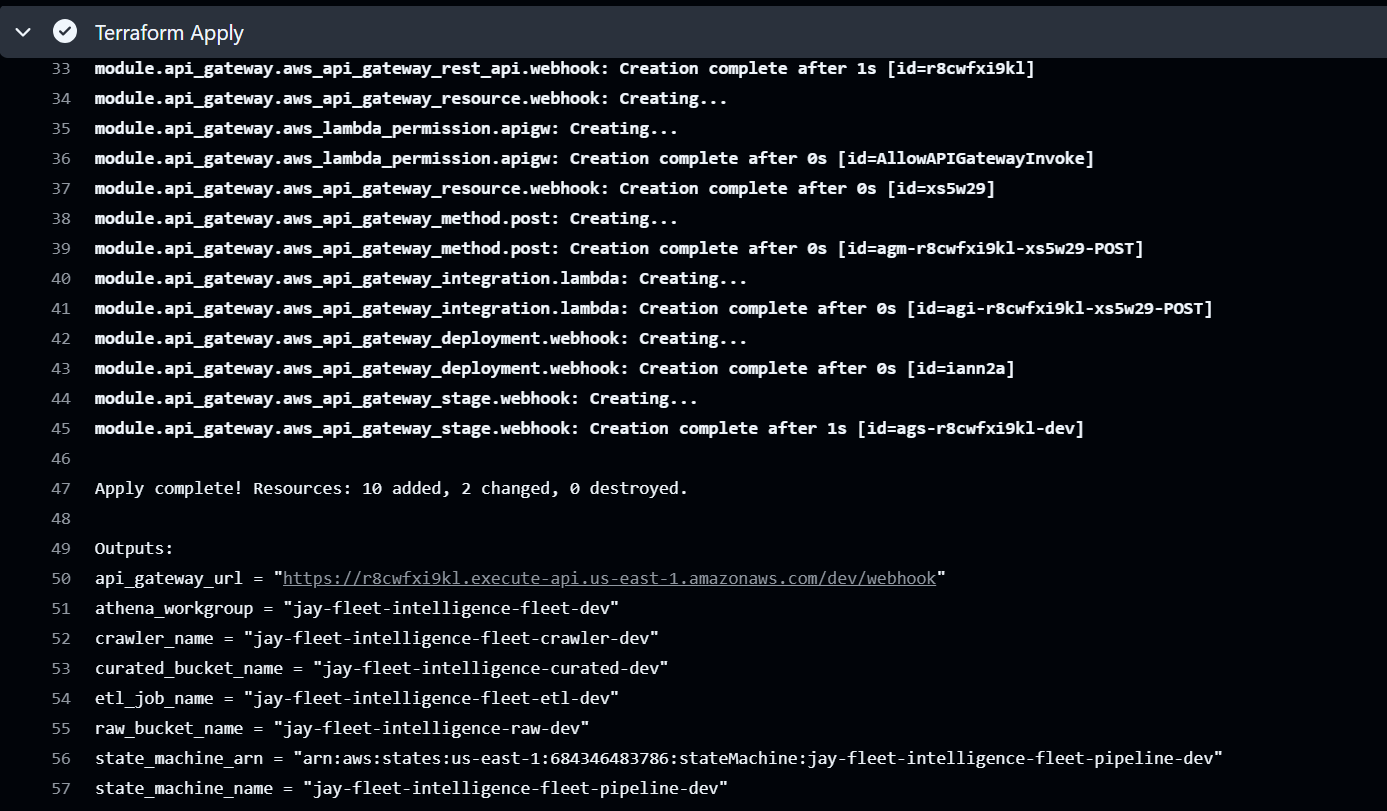
Everything is infrastructure-as-code across six Terraform modules: s3, iam, glue, lambda, api-gateway, and step-functions. The dev environment wires them together via terraform/environments/dev/main.tf.
module "glue" {
  source              = "../../modules/glue"
  project_name        = var.project_name
  environment         = var.environment
  raw_bucket_name     = module.s3.raw_bucket_name
  curated_bucket_name = module.s3.curated_bucket_name
  glue_role_arn       = module.iam.glue_role_arn
}
Step 2: SSM Resource Data Sync
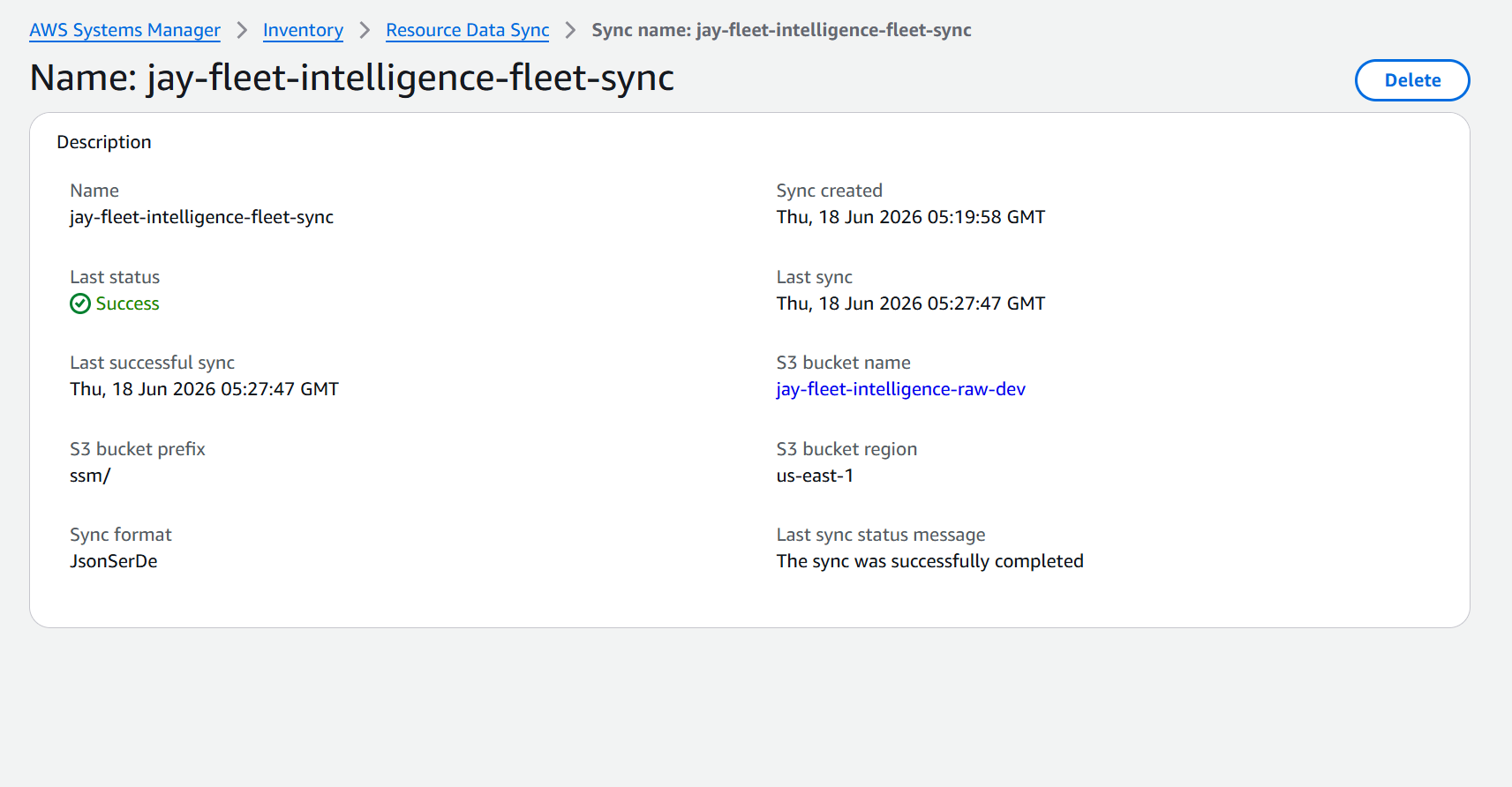
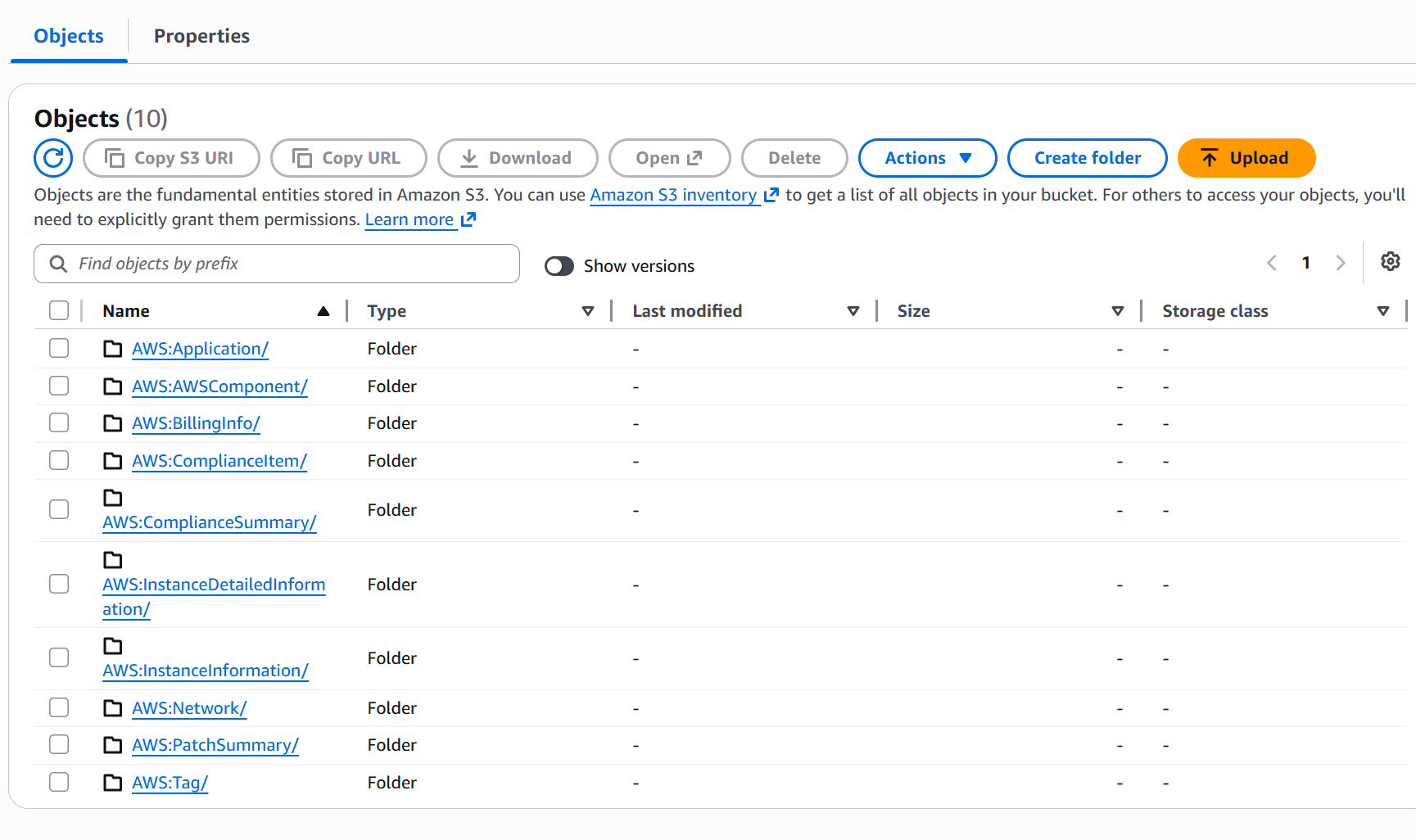
SSM Resource Data Sync is a built-in AWS feature that continuously exports EC2 fleet data (patch compliance, inventory, installed applications) to S3 as NDJSON files. One file per instance, organized in partition-style paths:
ssm/AWS:ComplianceSummary/
  accountid=684346483786/
    region=us-east-1/
      resourcetype=ManagedInstanceInventory/
        i-0abc123def456.json   ← one file per instance
Step 3: Glue Crawler
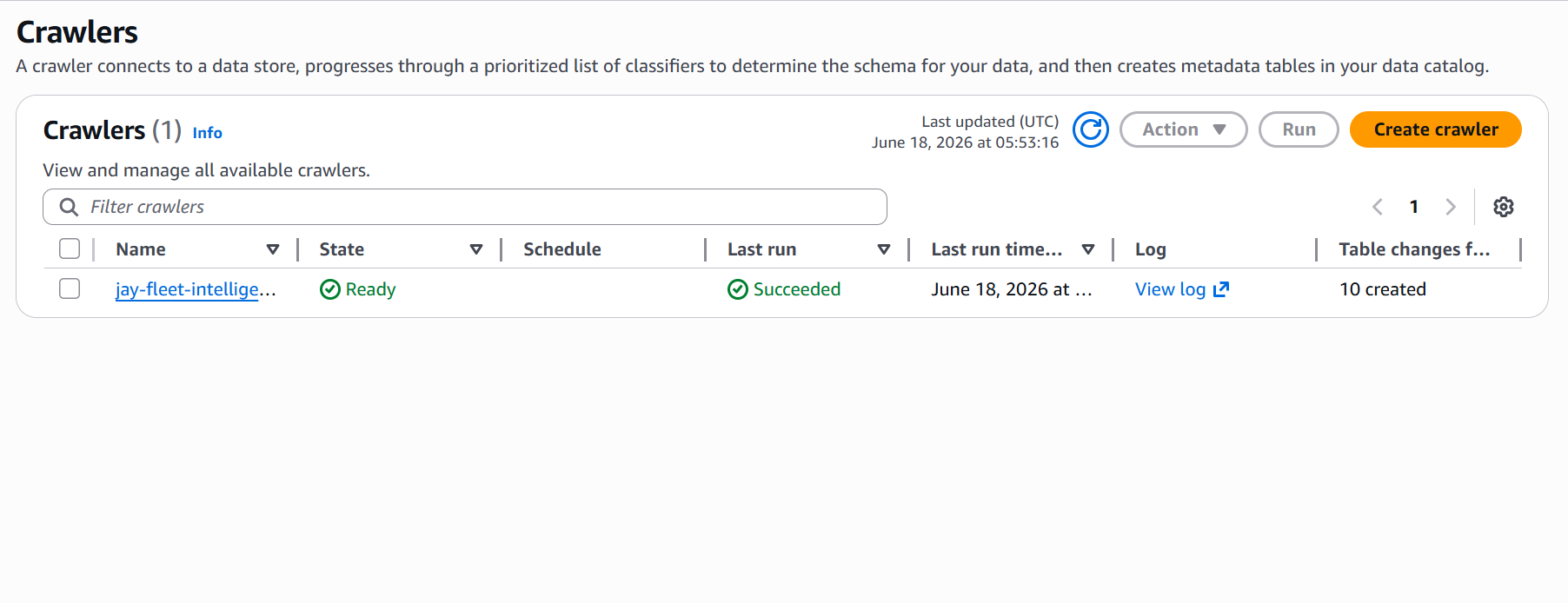
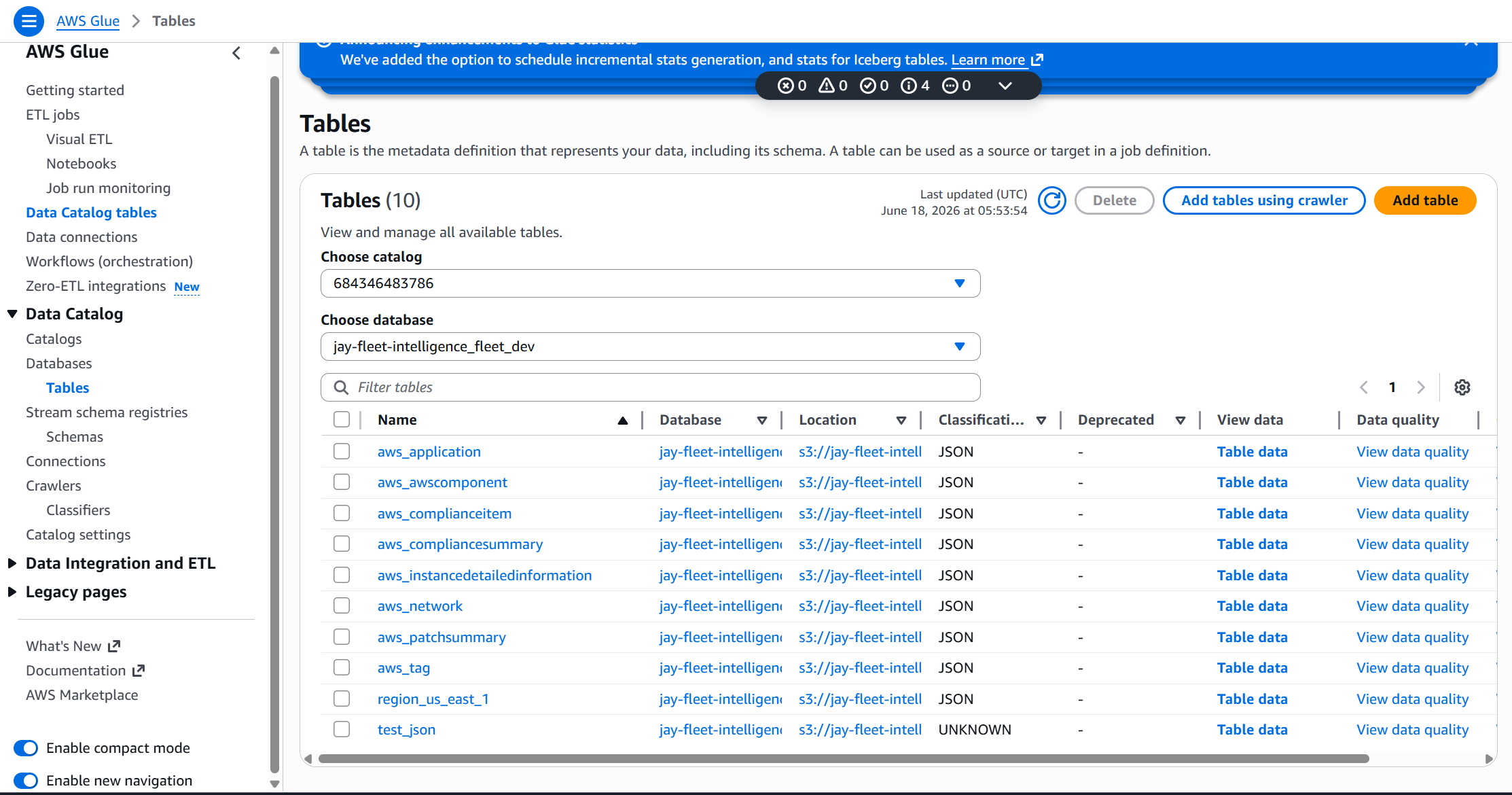
The Glue crawler scans the raw S3 bucket and registers the SSM data structures in the Glue Data Catalog. This creates queryable tables like aws_compliancesummary and aws_instancedetailedinformation — giving the ETL job a schema to work from.
Step 4: Glue ETL Job (PySpark + boto3)
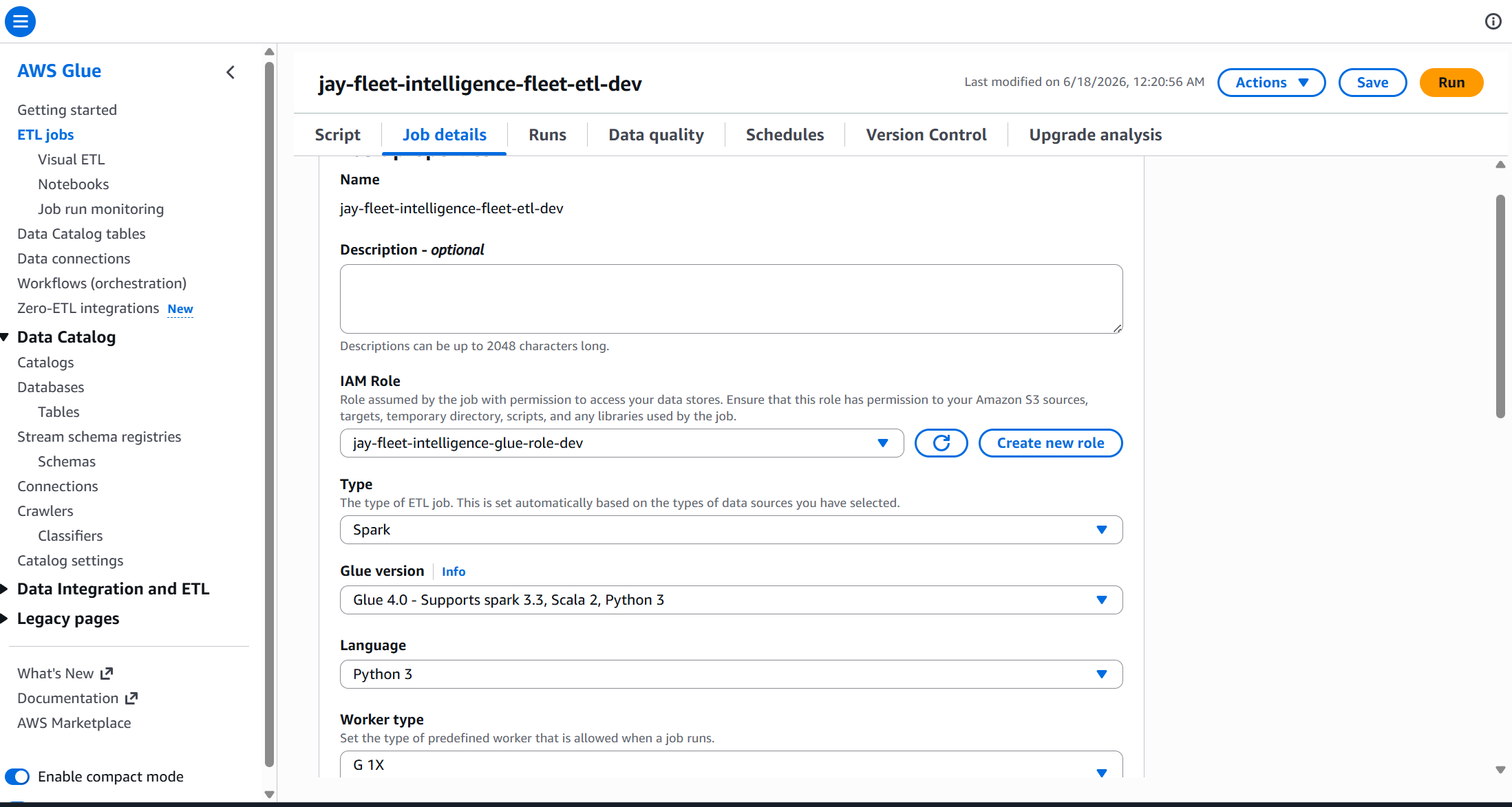
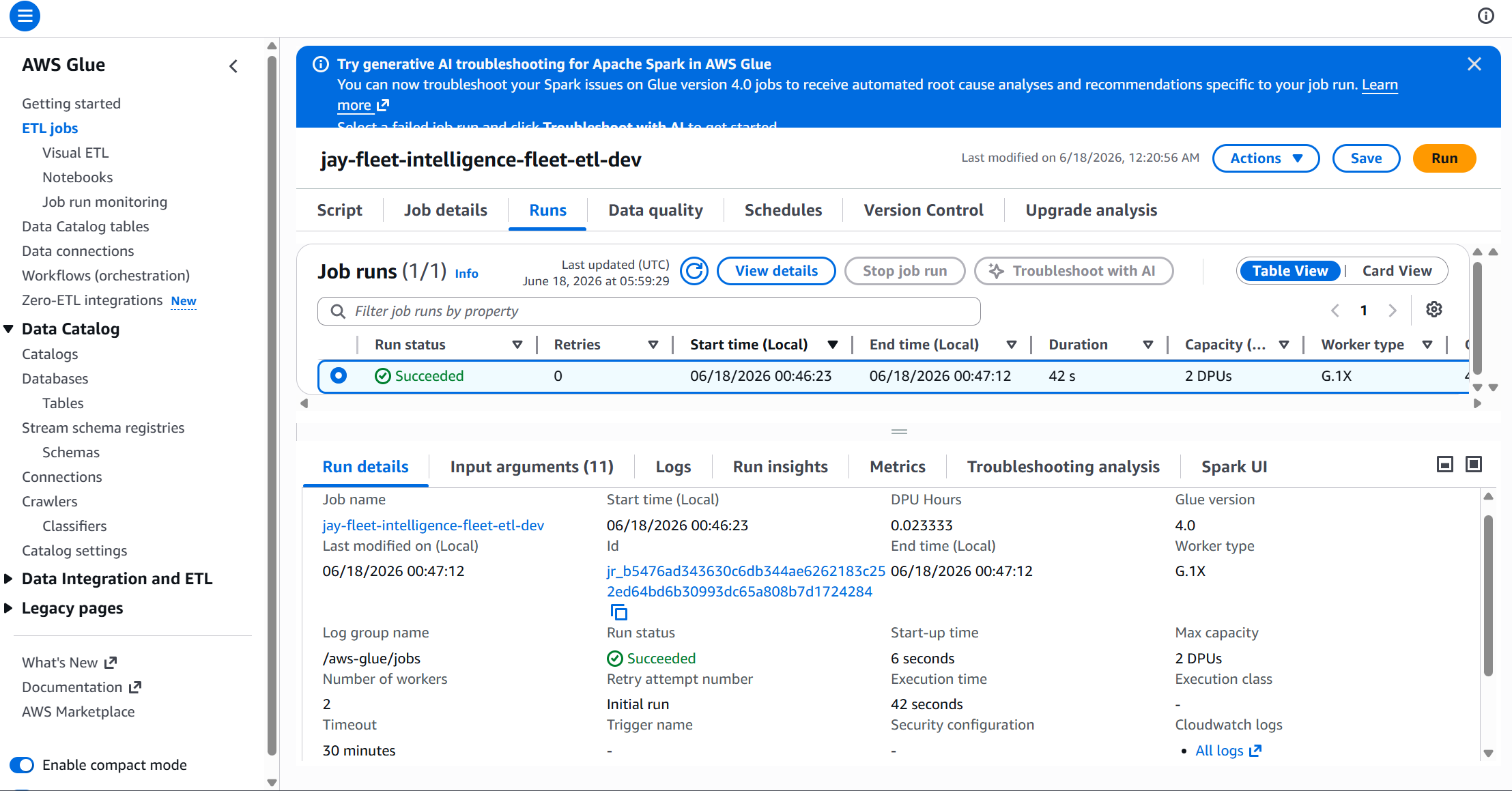
The ETL job reads raw NDJSON files, transforms them into clean typed columns, and writes four Parquet tables to the curated bucket. The most important design decision: we use boto3 instead of Spark's native S3 reader to load the files.
The SSM folder names contain colons — AWS:ComplianceSummary. Java's URI parser (which Spark uses internally) treats the colon as a protocol separator and crashes with java.net.URISyntaxException: Relative path in absolute URI. boto3 has no such limitation and reads the files directly from S3 without going through the Java URI stack.
def read_ssm_prefix(bucket, prefix):
    records = []
    paginator = s3_client.get_paginator("list_objects_v2")

    for page in paginator.paginate(Bucket=bucket, Prefix=prefix):
        for obj in page.get("Contents", []):
            if obj["Size"] == 0:
                continue
            key = obj["Key"]
            # Extract account + region from partition path
            acct_match   = re.search(r"accountid=([^/]+)", key)
            region_match = re.search(r"region=([^/]+)",   key)

            body   = s3_client.get_object(Bucket=bucket, Key=key)["Body"].read()
            record = json.loads(body)
            record["_account_id"] = acct_match.group(1)   if acct_match   else ""
            record["_region"]     = region_match.group(1) if region_match else ""
            records.append(record)

    return records   # list of dicts → spark.createDataFrame(records)
Step 5: Step Functions Orchestration
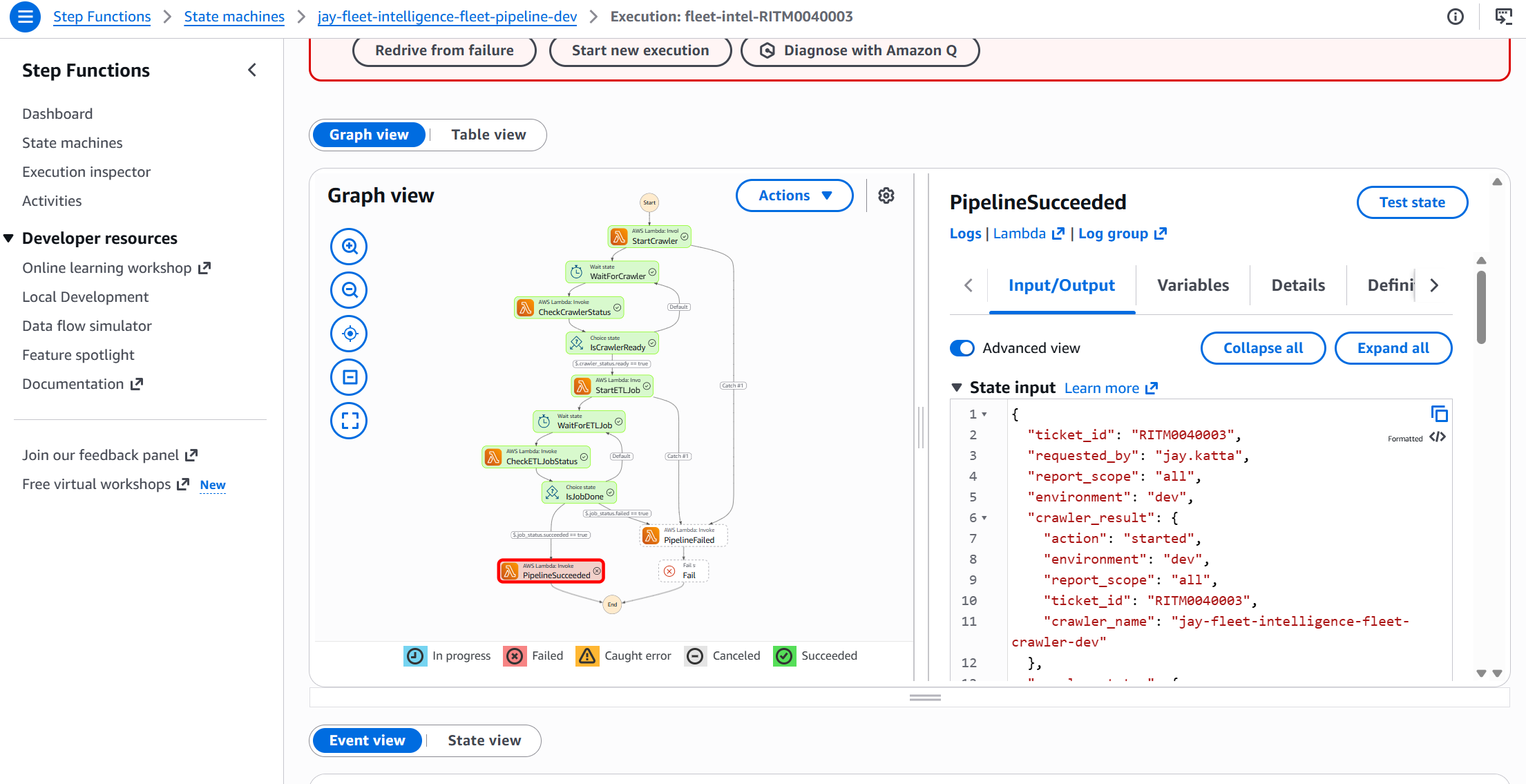
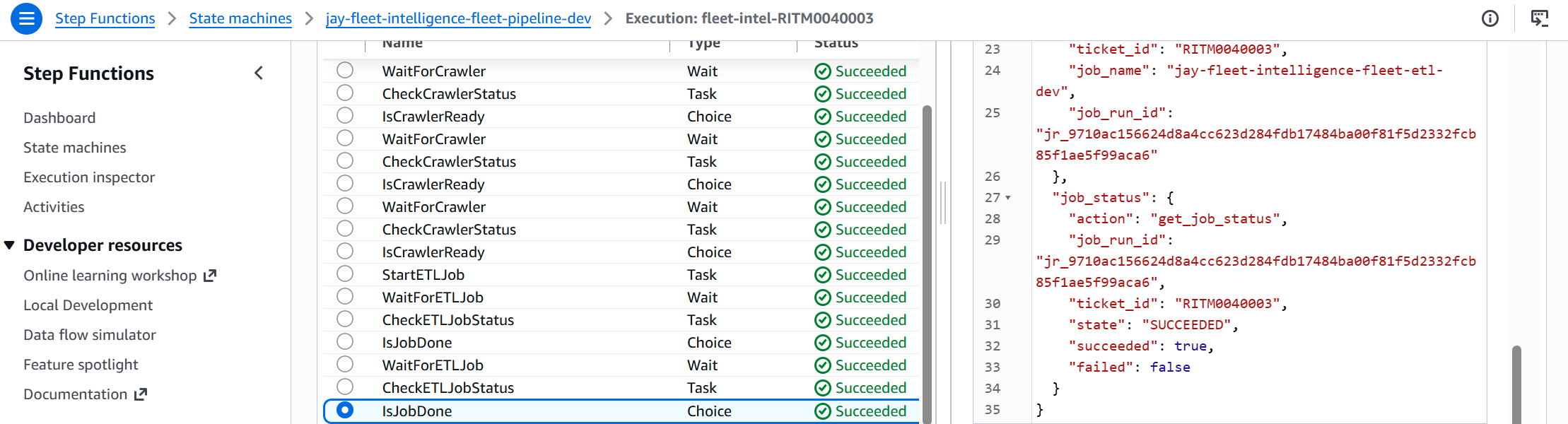
A Step Functions state machine ties the whole pipeline together. It polls the Glue crawler and ETL job using a Wait → Check → Choice loop rather than hard-coded timeouts — so the pipeline self-adapts to however long each step takes.
glue_trigger Lambda starts the Glue crawler
Wait 30 s, then poll status
Choice state: loops back until crawler is READY
glue_trigger Lambda submits the PySpark job with ticket context
Wait 60 s, then poll job run status
Choice state: loops back until SUCCEEDED or FAILED
status_updater Lambda closes RITM ticket with Athena URL
"WaitForCrawler": {
  "Type": "Wait",
  "Seconds": 30,
  "Next": "CheckCrawlerStatus"
},
"CheckCrawlerStatus": {
  "Type": "Task",
  "Resource": "${glue_trigger_arn}",
  "Parameters": {
    "action": "get_crawler_status",
    "ticket_id.$": "$.ticket_id"
  },
  "ResultPath": "$.crawler_status",
  "Next": "IsCrawlerReady"
},
"IsCrawlerReady": {
  "Type": "Choice",
  "Choices": [
    {
      "Variable": "$.crawler_status.ready",
      "BooleanEquals": true,
      "Next": "StartETLJob"
    }
  ],
  "Default": "WaitForCrawler"   ← loop back if not ready
}
Step 6: ServiceNow Webhook & Ticket Closure
The pipeline is triggered by a ServiceNow webhook. The webhook_receiver Lambda validates the HMAC-SHA256 signature on every inbound request before starting the Step Functions execution.
def verify_hmac(body: str, signature: str, secret: str) -> bool:
    expected = hmac.new(
        secret.encode(), body.encode(), hashlib.sha256
    ).hexdigest()
    return hmac.compare_digest(f"sha256={expected}", signature)

# In handler:
secret = ssm_client.get_parameter(
    Name=HMAC_SECRET_PARAM, WithDecryption=True
)["Parameter"]["Value"]

if not verify_hmac(body, signature, secret):
    return {"statusCode": 401, "body": json.dumps({"error": "Unauthorized"})}
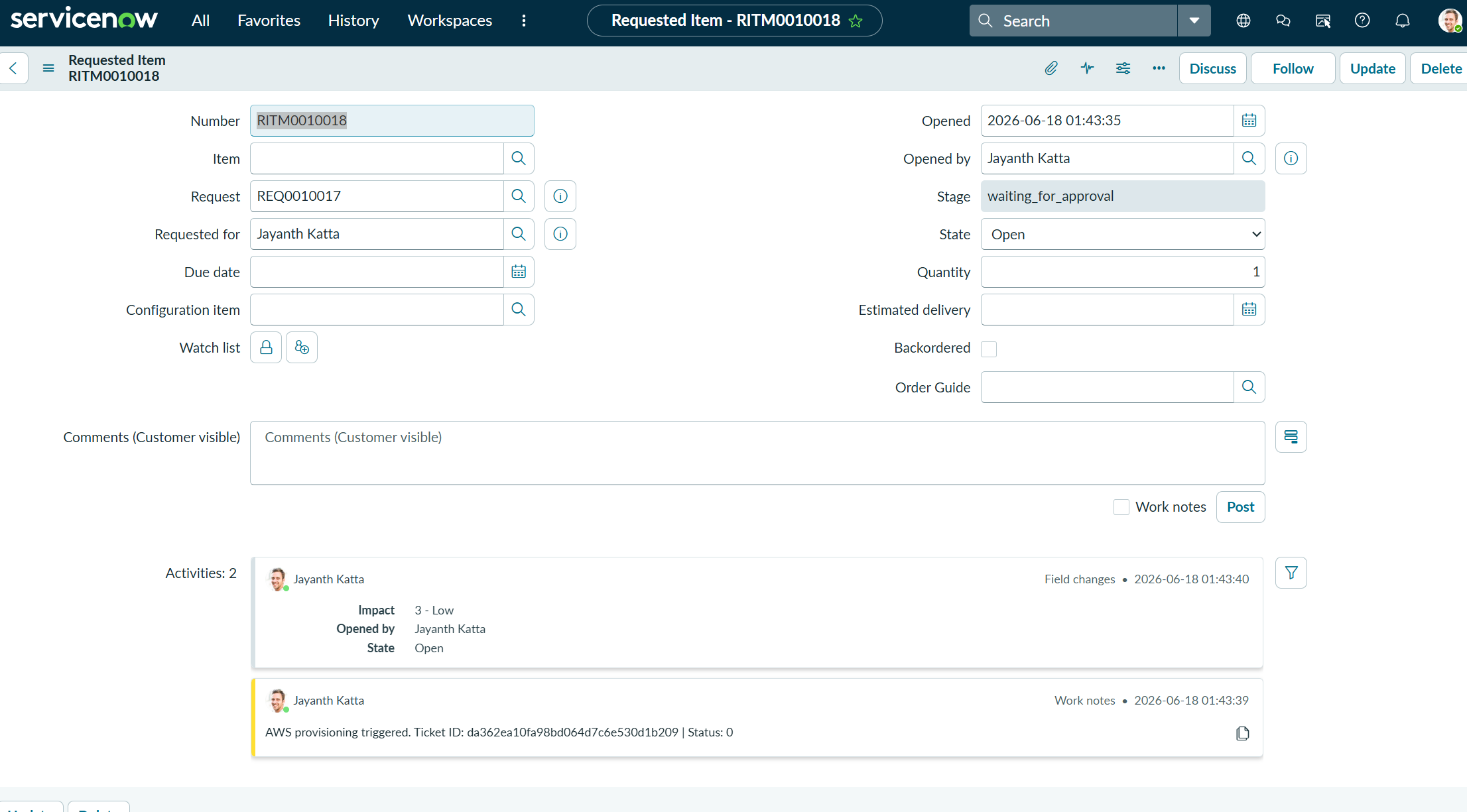
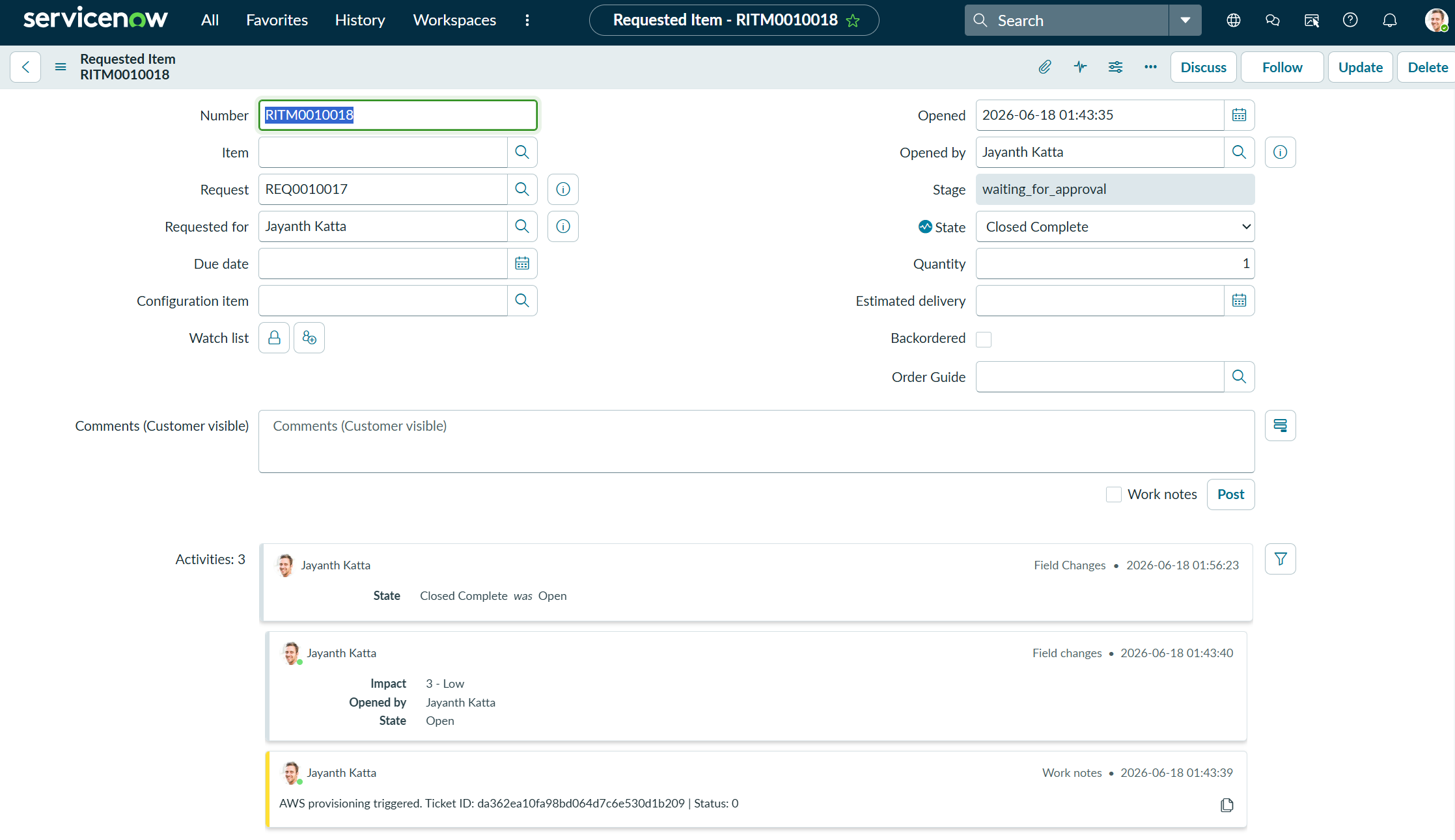
When the pipeline finishes, the status_updater Lambda calls the ServiceNow REST API to close the RITM ticket with a direct Athena console link in the close notes.
Step 7: Querying with Athena
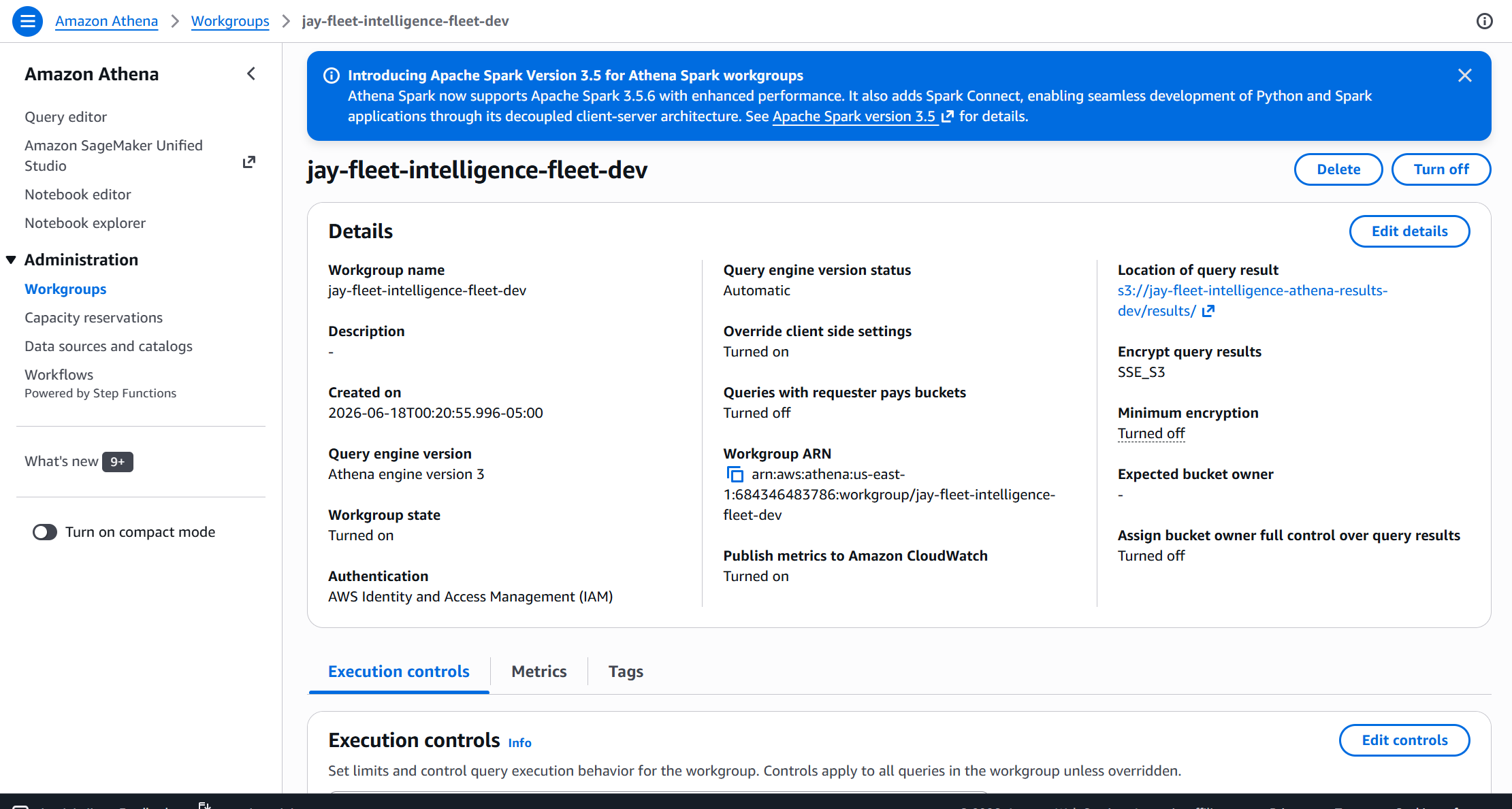
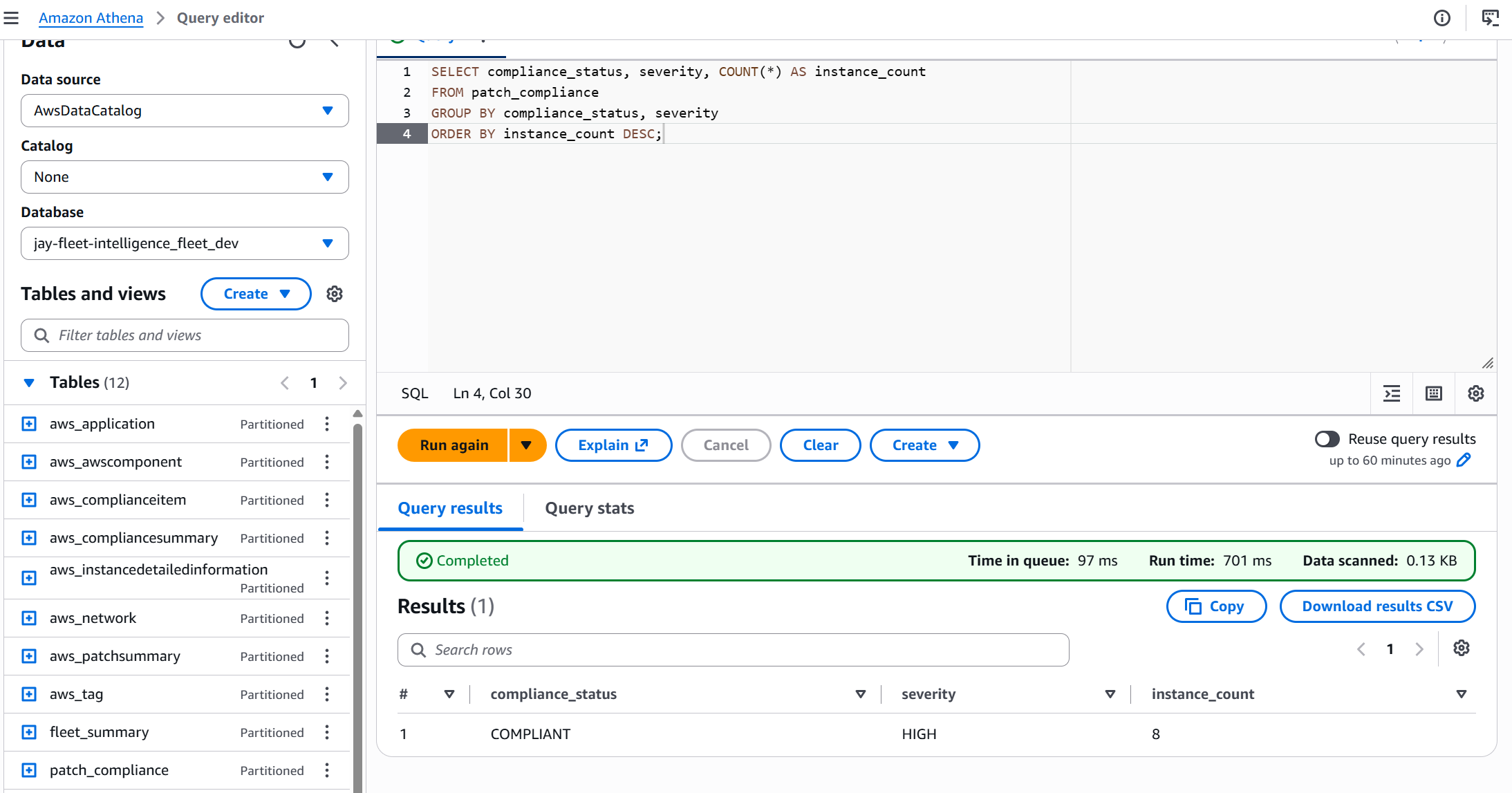
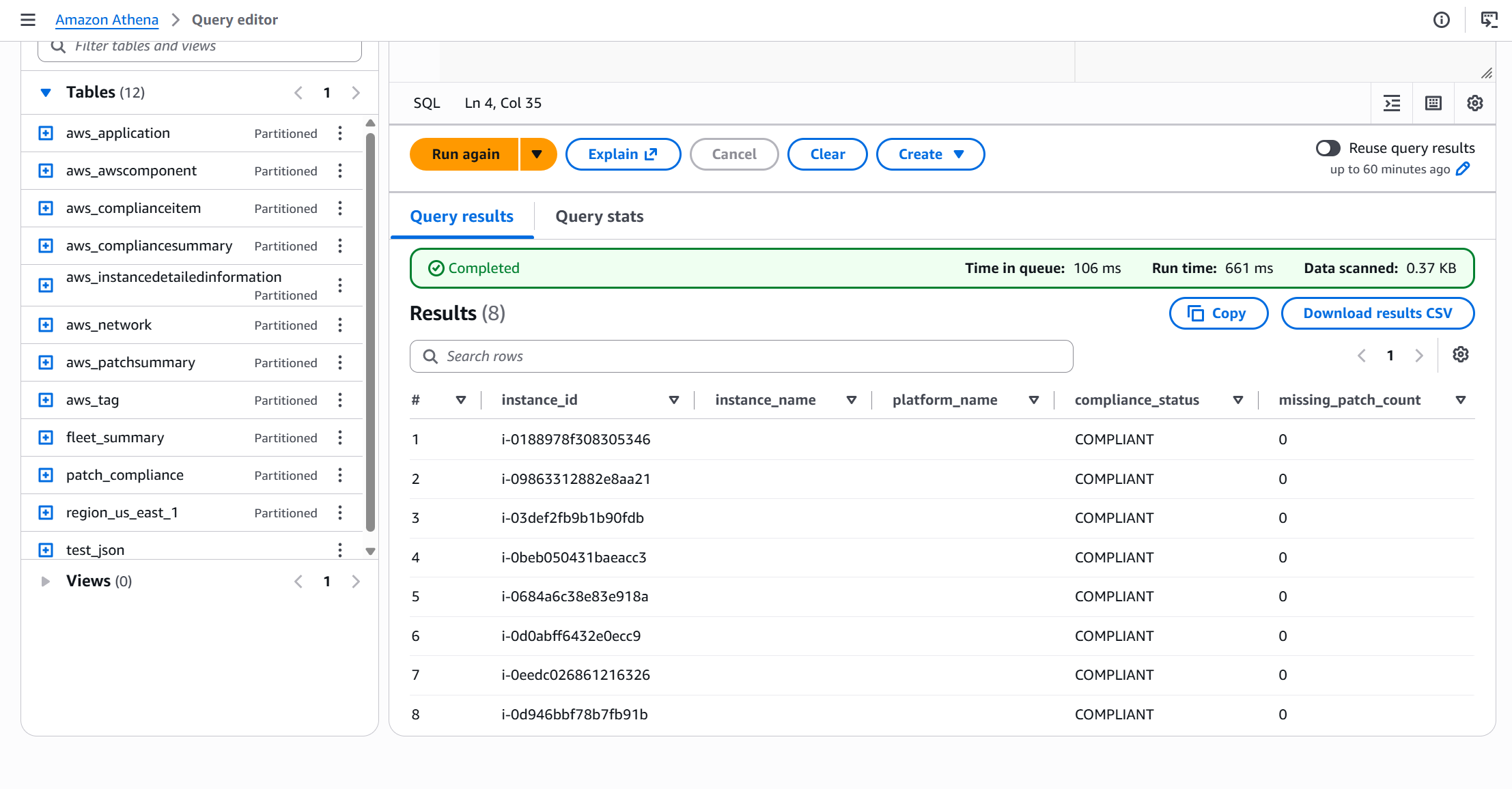
With Parquet data in S3 and tables registered in the Glue Data Catalog, Athena can query the full fleet for patch compliance and OS inventory in seconds.
SELECT
    compliance_status,
    COUNT(*)         AS instance_count,
    ROUND(COUNT(*) * 100.0 / SUM(COUNT(*)) OVER (), 1) AS pct
FROM fleet.patch_compliance
GROUP BY compliance_status
ORDER BY instance_count DESC;
SELECT
    platform_name,
    platform_version,
    COUNT(*) AS instance_count
FROM fleet.inventory
GROUP BY platform_name, platform_version
ORDER BY instance_count DESC;
Challenges — What Actually Went Wrong
Every real build has friction. Here are the six issues that slowed us down and exactly how each was fixed.
java.net.URISyntaxException: Relative path in absolute URIWhat happened: The Glue PySpark job crashed immediately on spark.read.json("s3://raw-bucket/ssm/AWS:ComplianceSummary/..."). Java’s URI parser treats the colon in AWS:ComplianceSummary as a protocol separator.
Fix: Replaced spark.read.json() with a boto3 paginator that lists and downloads files directly from S3. boto3 treats S3 keys as strings — no URI parsing involved. The downloaded records are loaded into Spark using spark.createDataFrame(records).
What happened: Every test webhook call returned 401 Unauthorized even with the correct secret. The signature was being compared correctly but always mismatched.
Fix: The ServiceNow webhook was sending the signature in a header named x-servicenow-hmac but the Lambda was reading X-ServiceNow-HMAC. API Gateway lowercases all headers. Updated the Lambda to read x-servicenow-hmac (lowercase).
What happened: The state machine was set to wait 30 seconds between crawler polls, but the Glue crawler was taking 4–5 minutes to finish on first run (cold start + schema inference). The execution appeared stuck.
Fix: This is expected — the Wait state naturally loops. Added CloudWatch logging to the state machine so the poll count was visible. No code change needed; just better visibility. First run is always slower due to schema inference caching.
What happened: Glue job failed immediately with Script not found at s3://raw-bucket/scripts/fleet_etl.py. Terraform created the job before the script was uploaded.
Fix: Added an aws s3 cp step to the GitHub Actions workflow that uploads glue/scripts/fleet_etl.py to S3 before terraform apply runs. The script now always exists when Terraform creates the Glue job resource.
What happened: Configured SSM Resource Data Sync pointing to the raw S3 bucket but the bucket remained empty for 20+ minutes.
Fix: SSM Resource Data Sync has an initial sync delay of up to 30 minutes. Also discovered the IAM role attached to the sync needed ssm:PutComplianceItems on the target instances. After fixing permissions and waiting, data appeared as expected in partition-style NDJSON files.
sys_id vs numberWhat happened: The webhook payload sent the ticket number (e.g. RITM0012345) but the ServiceNow REST API PATCH endpoint requires the sys_id (a GUID). The update call returned 404.
Fix: Added a lookup step in status_updater: first GET /api/now/table/sc_req_item?sysparm_query=number=RITM0012345 to resolve the sys_id, then PATCH using that sys_id. Updated the webhook payload schema to always include sys_id from ServiceNow to avoid the extra lookup in production.
Security — Controls at Every Layer
🔐 Secrets Management
All credentials (ServiceNow password, HMAC secret) are stored in SSM Parameter Store as SecureString (KMS-encrypted). Lambda functions retrieve them at runtime — nothing in environment variables or source code.
🔒 Webhook Authentication
Every inbound request is validated with HMAC-SHA256 before any processing begins. hmac.compare_digest() is used (not ==) to prevent timing attacks. Unsigned requests return 401 immediately.
📄 IAM Least Privilege
Each Lambda and Glue job has its own IAM role scoped to exactly the resources it needs. No wildcard * on resource ARNs. S3 policies restrict access by bucket prefix per service.
💾 S3 Encryption
Both raw and curated buckets enforce AES-256 server-side encryption by default. Public access is blocked at the bucket level. Object lifecycle policies expire raw data after 90 days.
- VPC endpoints for S3, Glue, SSM — currently traffic routes over public AWS endpoints
- WAF on the API Gateway to rate-limit and block malicious IPs
- S3 Object Lock on the curated bucket for immutable audit trail
- CloudTrail data events enabled on S3 buckets for full audit logging
- Glue job bookmark enabled to avoid reprocessing already-seen data
Cost — What This Actually Costs
This pipeline is designed to run on-demand (triggered by ServiceNow, not continuously). Here’s the cost breakdown per pipeline run in dev, based on a fleet of ~50 EC2 instances.
| Service | Usage per run | Unit price | Cost per run |
|---|---|---|---|
| Glue Crawler | 2 DPU × 10 min | $0.44/DPU-hour | $0.15 |
| Glue ETL Job | 2 × G.1X × 5 min | $0.44/DPU-hour | $0.07 |
| Step Functions | ~20 state transitions | $0.025/1000 | <$0.001 |
| Lambda (3 functions) | ~5 invocations total | $0.20/1M requests | <$0.001 |
| Athena | ~1 MB scanned | $5/TB | <$0.001 |
| API Gateway | 1 request | $3.50/1M | <$0.001 |
| S3 Storage | ~100 MB (raw + curated) | $0.023/GB/month | <$0.001 |
Running twice daily for a month: ~$13.20/month. The Glue crawler and ETL job dominate cost — consolidating crawler runs and using job bookmarks to skip unchanged data would cut this by 40–60%.
Cost Optimisation Tips
- Enable Glue job bookmarks to skip files already processed — reduces ETL run time significantly after the first run
- Use
G.025Xworker type instead ofG.1Xfor small fleets (<500 instances) — 4× cheaper - Schedule SSM Resource Data Sync to run every 6 hours instead of continuously to reduce S3 write costs
- Set S3 Intelligent-Tiering on the curated bucket after 30 days
Cleanup — Tearing It Down
Everything except SSM Resource Data Sync and S3 bucket contents is managed by Terraform and can be destroyed in one command.
cd terraform/environments/dev
terraform destroy -var-file=terraform.tfvars

# Expected output:
# Destroy complete! Resources: 44 destroyed.
| Resource | Destroyed by Terraform? | Manual step needed? |
|---|---|---|
| S3 buckets (raw, curated, athena-results) | Yes — if empty | Empty buckets first: aws s3 rm s3://bucket --recursive |
| Glue Database + Tables | Yes | None |
| Glue Crawler + ETL Job | Yes | None |
| Step Functions State Machine | Yes | None |
| Lambda Functions (3) | Yes | None |
| API Gateway | Yes | None |
| IAM Roles + Policies | Yes | None |
| SSM Parameter Store (secrets) | Yes | None |
| SSM Resource Data Sync | No — not in Terraform | Delete manually in SSM Console → Fleet Manager → Resource Data Sync |
Terraform will fail to delete non-empty S3 buckets. Run
aws s3 rm s3://BUCKET-NAME --recursive for all three buckets before terraform destroy.
Takeaways — What I’d Do Differently
Six lessons from this build that apply beyond this specific project.
💡 boto3 > Spark for S3 with Special Characters
If your S3 paths contain colons, spaces, or other URI-special characters (common with AWS service prefixes like AWS:ComplianceSummary), bypass Spark’s native S3 reader entirely. Use boto3 to list and download, then create a Spark DataFrame from the in-memory records. Cleaner and avoids a whole class of Java URI bugs.
🔄 The Polling Loop is the Right Pattern
Step Functions Wait → Check → Choice loops are more reliable than hard-coded sleep timers. The pipeline self-adapts to actual job duration. Adding a maximum-iteration counter via a $.poll_count variable prevents infinite loops in production.
🔒 Always Validate Webhooks
HMAC-SHA256 validation on inbound webhooks is non-negotiable. It took 20 extra lines of Lambda code and saved the pipeline from being triggerable by anyone who knows the API Gateway URL. Use hmac.compare_digest(), not ==, to prevent timing attacks.
🏢 Medallion Architecture Pays Off
Separating raw NDJSON (Bronze) from curated Parquet (Silver) from Athena analytics (Gold) makes each layer independently queryable and reprocessable. When the ETL schema changes, you can reprocess Bronze without re-running SSM sync. Worth the extra S3 bucket.
📋 SSM Resource Data Sync Has a Learning Curve
The 30-minute initial sync delay is not documented prominently. The IAM requirements for the sync role are easy to under-scope. Plan for this in your timeline and add a CloudWatch alarm on the S3 bucket to confirm data is arriving before starting the pipeline.
📄 Ticket-Driven Pipelines Delight Operations Teams
Triggering the pipeline from a ServiceNow request and auto-closing the ticket with the Athena URL changed how the ops team experienced the tool. They raised a ticket and got results back in the ticket — no AWS console access needed. This is the pattern to replicate for every data pipeline that serves a non-technical audience.
Comments