📋 In This Post
Why — The Problem This Solves
Week 6 built an Account Vending Machine — a ServiceNow ticket now produces a real AWS account inside the right Organizational Unit in minutes, with SCP guardrails attached automatically. That answers where the account lives. It says nothing about who can log into it.
Filled in by hand, that gap looks the same way it always does: someone creates an IAM user per person, per account, hands out an access key, and quietly loses track of which user has which permissions where. Multiply that across every account this lab has vended (and will keep vending), and the access model becomes the actual security problem — not the accounts themselves.
IAM users with long-lived access keys, scattered one-per-account, are exactly what every AWS security review flags first. They don't expire, they're easy to forget about, and there's no single place to see who can get into what.
The Business Value
IAM Identity Center fixes this by inverting the model: define access centrally, once, and let AWS provision it everywhere it's needed.
Define Once
A permission set (e.g. Engineers) is written once in Terraform, backed by an AWS managed policy and its own session duration.
Group, Don't User
People join a group (Engineers, ReadOnlyAuditors, BreakGlassAdmins) instead of getting individual per-account permissions.
Assign Across Accounts
Terraform assigns each group's permission set to every target account in one pass — AWS auto-provisions the matching IAM role in each one.
Sign In Once
Users sign in to a single SSO portal and federate into whichever account/role they're assigned — temporary credentials only, never a static key.
Security teams get one place to audit who can access what. Platform teams stop provisioning per-account IAM users by hand. New hires (or new vended accounts) inherit the right access automatically the moment they're added to a group or created.
What You Need to Know — Skills & Tools
This week is lighter on moving parts than Week 6 — no Lambda, no Step Functions — but it leans hard on Identity Center concepts that don't show up earlier in this series.
Required AWS Knowledge
Required Engineering Skills
Concepts to Understand Before Starting
Permission Set
A reusable role template — a managed/inline policy plus a session duration — that exists independently of any one account until it's assigned.
Account Assignment
The link between a principal (a group or user) and a permission set, scoped to one target account. This is the action that actually causes AWS to provision anything.
AWSReservedSSO_* Roles
The real IAM role Identity Center auto-creates inside a target account the moment an assignment is made — visible in that account's own IAM console, but never declared there directly.
AWS Access Portal
The single sign-in page every assigned user goes to. It only ever shows the accounts/roles that user's own group memberships actually grant — not everything assigned to the account.
Architecture — How It Fits Together
Why Groups Instead of Per-User Assignments?
The Terraform assigns permission sets to groups, never directly to individual users. Adding someone to Engineers grants them every account that group is already assigned to, automatically — no new Terraform apply needed per person. Same idea as IAM groups, just at Organization scope instead of single-account scope.
Why a Cross-Product for Assignments?
Every group needs the matching permission set in every target account, so the module builds the assignment set as setproduct(keys(groups), target_account_ids) — add one more account to the target OU, and the same Terraform apply assigns every existing group to it with no additional code.
How We Built It — Step by Step
Step 1: The identity-center Terraform Module
One module, six resource types, looped over a single groups map:
locals {
  assignments = {
    for pair in setproduct(keys(var.groups), var.target_account_ids) :
    "${pair[0]}-${pair[1]}" => {
      group_name = pair[0]
      account_id = pair[1]
    }
  }
}

resource "aws_ssoadmin_account_assignment" "this" {
  for_each = local.assignments

  instance_arn       = var.instance_arn
  permission_set_arn = aws_ssoadmin_permission_set.this[each.value.group_name].arn
  principal_id        = aws_identitystore_group.this[each.value.group_name].group_id
  principal_type      = "GROUP"
  target_id           = each.value.account_id
  target_type         = "AWS_ACCOUNT"
}
The target accounts themselves aren't hardcoded — they're looked up from Week 6's vended OUs, so adding a new account to Sandbox or Production automatically becomes a new assignment target on the next apply:
data "aws_organizations_organizational_unit_child_accounts" "target" {
  for_each  = toset(local.target_ou_ids)
  parent_id = each.value
}

locals {
  target_account_ids = distinct(flatten([
    for ou_id, result in data.aws_organizations_organizational_unit_child_accounts.target :
    [for acct in result.accounts : acct.id]
  ]))
}
Step 2: Enable IAM Identity Center (Manual, One-Time)
Same class of gap as Week 6's SCP policy-type enablement: IAM Identity Center has to be switched on once, manually, before any aws_ssoadmin_* resource can do anything. AWS Console (management account) → IAM Identity Center → Enable → choose the Organization instance type, not Account — Organization is what lets assignments target every member account, not just the one you're logged into.
Step 3: Standing Up the HCP Workspace via API
Rather than click through the HCP UI, week-07-dev was created the same way week-06-dev was — via the HCP Terraform API, using the token already saved locally in credentials.tfrc.json. POST a workspace, PATCH/POST its variables, done:
curl --header "Authorization: Bearer $TOKEN" \
     --header "Content-Type: application/vnd.api+json" \
     --request POST \
     --data '{
       "data": { "type": "workspaces", "attributes": {
         "name": "week-07-dev",
         "working-directory": "week-07-identity-center-sso/terraform/environments/dev",
         "vcs-repo": { "identifier": "katta698/AWS-Platform-Engineering-Lab",
                       "branch": "main",
                       "github-app-installation-id": "ghain-H7CUcPhefZdVqW8S" }
       }}
     }' \
     "https://app.terraform.io/api/v2/organizations/Katta/workspaces"
The OIDC trust policy on hcp-terraform-role already wildcards workspace:* from Week 6, so the new workspace inherited working AWS auth with zero IAM changes.
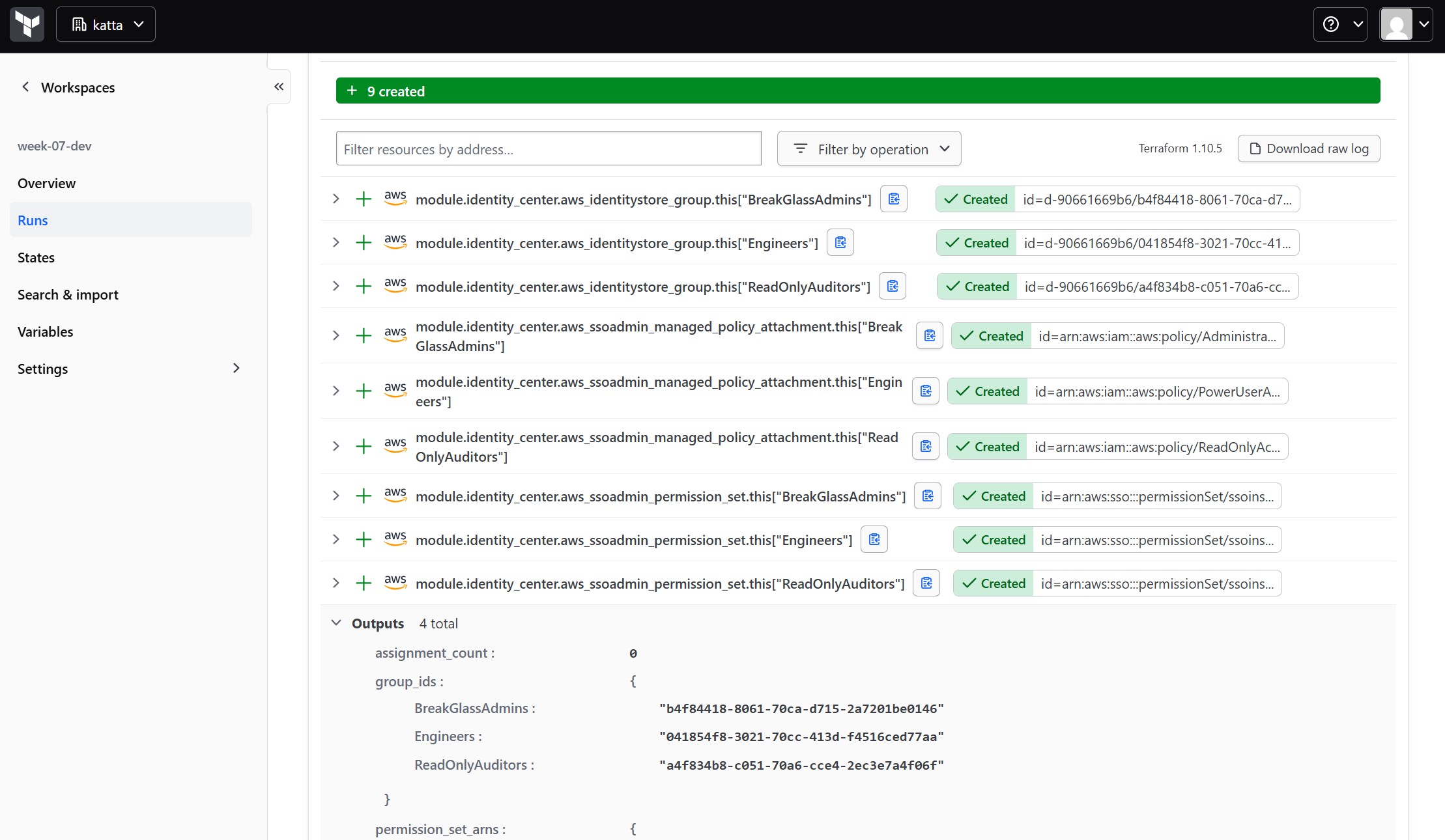
Confirmed directly in the console — the three groups exist:
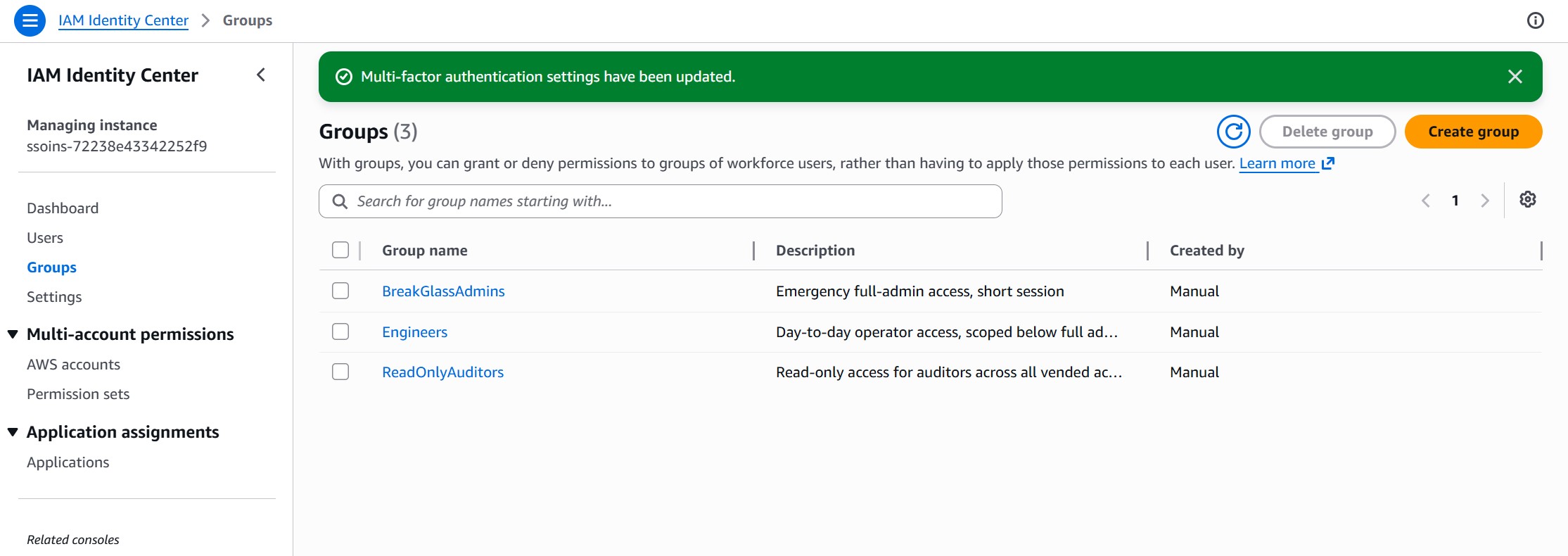
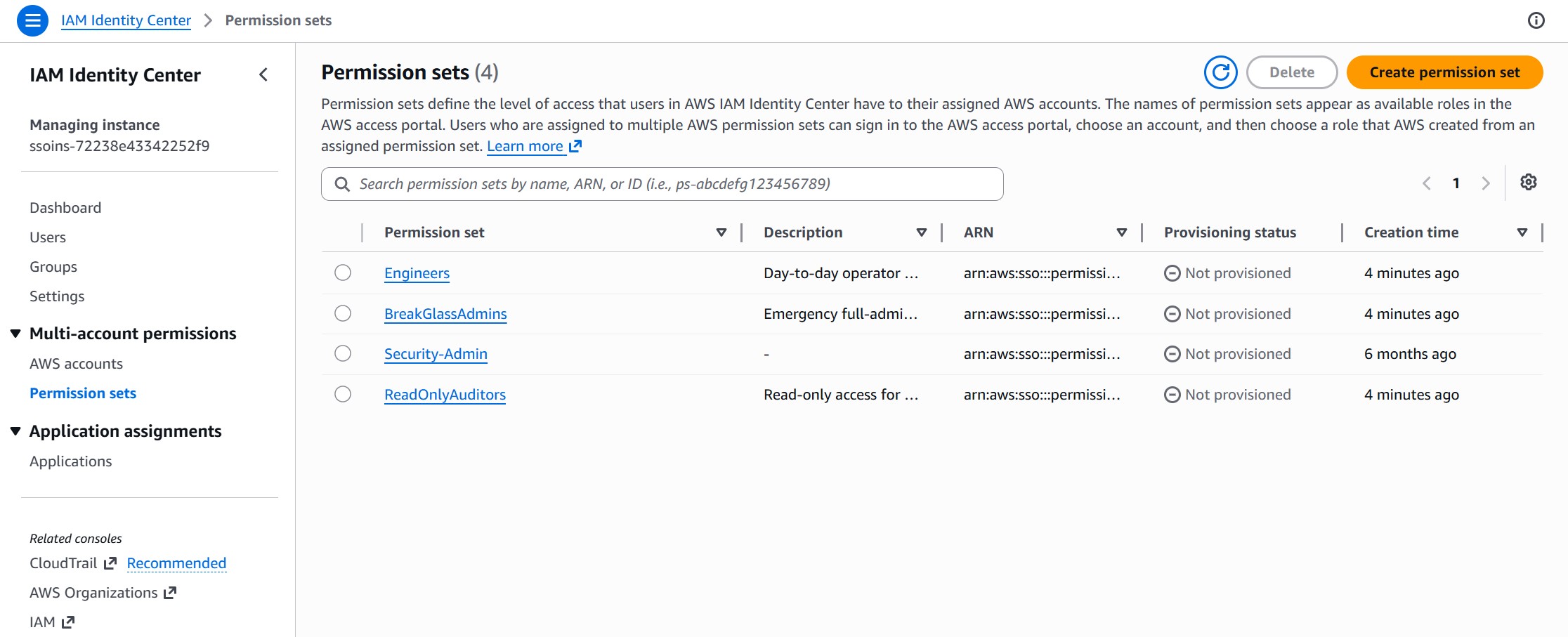
And the permission sets, each backed by its managed policy:
Step 4: Adding a Test User and Assigning to a Real Account
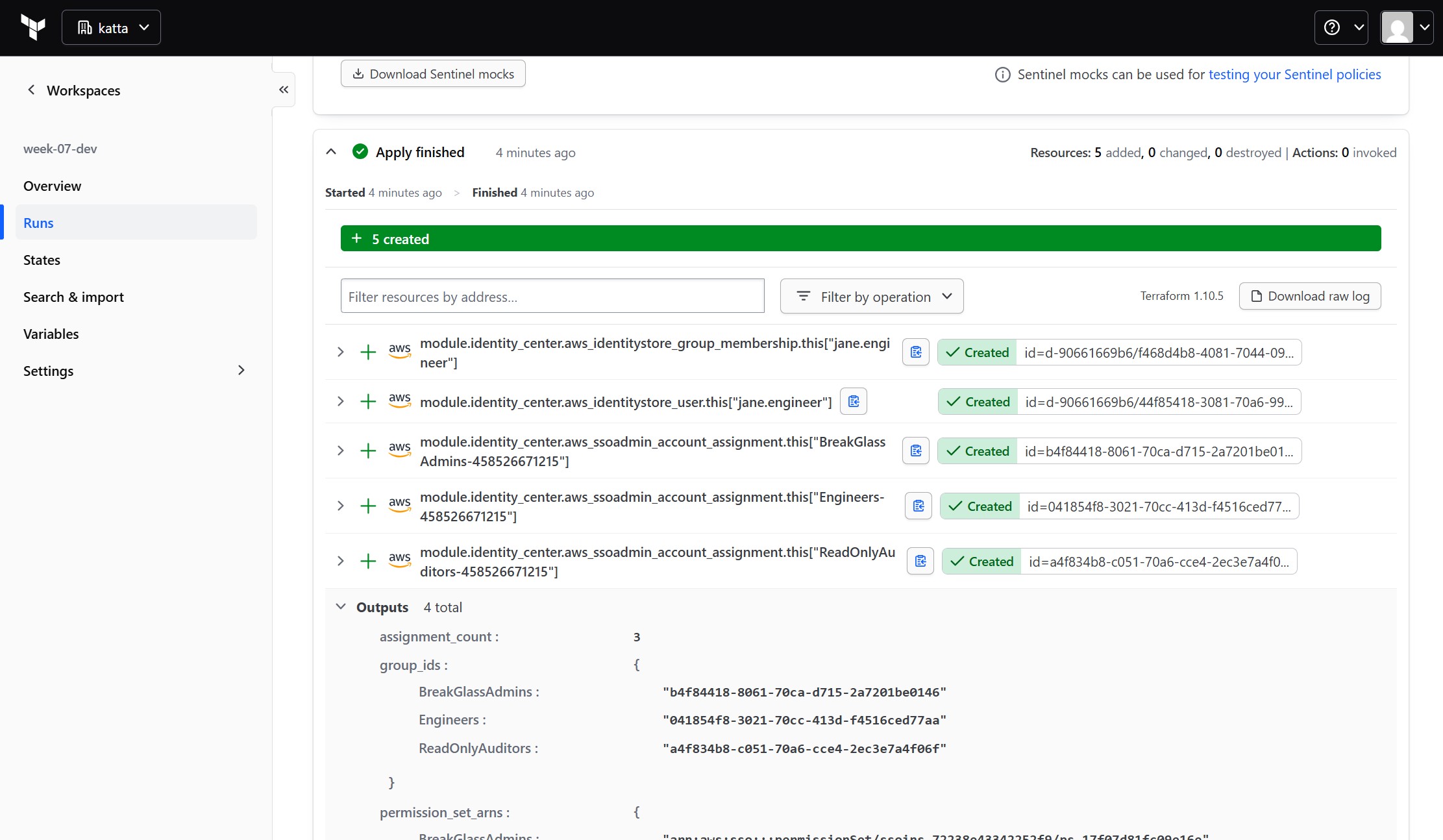
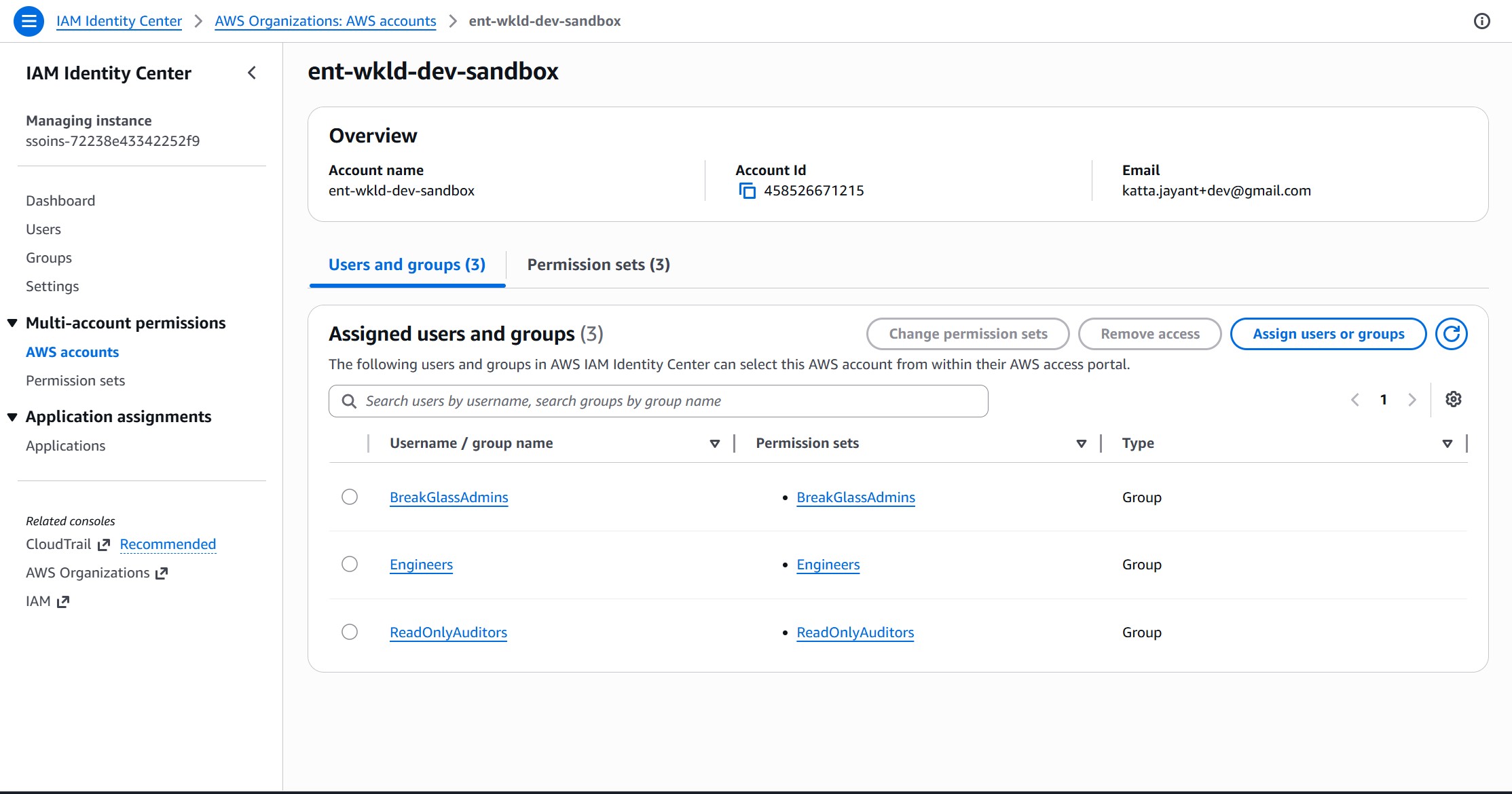
With the permission sets live, a second apply added a test user (jane.engineer, in the Engineers group) and the account assignments — five new resources: the user, the group membership, and three account assignments (one per group):
The assignment is visible from the account side too — all three groups now show up against the target account:
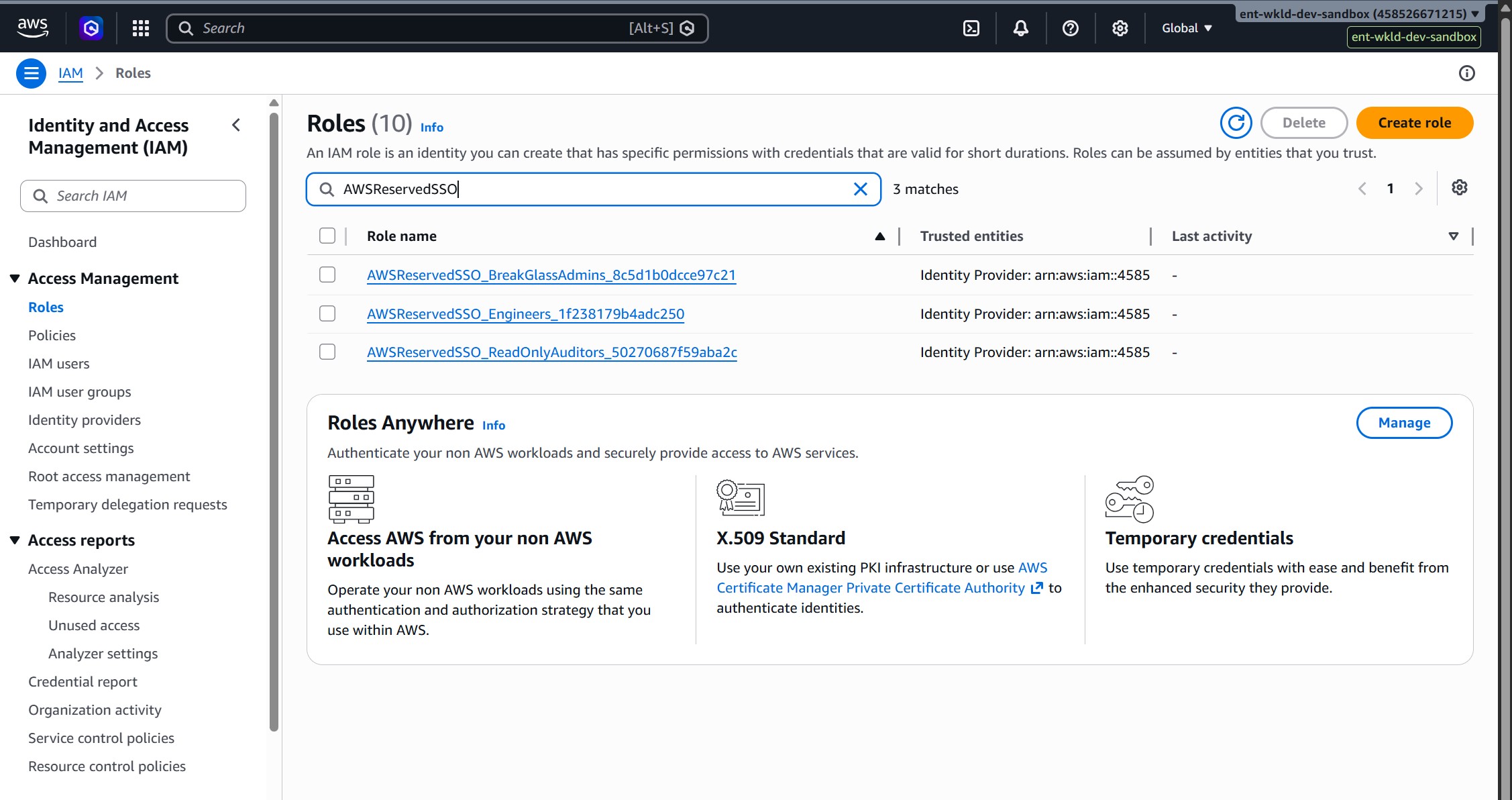
Step 5: Confirming AWS Auto-Provisioned the Roles
This is the part that makes Identity Center worth using: nothing was ever declared inside the target account's own IAM. Switching into it directly shows three roles that simply appeared the moment the assignment was made:
Step 6: Signing In as the Test User
Identity Center users created via Terraform have no password and no MFA device by default — there's no Terraform equivalent of "send invite email." An admin-initiated password reset (not the self-service "Forgot password?" flow, which got stuck on a stale MFA-required error during testing) got a usable credential. Signed in, the portal showed exactly one account and exactly one role:
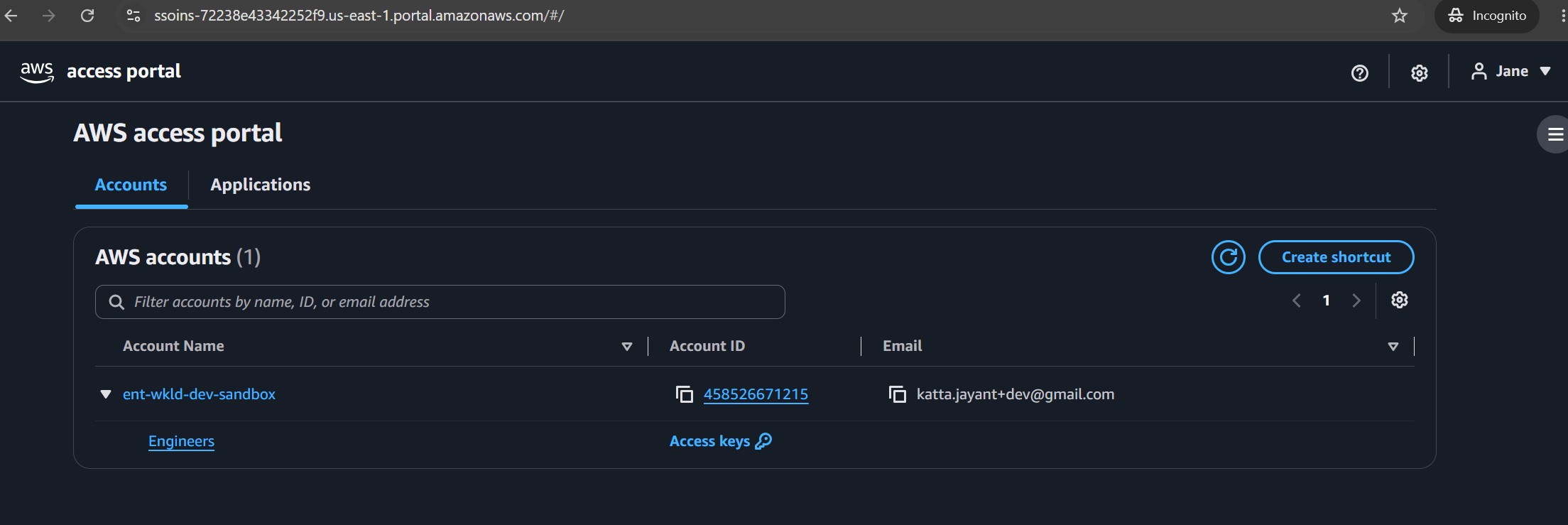
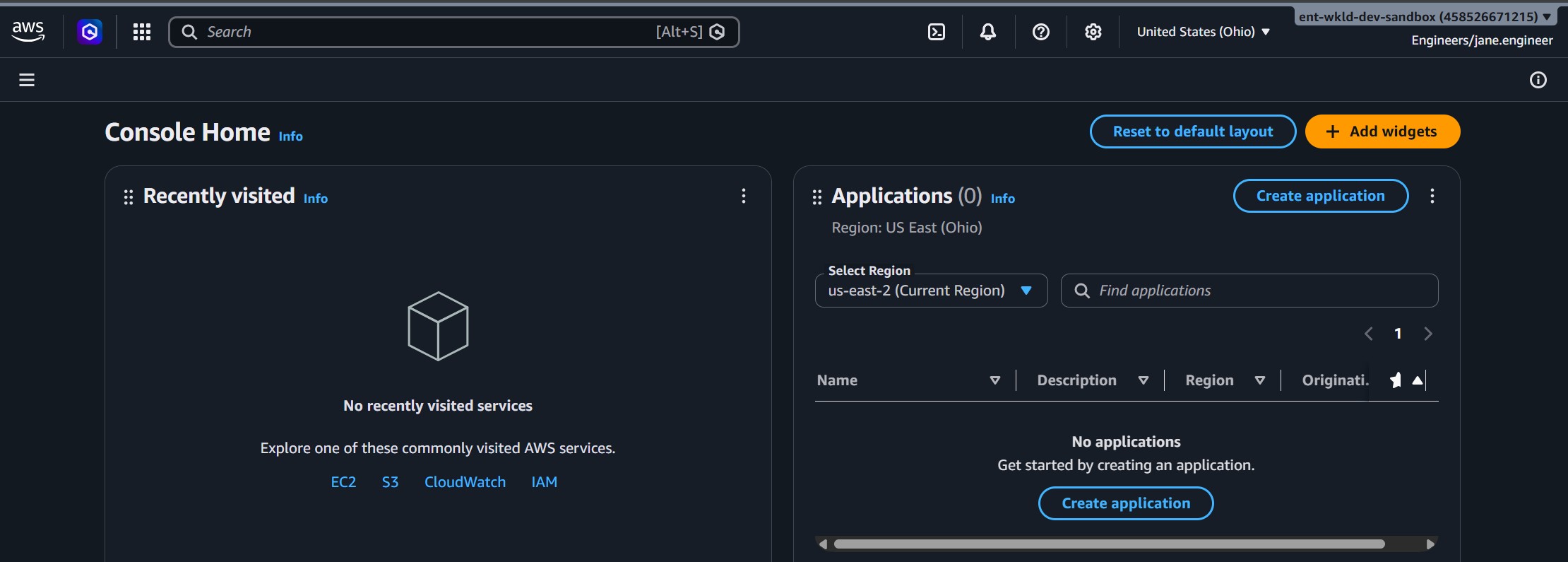
That's the scoping working exactly as intended: the portal only ever shows what this user's own group membership grants, not everything assigned to the account. Picking the role federates straight into a live console session:
Challenges — What Actually Went Wrong
What happened: The README's design targets Week 6's Sandbox/Production OUs by default, but no account had actually been vended through that pipeline yet — both were empty, so the assignment cross-product had zero accounts to target.
Fix: Overrode target_ou_names to ["Dev"] via an HCP workspace variable, pointing at an older Dev OU that already had one active account. This is a real, documented deviation — the default should be reverted to ["Sandbox", "Production"] once accounts actually exist there.
What happened: Signing in as the Terraform-created test user via the portal's self-service "Forgot password?" flow returned "You are required to provide multi-factor authentication that you do not have" — even after relaxing Identity Center's MFA setting to "Allow them to sign in," and even after waiting for propagation. The exact root cause wasn't fully diagnosed; it looked like a stuck sign-in state from an earlier blocked attempt.
Fix: Used the admin-initiated Reset password button on the user's detail page in the console instead of the self-service "Forgot password?" portal flow — that path generated a fresh credential and the MFA block disappeared.
What happened: All three permission sets were assigned to the target account, but the test user's portal view showed only Engineers — momentarily looked like the other two assignments hadn't taken effect.
Not actually a bug: The portal scopes by the signed-in user's own group membership, not by everything assigned to the account. The test user was only in the Engineers group, so that's the only role she could see — confirmed by checking aws sso-admin list-account-assignments directly, which showed all three assignments present and correct.
Security — Controls at Every Layer
🔒 Least-Privilege Permission Sets
Three distinct access levels (ReadOnlyAccess, PowerUserAccess, AdministratorAccess) instead of one shared admin role handed to everyone who needs any access at all.
⏳ Shortest Session for Highest Privilege
BreakGlassAdmins uses a 1-hour session — the same length as ReadOnlyAuditors, deliberately shorter than the 4-hour Engineers session. Full-admin access should expire fastest, by design.
🔑 No Static Credentials, Anywhere
Every session is federated and temporary. No IAM user, no access key, created in any target account — not even for the test user used to validate this.
💾 Real Emails Stay Out of Git
terraform.tfvars (containing real user emails) is gitignored; the committed .example file only shows the shape, not real data.
- MFA enforcement was relaxed to "Allow them to sign in" purely to unblock testing — must be reverted to requiring MFA registration before any real user gets one of these permission sets
- No automated lifecycle for removing a user's group membership when they leave a team or the org
BreakGlassAdminshas no approval workflow or alerting on use — a real break-glass process should notify someone the moment that permission set is actually assumed- Permission sets use broad AWS managed policies; a production rollout should move toward narrower customer-managed or inline policies per role
Cost
IAM Identity Center, permission sets, groups, users, and account assignments are all free — so are the IAM roles Identity Center provisions into target accounts.
| Resource | Usage | Cost |
|---|---|---|
| IAM Identity Center | 1 Organization instance | Free |
| Permission sets / groups / users / assignments | 3 / 3 / 1 / 3 | Free |
| Auto-provisioned IAM roles | 3 per target account | Free |
Cleanup — Tearing It Down
week-07-dev is VCS-connected, same restriction as Weeks 5–6 — destroy is confirmed from the HCP UI, not local CLI.
| Resource | Destroyed by Terraform? | Manual step needed? |
|---|---|---|
| Permission sets, policy attachments | Yes | AWS refuses to delete a permission set with live assignments anywhere — remove assignments first |
| Identity Store groups, users, membership | Yes | None |
| Account assignments | Yes | None |
| IAM Identity Center instance itself | No — never in state | Disable manually via console, if desired, the same way it was enabled |
The
target_ou_names = ["Dev"] workspace variable override and the relaxed MFA setting were both introduced purely to validate this module end-to-end. Reverting them is a settings/variable change, separate from a Terraform destroy.
References
- What is IAM Identity Center — permission sets, identity store, account assignments explained.
- aws_ssoadmin_permission_set / aws_ssoadmin_account_assignment — the two resources doing most of the work this week.
- aws_identitystore_user / aws_identitystore_group — full user/group management via Terraform, no console clicking required.
- aws_organizations_organizational_unit_child_accounts — how the target accounts are discovered dynamically from Week 6's OUs.
- HCP Terraform API — used to create the workspace and set its variables programmatically, same pattern as Week 6.
- Full source code — week-07-identity-center-sso
Takeaways — What I'd Do Differently
👥 Groups Scale, Per-User Assignments Don't
Assigning permission sets to groups instead of individual users means onboarding someone is a group-membership change, not a new Terraform apply — the access model scales independently of headcount.
🧩 Trust, But Verify, the Auto-Provisioning
Identity Center's account-side IAM roles are real, auditable resources — checking them directly inside the target account, not just trusting the Terraform plan output, is what actually confirmed the pipeline worked end-to-end.
❗ "Not Showing Up" Isn't Always a Bug
The portal scoping by group membership looked like a missing assignment at first glance. Checking the assignment API directly before assuming something broke saved a wrong fix.
⚠️ Document Deviations, Don't Hide Them
Testing against a live account meant diverging from the README's stated design twice (target OU, MFA setting). Writing both into the README as explicit, reversible deviations keeps the project honest about what was actually exercised.
Three updates since this post was published:
- Multi-Region replication — IAM Identity Center configurations can now be replicated across AWS regions. Previously it was a single-region service; this matters for multi-region workloads where you need consistent access in each region.
- Trusted identity propagation — new capability that creates identity-enhanced IAM role sessions when accessing AWS services (e.g. Redshift, S3 Access Grants). The downstream service sees who the user is, not just which role they assumed — enables row/column-level security tied to actual user identity.
- Vanity domain support in AWS CLI (July 2026) — the CLI now supports custom access portal domains, so users can authenticate via
your-company.awsapps.comrather than the auto-generated URL.
Comments