📋 In This Post
Why — The Problem This Solves
Every time this lab deploys anything, two robots take turns. One reads the cloud and works out what would change. The other makes the change. They are separate accounts on purpose, so the first one cannot break anything.
Last week the reading robot was handed a role that can delete things. Not because it needed to — it needs one permission, to look up a setting — but because that permission does not exist in any smaller role Google offers. The smallest box containing it also contains create, update and delete.
So the read-only account has not been read-only for a week. This closes it.
What You Need to Know — Skills & Tools
Google Cloud
- Custom roles — your own permission list, when no predefined role fits
- Deny policies — refuse a permission regardless of any role
- Policy Troubleshooter — ask what a principal can actually do
- Principal — IAM's word for any identity
Tooling
- Terraform —
google_organization_iam_custom_role,google_iam_deny_policy - HCP Terraform — remote runs via Workload Identity Federation
- curl — the Troubleshooter v3 API, which gcloud does not call
Concepts to understand before starting
Architecture — How It Fits Together
Only the first box fires today: after the swap the permission is not granted at all, so nothing reaches the second. The deny exists for the day someone re-grants a broad role — which is also why it had to be tested separately.
How We Built It — Step by Step
What we deployed
| Resource | Count | Its job |
|---|---|---|
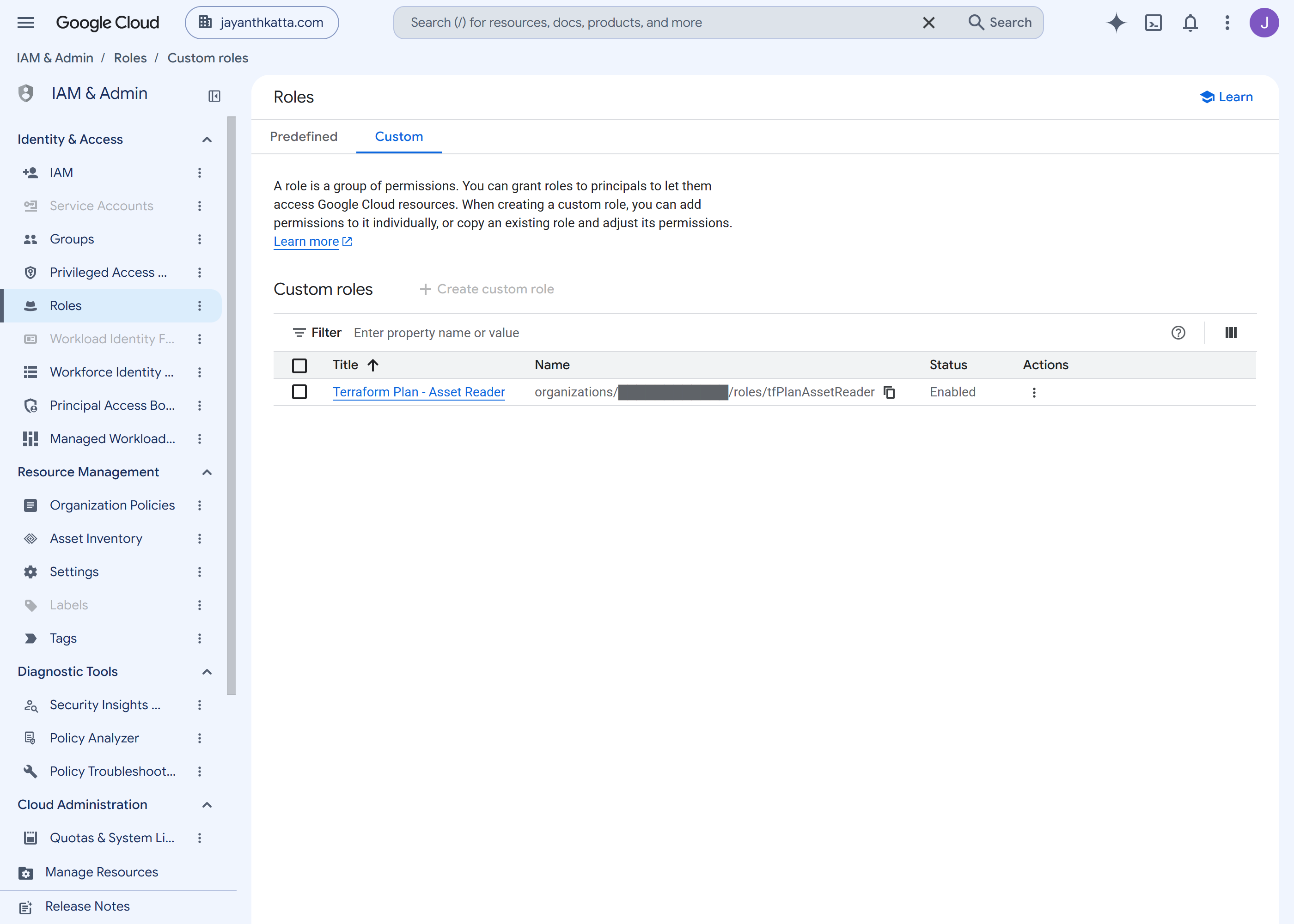
google_organization_iam_custom_role | 1 | carry the two permissions a plan actually reads |
google_iam_deny_policy | 1 | refuse feeds.delete to everyone but two exceptions |
google_project_service | 2 | the IAM and Policy Troubleshooter APIs |
Four resources, three blocks, 102 lines. The binding that puts the custom role on the read-only account is deliberately not here — an identity must not manage its own grants, so it lives in the hand-applied Week 2 config.
How we wrote it
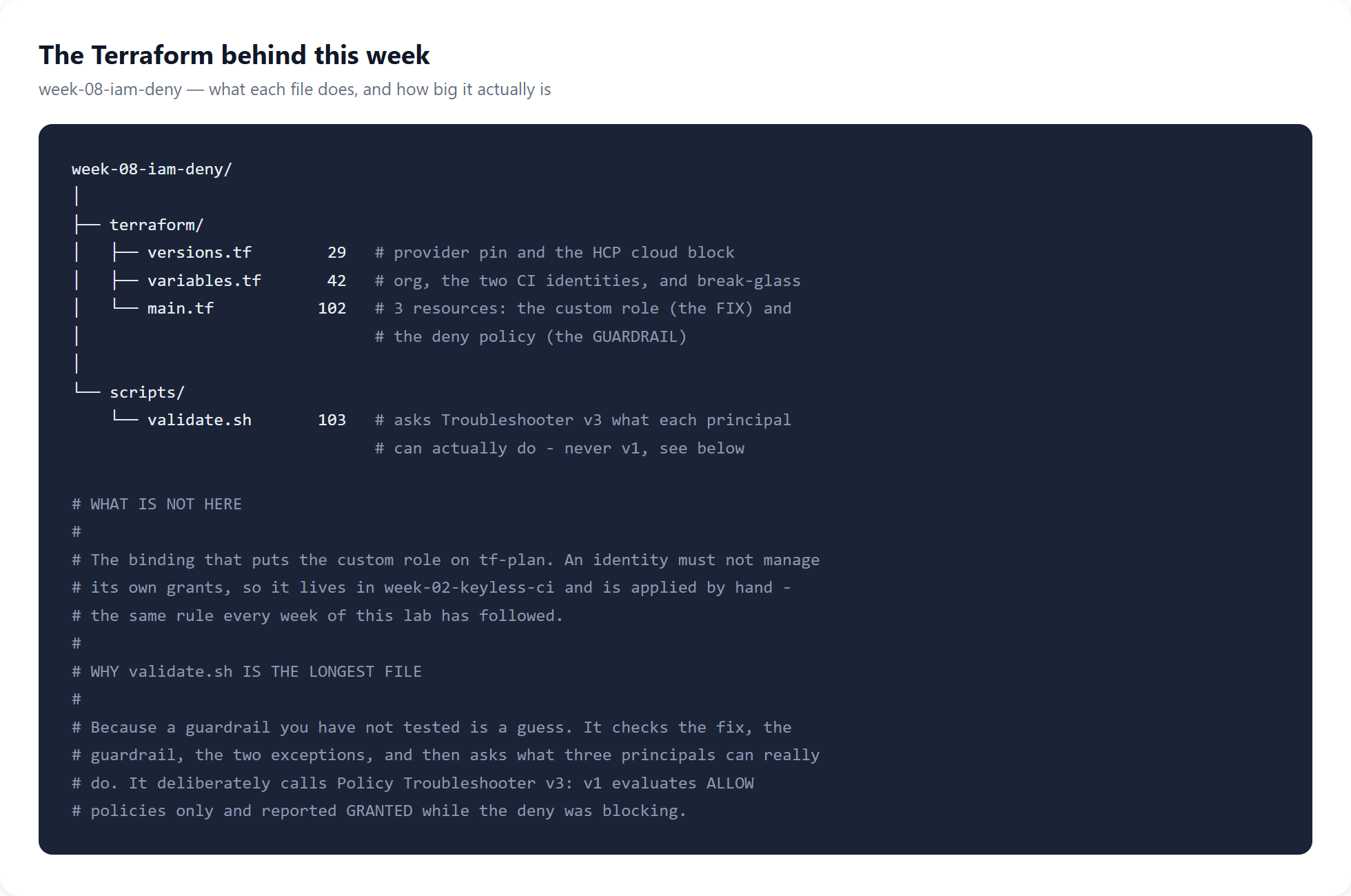
validate.sh is the longest file in the week. That is the right
shape here: a guardrail nobody tested is a guess.Before writing any of it, I asked what the problem actually was. Policy Troubleshooter answers "can this principal do this?" without impersonating anyone — which matters, because these accounts can only be assumed by HCP Terraform, never by a person:
principal:  tf-plan@…
permission: cloudasset.feeds.delete
access:     GRANTED
Skipping this is what turns a demonstration into a claim. Without it, a refusal at the end could be a typo.
How we deployed it
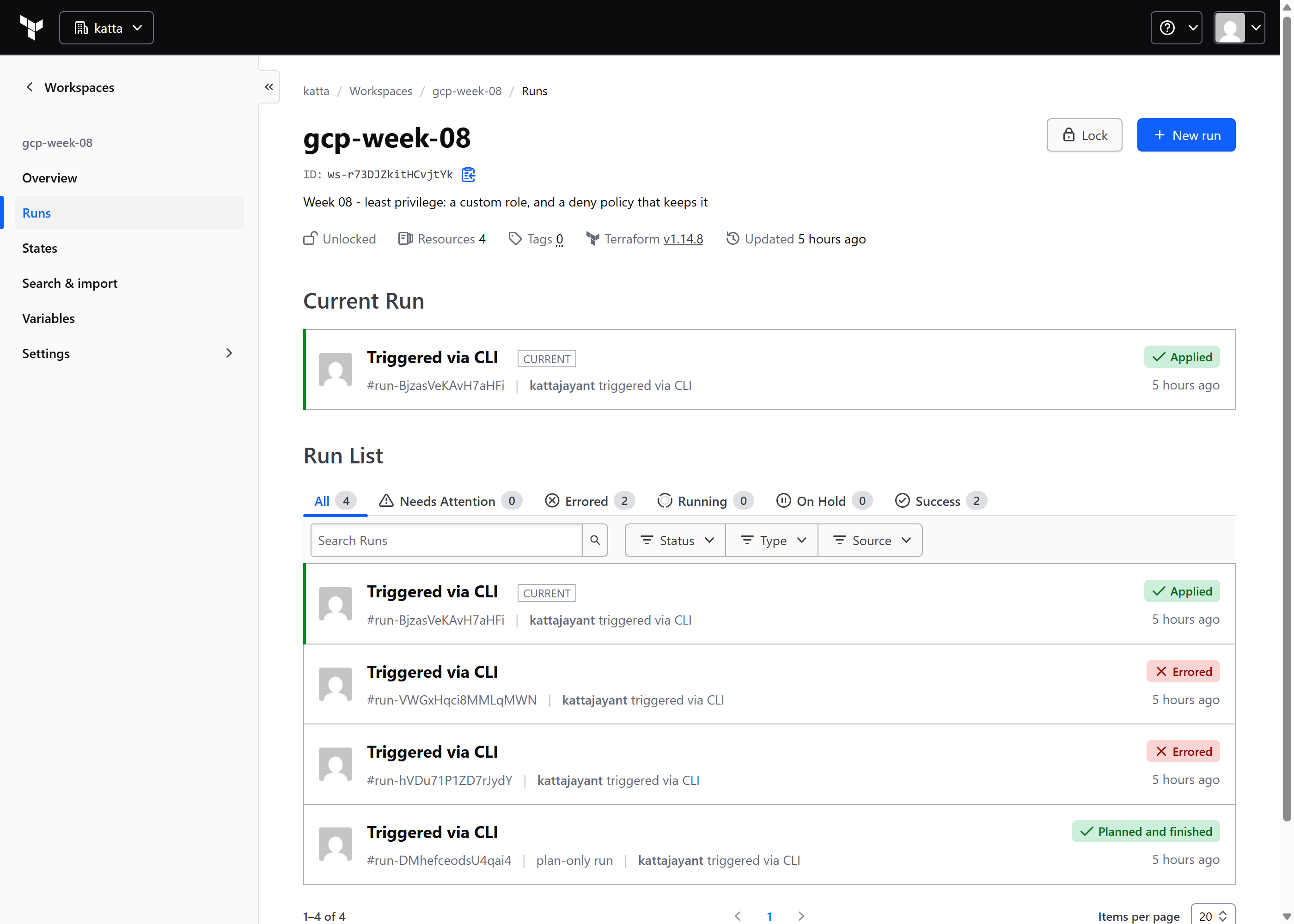
What appeared in the console
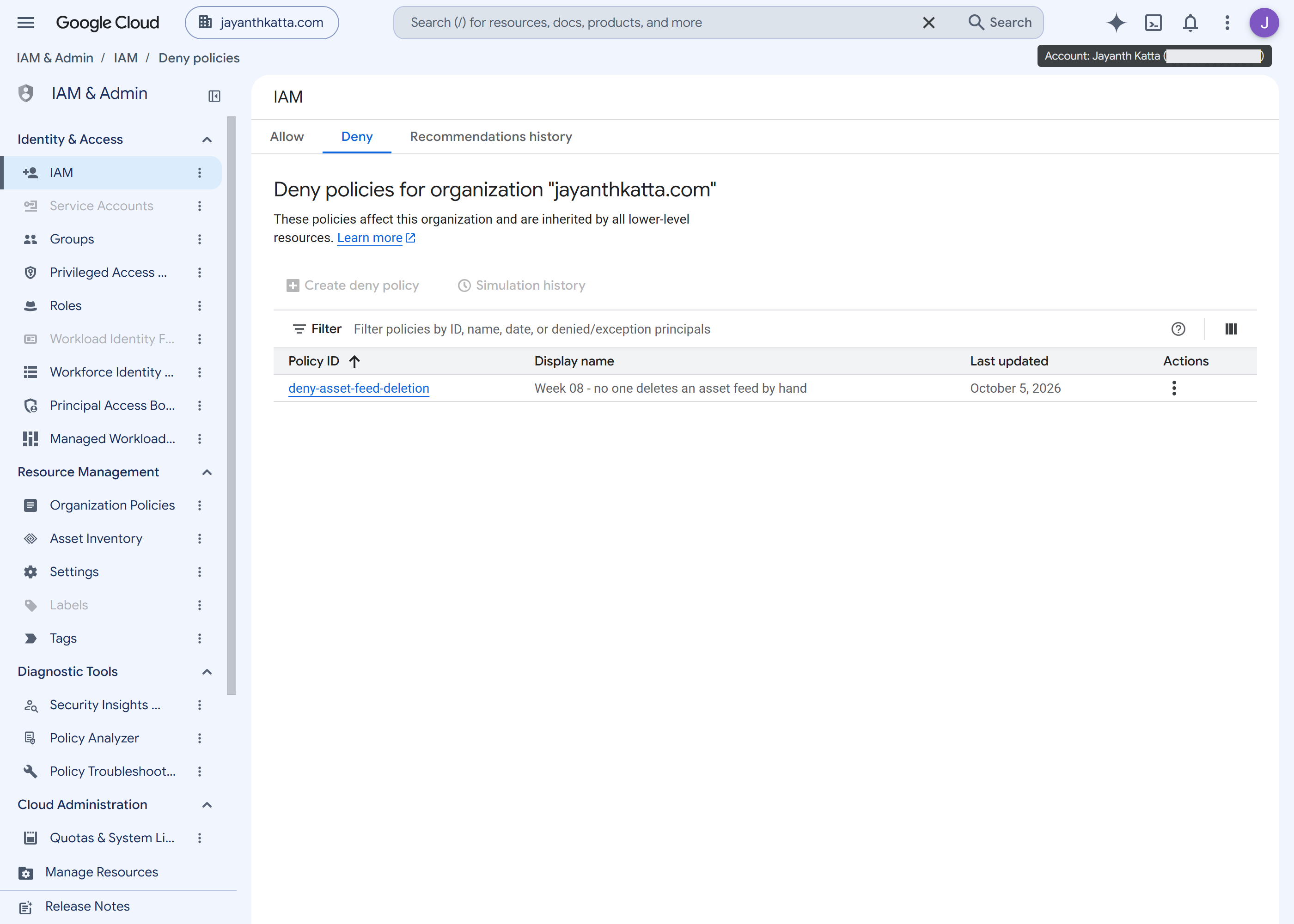
/iam-admin/iam/deny. The more obvious
/iam-admin/denypolicies is a 404.How we tested it, and what success looked like
tf-plan  / feeds.delete   ->  CANNOT_ACCESS     (was GRANTED)
tf-plan  / feeds.get      ->  CAN_ACCESS        (still works)
tf-apply / feeds.delete   ->  CAN_ACCESS        (exempted)
Three calls, because "we removed a permission" is half an answer. The second line proves we did not simply break the plan.
But CANNOT_ACCESS there is the custom role working. The
permission is not granted at all, so the deny policy was never exercised
— it was completely untested. So I simulated the future mistake: re-granted
the broad role and asked again.
allow policies say:  ALLOW_ACCESS_STATE_GRANTED
deny policies say:   DENY_ACCESS_STATE_DENIED
overall:             CANNOT_ACCESS
matched policy:      deny-asset-feed-deletion
Deny beats allow, and the policy names itself. The over-grant was removed immediately after.
Challenges — What Actually Went Wrong
1. The tool for checking deny policies cannot see deny policies
With the deny actively blocking, Policy Troubleshooter v1
said GRANTED and v3 said
CANNOT_ACCESS — same question, same minute. v1 evaluates
allow policies only, and gcloud policy-troubleshoot iam calls v1.
Trusting it would have sent me hunting a fault that did not exist.
2. Deny policies spell principals differently
Not the serviceAccount: string Terraform uses everywhere else.
A service account is
principal://iam.googleapis.com/projects/-/serviceAccounts/EMAIL;
the familiar spelling fails with "invalid principal".
3. Creating a custom role needs permission to read one
The error named undeletion, not creation: deleted custom roles are recoverable for seven days, so the provider reads before it writes.
Security — Controls at Every Layer
Fix at source, then guard. A deny policy on top of an unnecessary role is a compensating control for a problem you could simply remove.
The guardrail is wider than the bug — it denies everyone, because the next over-grant will not be the same one.
Break-glass is part of the control. A deny with no way out gets deleted in an incident, and deleting it removes the control for everybody, permanently. One named human can perform the action without that.
Cost
$0. Custom roles, deny policies and Policy Troubleshooter are free, and nothing here runs. Read from the billing export rather than a rate card: this organization has cost $0.006 since 1 July, total.
The real cost is maintenance. A custom role does not track Google — when a predefined role gains a permission, yours does not, and it surfaces as a plan failing months later. Budget for that before choosing one.
Cleanup
Exempt from teardown: removing these controls restores the hole. If you must lift the deny, use the break-glass exception rather than deleting the policy — deleting it removes the control for everyone and nothing tells you it is gone. If you remove the custom role, restore the broad role first or the next plan fails.
References
- Deny policies — scope, the 500-per-resource limit, and that conditions recognise only resource tag functions.
- Deny access to resources — the principal identifier formats and exception principals.
Measured, not documented: that Troubleshooter v1 cannot see deny policies, and that creating a custom role needs permission to read one.
Key Takeaways
- Measure before you build. A refusal at the end proves nothing unless you showed the same command succeeding first.
- A guardrail you have not triggered is a guess. The fix hid the deny completely; testing it meant recreating the mistake it exists for.
- Know what your instrument cannot see. The default tool reported the opposite of the truth, confidently.
- Never ship a deny without a break-glass. The alternative is someone deleting the whole policy at 2am.
Next week: service account lifecycle — short-lived tokens, impersonation chains, and what happens to an identity nobody owns.
Comments